AI agent for editors
Public Statement Quote Accuracy Agent
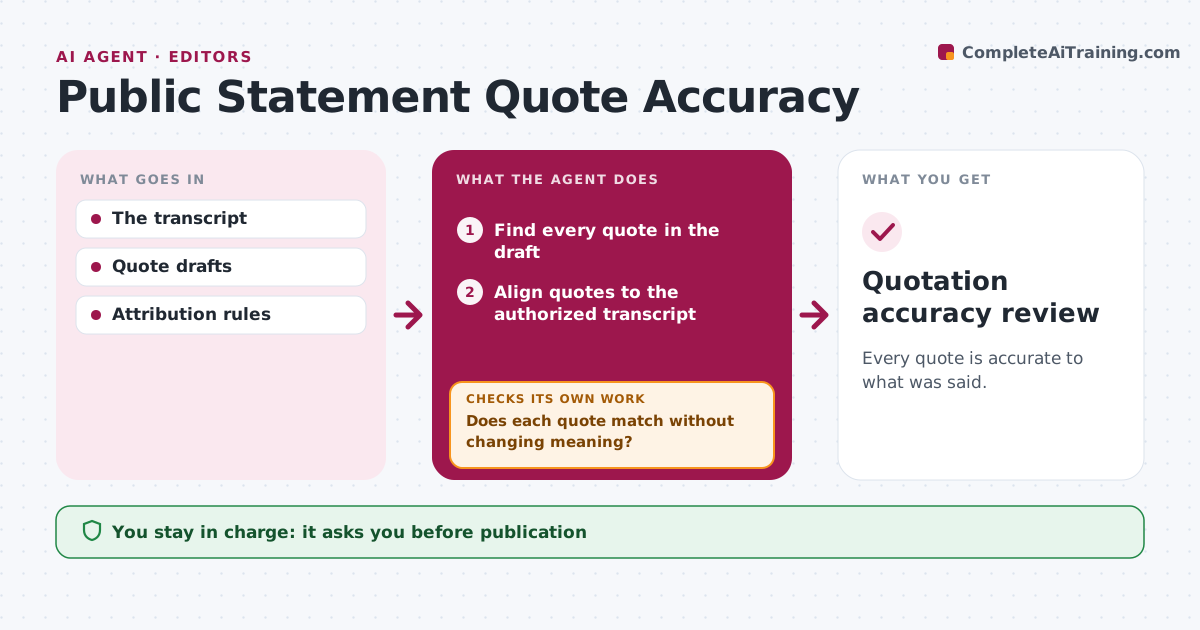
Every quote is accurate to what was said.
What it does
Quotes can change meaning during editing, which damages trust with the speaker. When a draft with quotes is ready, this agent finds each quote and lines it up with the authorized transcript. If a quote matches, it is marked verified. If editing changed the meaning, it restores the exact words or, where editorial rules allow, turns it into an attributed paraphrase. Direct quotes with no source support are refused. After repairs it rechecks the full draft. The editor and the speaker approve the final quotes before publication. Edge case: an edit removed 'not yet', reversing the meaning, so the agent restores it.
How it works
Follow the arrows from top to bottom. The orange dashed arrow is the loop: when a check fails, the agent goes back and tries again.
Read the steps as a list
- Draft with quotes ready
- Find every quote in the draft
- Align quotes to the authorized transcript
- Does each quote match without changing meaning?If not: restore exact words or paraphrase with attribution. Back to step 3.
- Flag quotes with no source support
- Does the repaired draft pass a full recheck?If not: fix the remaining quotes. Back to step 3.
- Editor and speaker approveThe agent waits here for your OK.
- Quotation accuracy review
How it decides
It checks each quote against the transcript and restores meaning.
- Exact words, or an attributed paraphrase under editorial rules.
- No direct quote without transcript support.
- Meaning changes are always restored.
Make it yours
Every agent is a starting point. You choose these settings for your own situation.
- Transcript source per interview
- Editorial rules for trimming and paraphrase
- Who gives speaker approval
- How differences are shown (side by side or tracked)
What keeps you in control
It always asks you first
- Publication
- Speaker approval
Hard limits
- No invented quotes.
It stops when
- Done: quotes verified.
Set it up
We guide you through the set-up, step by step
Members get the full set-up guide for this agent. No technical skills needed: you copy, paste and upload.
- One set of instructions to paste into your AI, with the clicks for ChatGPT, Claude, Microsoft 365 Copilot, Gemini and Grok
- The agent then walks you through connecting your own data, one source at a time
- A downloadable copy with the flow chart, the rules and the full guide