AI agent for meteorologists
Public Weather Report Complaint and Correction Agent
Public messages match current guidance and each other, with corrections made on all channels
What it does
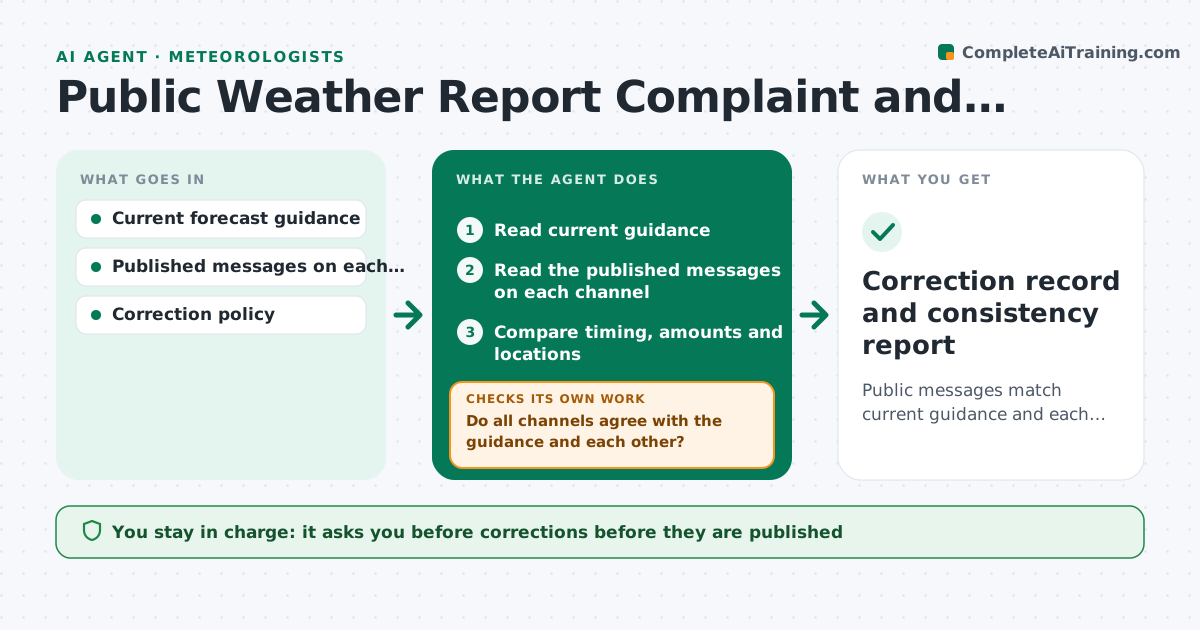
Errors in public weather messages often appear in one channel and not another, and the public notices before the office does. This agent reads published messages across channels, such as the website, social posts and broadcast scripts, and compares them to current guidance for timing, amounts and locations. It flags inconsistencies between channels and with the guidance. For each error it drafts a correction. After the forecaster approves and the correction is sent, it rechecks that every channel was updated. Edge case: the web forecast says snow begins at noon but the broadcast script says 6 pm, so the agent flags the mismatch and shows which version matches the model.
How it works
Follow the arrows from top to bottom. The orange dashed arrow is the loop: when a check fails, the agent goes back and tries again.
Read the steps as a list
- Guidance updated or scheduled message check
- Read current guidance
- Read the published messages on each channel
- Compare timing, amounts and locations
- Do all channels agree with the guidance and each other?If not: list the mismatches and rank by public impact. Back to step 3.
- Draft corrections with the correct wording
- Forecaster approves the correctionsThe agent waits here for your OK.
- Read the channels after the update
- Are all channels now updated and consistent?If not: list the channels still wrong and notify the forecaster. Back to step 7.
- Log the error and correction
- Correction record and consistency report
How it decides
A message is consistent when timing, amounts and areas match the latest guidance within the allowed tolerance and match each other.
- Treat a timing difference over 3 hours as an error
- Treat an amount difference over 25% as an error
- Prioritize channels with the largest audience
- Never edit a message without approval
Make it yours
Every agent is a starting point. You choose these settings for your own situation.
- Channels monitored
- Timing and amount tolerances
- Check frequency
- Correction wording template
What keeps you in control
It always asks you first
- Corrections before they are published
Hard limits
- Never publishes a message
- Never overrides the forecaster's judgment
It stops when
- Done: all channels consistent
- Stop: guidance is under review
Set it up
We guide you through the set-up, step by step
Members get the full set-up guide for this agent. No technical skills needed: you copy, paste and upload.
- One set of instructions to paste into your AI, with the clicks for ChatGPT, Claude, Microsoft 365 Copilot, Gemini and Grok
- The agent then walks you through connecting your own data, one source at a time
- A downloadable copy with the flow chart, the rules and the full guide