AI agent for procurement specialists
Purchase Order Acknowledgement Agent
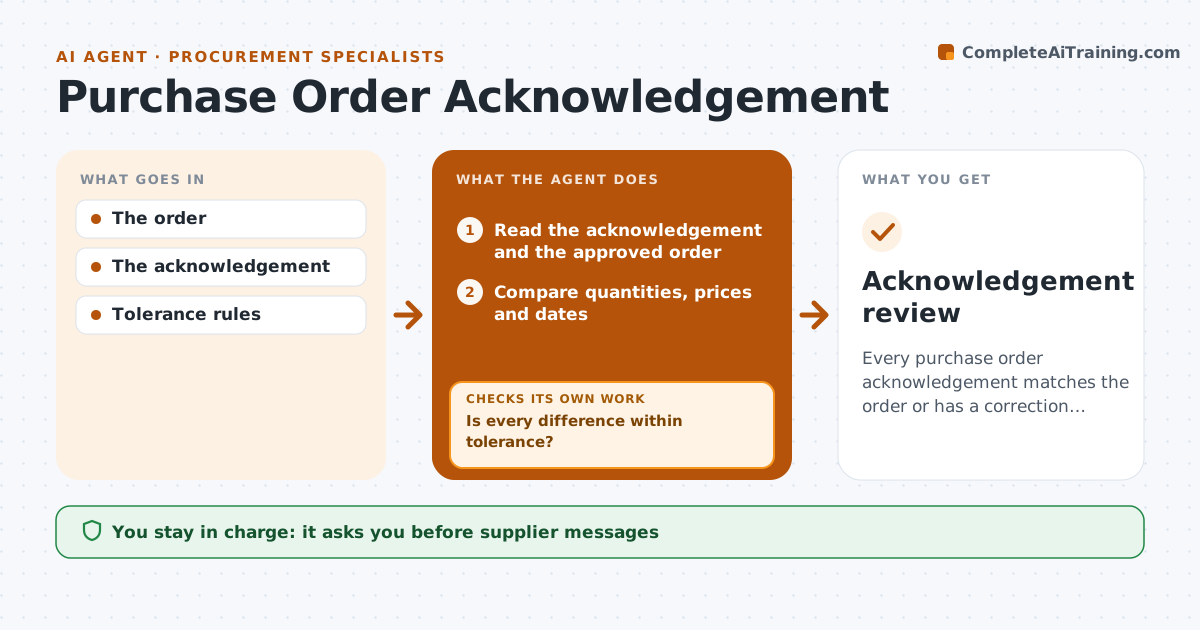
Every purchase order acknowledgement matches the order or has a correction underway.
What it does
Supplier order confirmations often differ from the purchase order in quantity, price or delivery date, and the differences slip through. When a confirmation arrives, this agent compares every line with the approved order and the agreed tolerances. Differences within tolerance are noted. Real differences get a drafted correction request to the supplier. When a supplier splits a delivery, the agent treats it as partial, recalculates the remaining quantity and keeps it open with the new date. The purchasing coordinator approves every supplier message and order change. Edge case: the supplier confirms 60 units now and 40 next month, so the agent keeps 40 open with the new date.
How it works
Follow the arrows from top to bottom. The orange dashed arrow is the loop: when a check fails, the agent goes back and tries again.
Read the steps as a list
- Supplier acknowledgement arrives
- Read the acknowledgement and the approved order
- Compare quantities, prices and dates
- Is every difference within tolerance?If not: draft a correction request. Back to step 3.
- Recalculate remaining quantities for partial deliveries
- Do confirmed plus open quantities equal the order?If not: recheck the split lines. Back to step 5.
- Purchasing coordinator approves supplier messagesThe agent waits here for your OK.
- Acknowledgement review
How it decides
It checks each difference against tolerances and treats split deliveries as partial, not complete.
- Tolerance rules decide what is a real difference.
- A split delivery is partial, never complete.
- No message goes to a supplier without approval.
Make it yours
Every agent is a starting point. You choose these settings for your own situation.
- Price, quantity and date tolerances (default 2%, 0 units, 3 days)
- Where approved orders are read from
- Template and tone for correction requests
- Who approves supplier messages
What keeps you in control
It always asks you first
- Supplier messages
- Order changes
Hard limits
- No order changes.
It stops when
- Done: reviewed.
Set it up
We guide you through the set-up, step by step
Members get the full set-up guide for this agent. No technical skills needed: you copy, paste and upload.
- One set of instructions to paste into your AI, with the clicks for ChatGPT, Claude, Microsoft 365 Copilot, Gemini and Grok
- The agent then walks you through connecting your own data, one source at a time
- A downloadable copy with the flow chart, the rules and the full guide