AI agent for ux researchers
Qualitative and Analytics Triangulation Agent
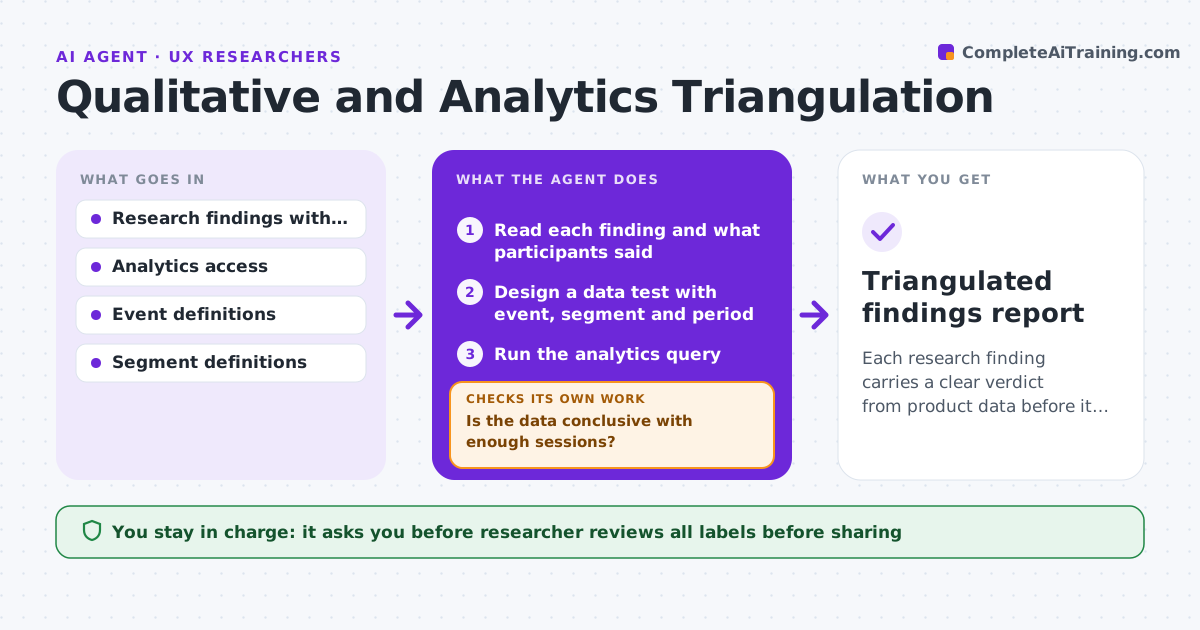
Each research finding carries a clear verdict from product data before it is shared.
What it does
You report that users abandon checkout because shipping costs surprise them, and a product manager asks, show me the data. This agent builds that check for each finding. It designs a data test, such as the share of sessions leaving after the shipping step, queries analytics, and compares behavior with what participants said. It then marks the finding supported, partly supported or contradicted, with numbers and charts. If the data is inconclusive, it tries another cut, such as a segment, device or time window. You review before findings are shared. Edge case: a finding that applies to a small segment is tested on that segment, since the whole population may hide it.
How it works
Follow the arrows from top to bottom. The orange dashed arrow is the loop: when a check fails, the agent goes back and tries again.
Read the steps as a list
- Findings ready
- Read each finding and what participants said
- Design a data test with event, segment and period
- Run the analytics query
- Compare behavior with the claim
- Is the data conclusive with enough sessions?If not: Try another segment, window or event, up to three attempts. Back to step 3.
- Label the finding supported, partly supported or contradicted
- Create a short evidence summary with charts
- Do the numbers in the summary match the query results?If not: Rerun and correct the summary. Back to step 4.
- Researcher reviews before findings are sharedThe agent waits here for your OK.
- Triangulated findings report
How it decides
It labels a finding supported when the data shows the same direction with meaningful size, partly supported when only in some segments, and contradicted when the data points the other way.
- Need at least 500 sessions for a verdict
- Supported when direction matches and the effect is above 5 points
- Test three cuts before calling it inconclusive
- Report contradictions as prominently as support
Make it yours
Every agent is a starting point. You choose these settings for your own situation.
- Minimum sessions (default 500)
- Number of cuts to try
- Effect size threshold
- Chart style
What keeps you in control
It always asks you first
- Researcher reviews all labels before sharing
Hard limits
- Never change findings to match the data
- Never share data outside the research team without approval
It stops when
- Done: all findings labeled
- Stop: analytics events missing for a finding
Set it up
We guide you through the set-up, step by step
Members get the full set-up guide for this agent. No technical skills needed: you copy, paste and upload.
- One set of instructions to paste into your AI, with the clicks for ChatGPT, Claude, Microsoft 365 Copilot, Gemini and Grok
- The agent then walks you through connecting your own data, one source at a time
- A downloadable copy with the flow chart, the rules and the full guide