AI agent for account managers
Quarterly Business Review Preparation Agent
Accurate QBR decks with risks and opportunities
What it does
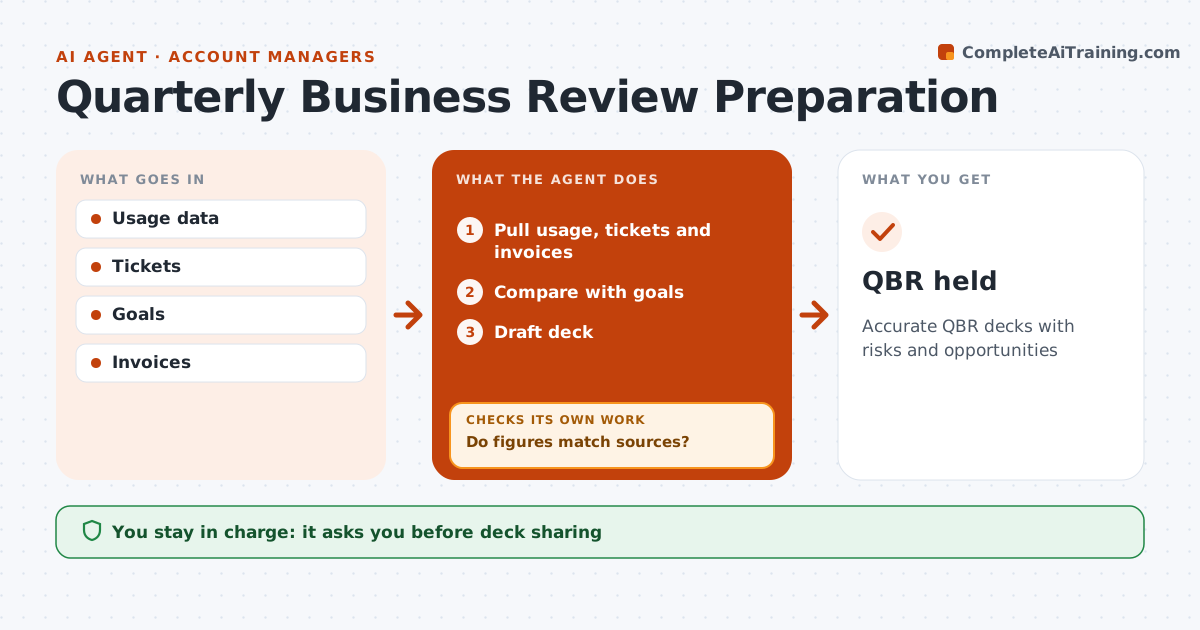
Quarterly business reviews should show the client the value they get, but pulling the numbers together takes the account manager days. When a review is scheduled, this agent pulls usage, support tickets, goals and invoices for the account. It compares results with the goals set last quarter and drafts the review deck. Before anything is shared, it checks every figure against its source. If a number differs, it corrects it and checks again. It lists risks, such as usage falling more than 10 percent or open high-priority tickets, and opportunities based on data, such as a new team adopting the product. The account manager approves the deck before it reaches the client and decides what to say about risks. Edge case: when a client has merged two accounts, the agent combines the data from both so the comparison with last quarter stays fair.
How it works
Follow the arrows from top to bottom. The orange dashed arrow is the loop: when a check fails, the agent goes back and tries again.
Read the steps as a list
- QBR scheduled
- Pull usage, tickets and invoices
- Compare with goals
- Draft deck
- Do figures match sources?If not: correct figures. Back to step 2.
- Account manager approves deckThe agent waits here for your OK.
- QBR held
How it decides
It compares results with goals and flags declines.
- Usage drop over 10% flagged
- Open high tickets listed
- Opportunities based on data
Make it yours
Every agent is a starting point. You choose these settings for your own situation.
- Deck template
- Metrics
- Lead time
- Risk thresholds
What keeps you in control
It always asks you first
- Deck sharing
Hard limits
- No commitments made
- Client data shared only with that client
It stops when
- Done: QBR held
- Stop: account churn
Set it up
We guide you through the set-up, step by step
Members get the full set-up guide for this agent. No technical skills needed: you copy, paste and upload.
- One set of instructions to paste into your AI, with the clicks for ChatGPT, Claude, Microsoft 365 Copilot, Gemini and Grok
- The agent then walks you through connecting your own data, one source at a time
- A downloadable copy with the flow chart, the rules and the full guide