AI agent for internal communications managers
Quarterly Communications Calendar Conflict Agent
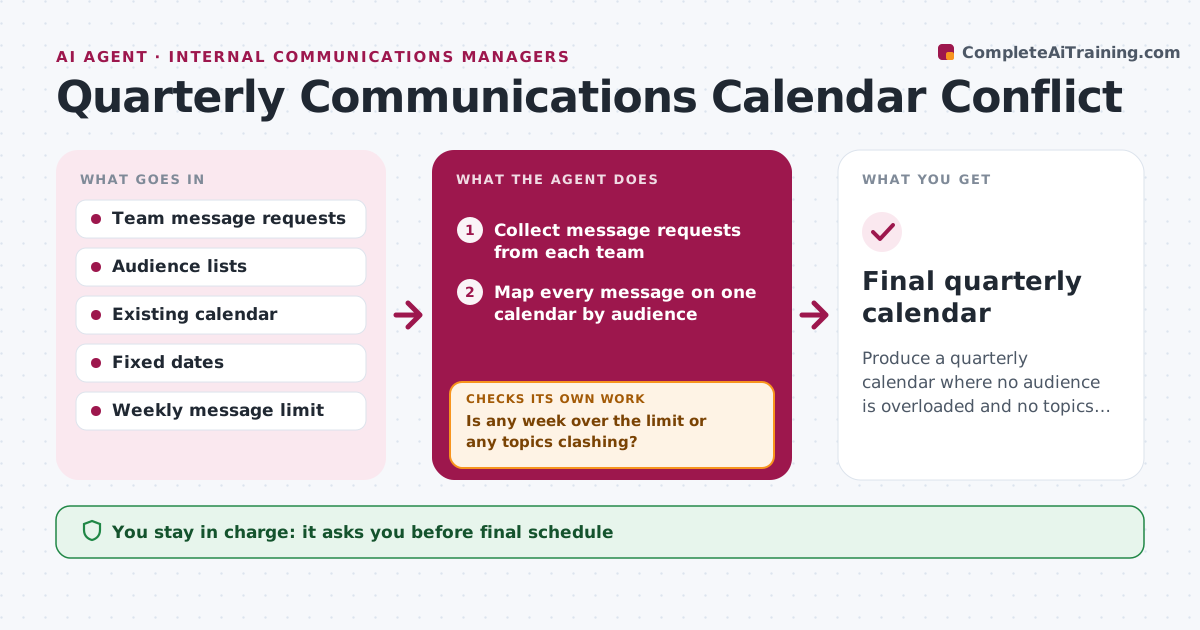
Produce a quarterly calendar where no audience is overloaded and no topics collide.
What it does
Every quarter, HR, IT, finance and leaders each want their message out in the same busy weeks. This agent collects planned messages from team requests, puts them on one calendar by audience, and counts how many messages each group receives per week. It flags overload and messages on clashing topics, such as a bonus announcement landing beside a hiring freeze notice. It proposes moves, then rebuilds the calendar after each move because a shift can create a new clash. It continues until no week breaks your limits. You approve the final schedule before anyone is told. Edge case: a mandatory compliance notice cannot move, so the agent moves the optional items around it.
How it works
Follow the arrows from top to bottom. The orange dashed arrow is the loop: when a check fails, the agent goes back and tries again.
Read the steps as a list
- Quarter planning begins
- Collect message requests from each team
- Map every message on one calendar by audience
- Count messages per audience per week
- Is any week over the limit or any topics clashing?If not: Mark the problem weeks and the movable messages. Back to step 3.
- Propose moves, starting with the most flexible message
- Rebuild the calendar with each proposed move
- Did the move create a new overload or clash?If not: Undo it and try another date or merge two messages. Back to step 3.
- Communications manager approves the scheduleThe agent waits here for your OK.
- Publish the approved calendar to a shared view
- Final quarterly calendar
How it decides
It treats mandatory items as fixed, then moves the most flexible, lowest-priority message first. After every move it recounts the whole calendar.
- Mandatory and legal notices are fixed and never moved
- No audience gets more than 3 messages in a week (default)
- Move the lowest-priority flexible message first
- Two sensitive topics are never placed in the same week for one audience
Make it yours
Every agent is a starting point. You choose these settings for your own situation.
- Weekly message limit per audience (default 3)
- Which items are fixed
- Topic pairs that must not share a week
- Priority order of teams
- Calendar planning horizon (default 13 weeks)
What keeps you in control
It always asks you first
- Final schedule
- Any request denied or delayed
Hard limits
- Never moves fixed items
- Never notifies teams without approval
- Keeps a record of every change
It stops when
- Done: no limit breaks remain
- Stop: only fixed items conflict; the manager decides
Set it up
We guide you through the set-up, step by step
Members get the full set-up guide for this agent. No technical skills needed: you copy, paste and upload.
- One set of instructions to paste into your AI, with the clicks for ChatGPT, Claude, Microsoft 365 Copilot, Gemini and Grok
- The agent then walks you through connecting your own data, one source at a time
- A downloadable copy with the flow chart, the rules and the full guide