AI agent for chief operating officers
Quarterly Operational Risk Register Review Agent
Bring the operational risk register up to date with evidence before the quarterly risk review
What it does
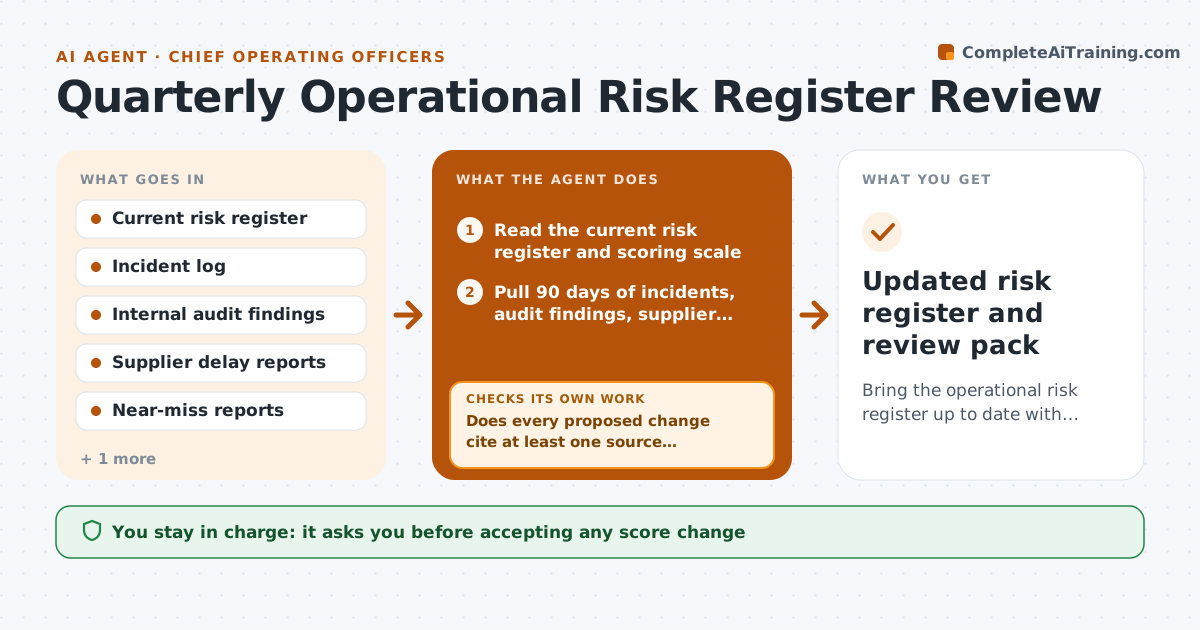
Most operations leaders update the risk register the night before the quarterly review, from memory. This agent does the groundwork each quarter. It reads the current register, then pulls the last 90 days of incident logs, audit findings, supplier delay reports and near misses. It links each event to an existing risk or flags it as a possible new one. It rescores likelihood and impact using the scoring scale the company already uses, and only proposes a change when the evidence clearly moves a score by a full point. After drafting, it checks that every proposed change cites at least one source record and that every high risk still has a named owner and a dated mitigation. If not, it goes back to the sources or asks the owner. Accepting risk changes stays with the leader. Edge case: two incidents describe the same outage, so it merges them before scoring.
How it works
Follow the arrows from top to bottom. The orange dashed arrow is the loop: when a check fails, the agent goes back and tries again.
Read the steps as a list
- Quarterly review date is three weeks away
- Read the current risk register and scoring scale
- Pull 90 days of incidents, audit findings, supplier delays and near misses
- Merge duplicate events and link each to an existing risk or a new-risk candidate
- Rescore likelihood and impact where evidence supports a change
- Does every proposed change cite at least one source record?If not: drop unsupported changes or search the logs again for evidence. Back to step 4.
- Does every high risk have a named owner and a dated mitigation?If not: message the risk owner for an update and rescore once it arrives. Back to step 5.
- Draft the updated register with a change log
- Operations leader accepts, edits or rejects each changeThe agent waits here for your OK.
- Updated risk register and review pack
How it decides
It maps each event to a risk by category, site and cause, and proposes a score change only when the evidence moves likelihood or impact by at least one full point on the company scale.
- Propose a score change only when evidence moves it by one full point or more
- Flag a new risk when three or more unlinked events share a cause within 90 days
- Mark a mitigation overdue when its due date passed more than 14 days ago
- Escalate any risk that moves into the top score band straight to the leader
Make it yours
Every agent is a starting point. You choose these settings for your own situation.
- Look-back window for events (default 90 days)
- Score change that triggers a proposal (default 1 full point)
- Overdue mitigation threshold (default 14 days)
- Which logs and trackers to read
- Format of the review pack (spreadsheet or slide summary)
What keeps you in control
It always asks you first
- Accepting any score change
- Adding or retiring a risk
- Assigning a new risk owner
Hard limits
- Never changes the live register without approval
- Never invents events or scores without a source record
- Keeps incident details about named employees out of the summary
It stops when
- Done: every risk reviewed and the change log is ready for the meeting
- Stop: incident log or register cannot be read, so it reports the gap instead of guessing
Set it up
We guide you through the set-up, step by step
Members get the full set-up guide for this agent. No technical skills needed: you copy, paste and upload.
- One set of instructions to paste into your AI, with the clicks for ChatGPT, Claude, Microsoft 365 Copilot, Gemini and Grok
- The agent then walks you through connecting your own data, one source at a time
- A downloadable copy with the flow chart, the rules and the full guide