AI agent for payroll administrators
Quarterly Payroll Tax Reconciliation Agent
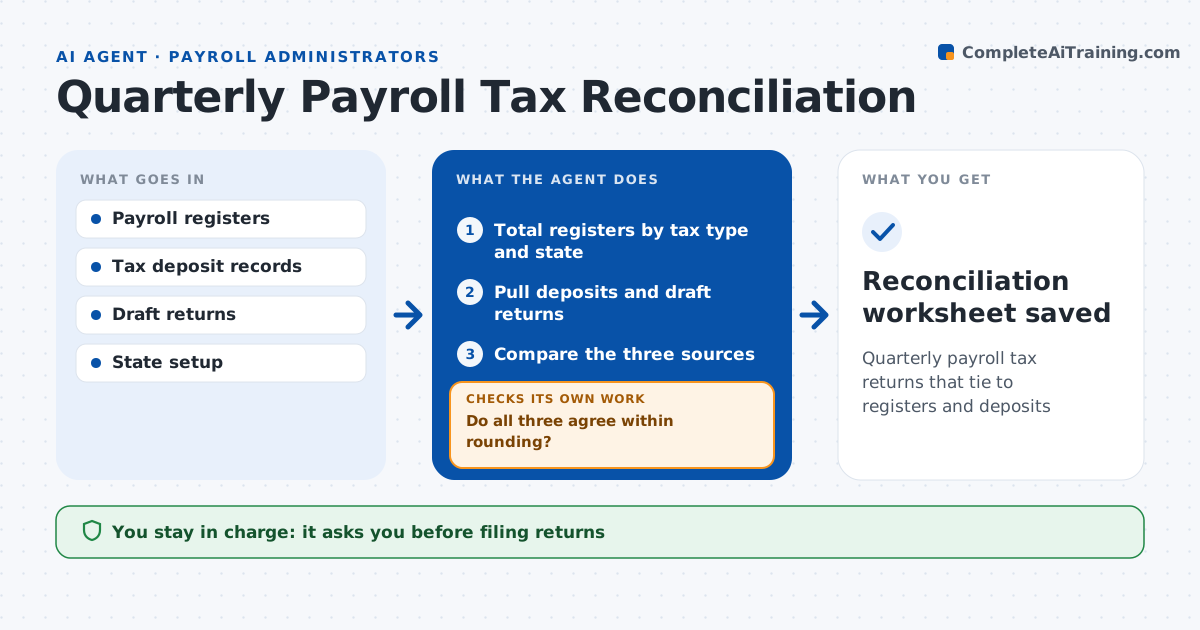
Quarterly payroll tax returns that tie to registers and deposits
What it does
If payroll registers, tax deposits and quarterly returns do not agree, the business risks penalties and notices. Each quarter this agent ties the three together. It totals wages and taxes by type and state from each payroll, pulls the deposits made and the draft federal and state returns, and compares all three. It finds differences such as a missed deposit, a manual check not in the register or a wrong state code. It flags any difference over the set amount and alerts the administrator at once if a deposit was missed. After fixes, it reruns the tie-out until all three agree within rounding. It produces a reconciliation worksheet for the administrator to approve before filing. Edge case: an employee moved states mid-quarter, so wages are split between the two states before the comparison.
How it works
Follow the arrows from top to bottom. The orange dashed arrow is the loop: when a check fails, the agent goes back and tries again.
Read the steps as a list
- Quarter ends
- Total registers by tax type and state
- Pull deposits and draft returns
- Compare the three sources
- Do all three agree within rounding?If not: find the cause, list the fix and rerun after correction. Back to step 4.
- Administrator approves before filingThe agent waits here for your OK.
- Reconciliation worksheet saved
How it decides
It requires the register, deposits and return to agree within a small rounding limit.
- Difference over $5: investigate
- Deposit missed: alert for immediate deposit
- Wages in wrong state: prepare correction
Make it yours
Every agent is a starting point. You choose these settings for your own situation.
- Rounding limit
- States in scope
- Due date reminders
- Worksheet layout
What keeps you in control
It always asks you first
- Filing returns
- Making late deposits
Hard limits
- Never files returns
- Never makes deposits
It stops when
- Done: all filings tie
- Stop: register data incomplete
Set it up
We guide you through the set-up, step by step
Members get the full set-up guide for this agent. No technical skills needed: you copy, paste and upload.
- One set of instructions to paste into your AI, with the clicks for ChatGPT, Claude, Microsoft 365 Copilot, Gemini and Grok
- The agent then walks you through connecting your own data, one source at a time
- A downloadable copy with the flow chart, the rules and the full guide