AI agent for purchasing managers
Quote Comparison and Price Benchmark Agent
Like-for-like quote comparison with a justified recommendation
What it does
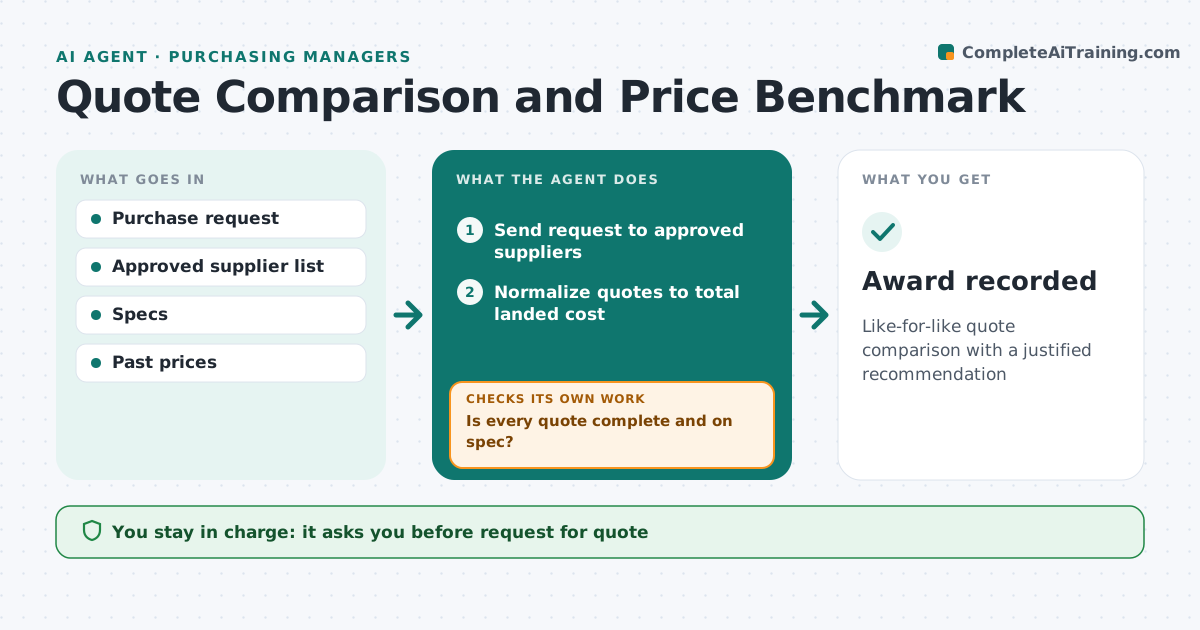
Buying well means comparing quotes on total cost, not only unit price, yet quotes arrive in different formats and terms. When a purchase request comes in, the manager approves a request for quote, and the agent sends it to approved suppliers, asking for three quotes above the threshold. It puts responses on a common basis: same quantities, delivery terms, payment terms and specs, with freight and duties added. It checks each quote for missing items or different specs; if found, it drafts a clarification and updates the quote when answered. Off-spec quotes are excluded. It compares totals with past purchases and market prices and recommends the lowest compliant quote with reasons. The purchasing manager approves the award. Edge case: the cheapest quote excludes freight, so the agent adds estimated freight before comparing.
How it works
Follow the arrows from top to bottom. The orange dashed arrow is the loop: when a check fails, the agent goes back and tries again.
Read the steps as a list
- Purchase request received
- Manager approves request for quoteThe agent waits here for your OK.
- Send request to approved suppliers
- Normalize quotes to total landed cost
- Is every quote complete and on spec?If not: draft clarifications and update quotes. Back to step 4.
- Compare with past and market prices
- Manager approves awardThe agent waits here for your OK.
- Award recorded
How it decides
It normalizes quotes to total landed cost and recommends the lowest compliant quote.
- Three quotes above the threshold
- Freight and duties added
- Off-spec quotes excluded
Make it yours
Every agent is a starting point. You choose these settings for your own situation.
- Quote threshold
- Number of quotes
- Cost elements
- Comparison format
What keeps you in control
It always asks you first
- Request for quote
- Supplier award
Hard limits
- No orders placed
- Approved suppliers only
It stops when
- Done: award recorded
- Stop: fewer than two compliant quotes
Set it up
We guide you through the set-up, step by step
Members get the full set-up guide for this agent. No technical skills needed: you copy, paste and upload.
- One set of instructions to paste into your AI, with the clicks for ChatGPT, Claude, Microsoft 365 Copilot, Gemini and Grok
- The agent then walks you through connecting your own data, one source at a time
- A downloadable copy with the flow chart, the rules and the full guide