AI agent for virtual assistants
Real Estate Transaction Document Tracker Agent
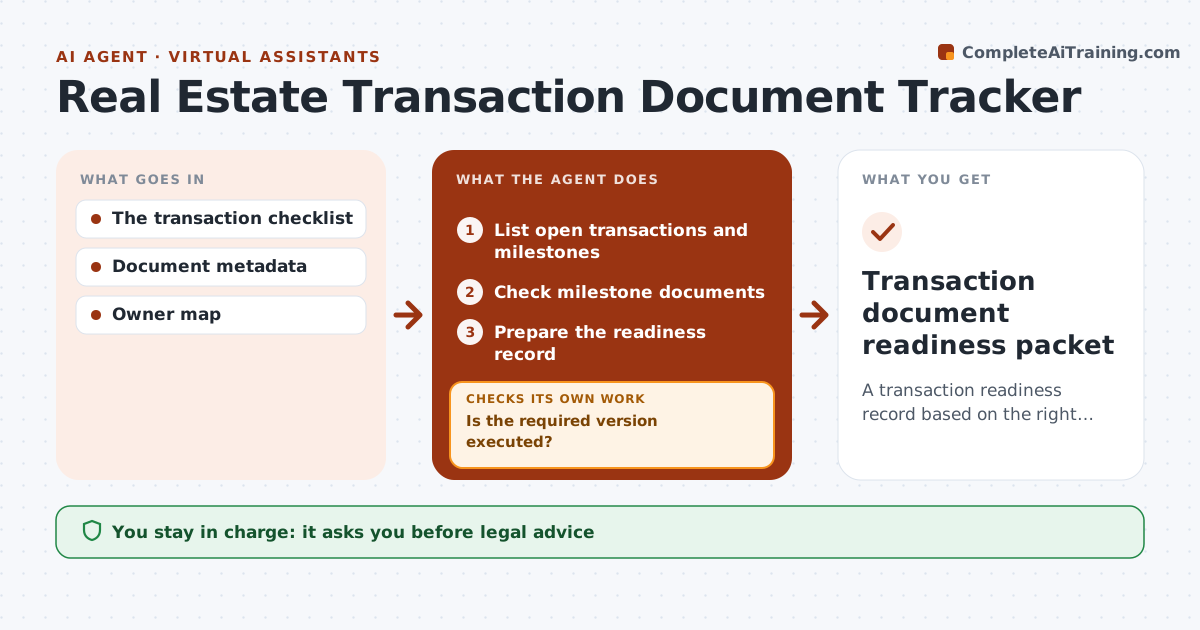
A transaction readiness record based on the right executed documents.
What it does
Real estate transactions move through milestones like signed purchase agreement, title report and financing commitment, and a milestone is sometimes marked done with only a draft. This agent runs a daily check. For each open transaction, it looks at the documents attached to every milestone and checks the version and execution state: signed by all parties, dated and complete. If the executed version is missing, it searches the repository and email filings for it, and if it still cannot find it, it flags the milestone and asks the responsible party. It prepares a readiness record showing what is truly satisfied. The transaction coordinator reviews it. Edge case: a document signed by only one party does not satisfy an executed-document milestone.
How it works
Follow the arrows from top to bottom. The orange dashed arrow is the loop: when a check fails, the agent goes back and tries again.
Read the steps as a list
- Daily check
- List open transactions and milestones
- Check milestone documents
- Is the required version executed?If not: look up the executed version or flag it and ask the party. Back to step 3.
- Prepare the readiness record
- Coordinator reviewsThe agent waits here for your OK.
- Transaction document readiness packet
How it decides
It checks execution state per milestone.
- Drafts never satisfy executed-document milestones.
- All parties must have signed.
- Search the repository before asking a person.
- Escalate milestones still open near closing.
Make it yours
Every agent is a starting point. You choose these settings for your own situation.
- Milestones and required execution state for each
- Repositories and mailboxes to search
- Days before closing to escalate open milestones (default 10)
- Who receives escalations (default: transaction coordinator)
- Run schedule (default: daily at 8 am)
What keeps you in control
It always asks you first
- Legal advice
- Signing
- Closing
Hard limits
- No closing decisions.
It stops when
- Done: all milestones met.
Set it up
We guide you through the set-up, step by step
Members get the full set-up guide for this agent. No technical skills needed: you copy, paste and upload.
- One set of instructions to paste into your AI, with the clicks for ChatGPT, Claude, Microsoft 365 Copilot, Gemini and Grok
- The agent then walks you through connecting your own data, one source at a time
- A downloadable copy with the flow chart, the rules and the full guide