AI agent for land surveyors
Record Research Deed Chain Agent
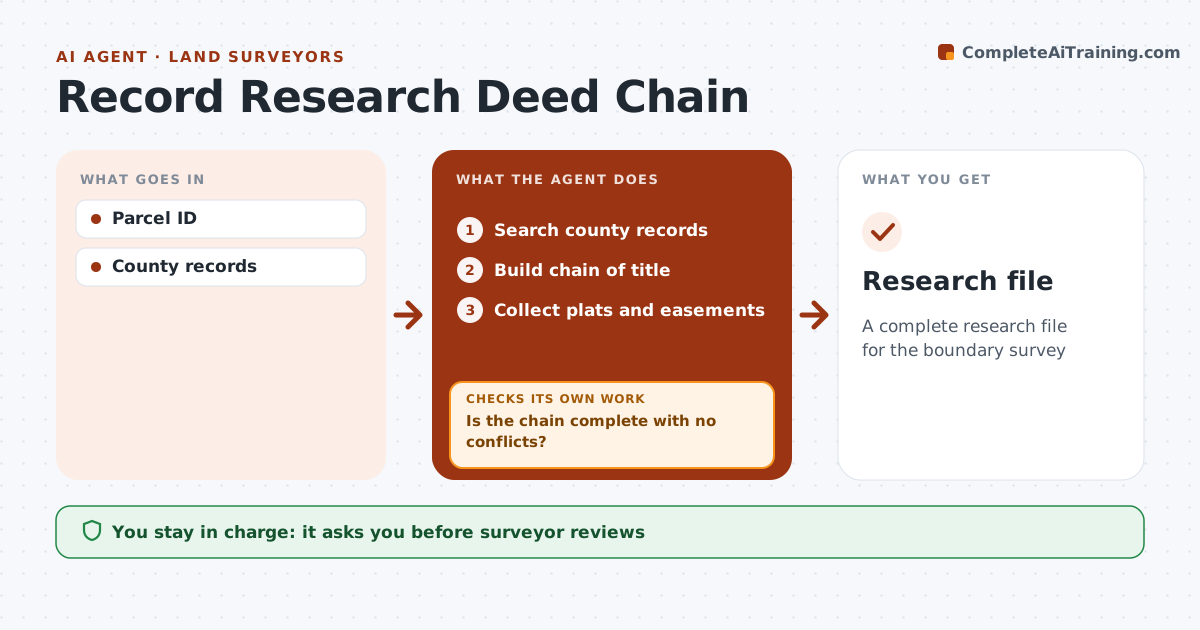
A complete research file for the boundary survey
What it does
Before a boundary survey, surveyors research deeds, plats and easements for the parcel and its neighbors, and gaps in the record cause expensive mistakes. When a survey is ordered, this agent searches county records and builds the chain of title for the parcel and adjoiners back to a common source. It checks for gaps in the chain and conflicts between descriptions. When it finds a gap, it searches again by grantor and grantee names before listing items for a recorder's office visit or a title company. It then collects plats and easements and checks that each recorded easement appears in the file. The surveyor reviews the file and decides how to weigh conflicting evidence. Edge case: where adjoining deeds overlap, it notes which deed is senior so the surveyor can apply the right rules.
How it works
Follow the arrows from top to bottom. The orange dashed arrow is the loop: when a check fails, the agent goes back and tries again.
Read the steps as a list
- Survey ordered
- Search county records
- Build chain of title
- Is the chain complete with no conflicts?If not: search further or list for office visit. Back to step 2.
- Collect plats and easements
- Does every easement referenced in the deeds appear in the file?If not: search for the missing easement documents. Back to step 5.
- Note overlaps and which deed is senior
- Surveyor reviewsThe agent waits here for your OK.
- Research file
How it decides
Chain must be complete back to a common source. Conflicts are flagged.
- Chain to common source
- Conflicts flagged
- Seniority noted
Make it yours
Every agent is a starting point. You choose these settings for your own situation.
- Search depth
- Counties
- Document types
- Format
What keeps you in control
It always asks you first
- Surveyor reviews
Hard limits
- Never gives legal opinion
- Public records only
It stops when
- Done: file complete
- Stop: records unavailable
Set it up
We guide you through the set-up, step by step
Members get the full set-up guide for this agent. No technical skills needed: you copy, paste and upload.
- One set of instructions to paste into your AI, with the clicks for ChatGPT, Claude, Microsoft 365 Copilot, Gemini and Grok
- The agent then walks you through connecting your own data, one source at a time
- A downloadable copy with the flow chart, the rules and the full guide