AI agent for hr analysts
Recruitment Metrics Report Agent
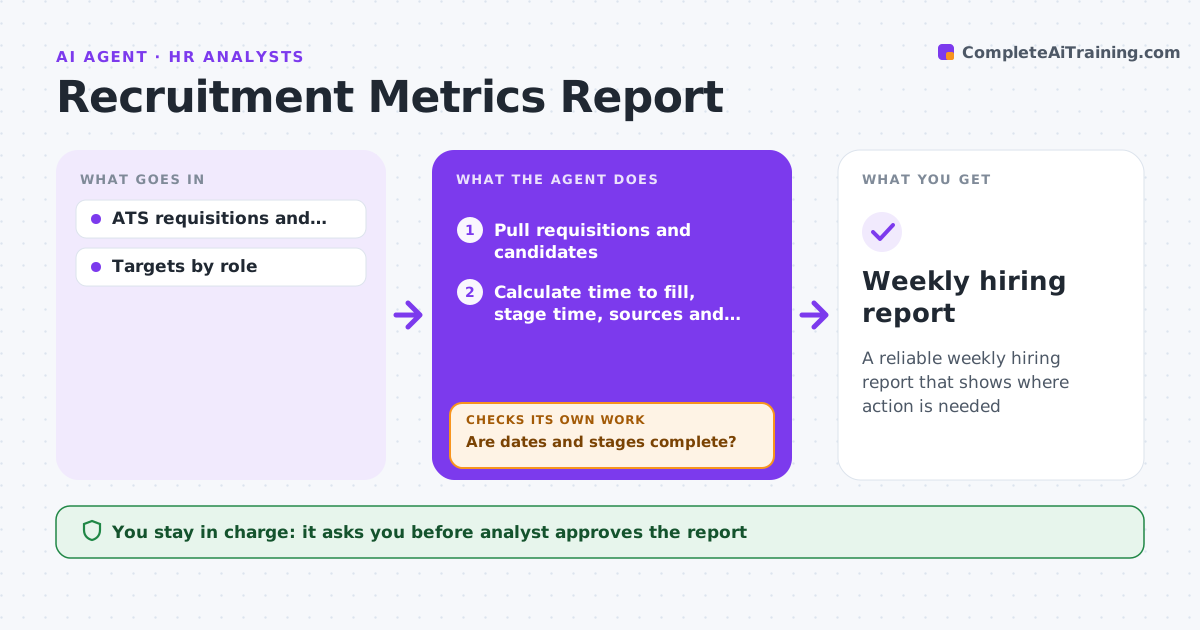
A reliable weekly hiring report that shows where action is needed
What it does
Hiring leaders want to know how long roles take to fill, which sources produce hires and where pipelines stall. Every Monday this agent pulls requisitions and candidates from the applicant tracking system and checks that dates and stages are complete. If records have gaps, it lists them for recruiters to fix and pulls again. It calculates time to fill, time in stage, source of hire and offer acceptance. On-hold time is excluded, and the source is credited at first touch. It flags roles behind target and stages where candidates wait over 5 days. Before release it compares totals with last week to catch odd swings. The analyst approves the report for leaders. Edge case: requisitions on hold are excluded from time to fill while on hold.
How it works
Follow the arrows from top to bottom. The orange dashed arrow is the loop: when a check fails, the agent goes back and tries again.
Read the steps as a list
- Monday run
- Pull requisitions and candidates
- Are dates and stages complete?If not: list records for recruiters to fix and pull again. Back to step 2.
- Calculate time to fill, stage time, sources and acceptance
- Flag roles and stages behind target
- Compare totals with last week's report
- Are week-over-week changes explained by real hires and closures?If not: trace the swing to the records and recalculate. Back to step 4.
- Analyst approves report for leadersThe agent waits here for your OK.
- Weekly hiring report
How it decides
Roles past target time are flagged. Stages with candidates waiting over 5 days are flagged.
- On-hold time excluded
- Stage wait over 5 days flagged
- Source credited at first touch
Make it yours
Every agent is a starting point. You choose these settings for your own situation.
- Targets by role
- Stage wait threshold
- Report day
- Metrics included
What keeps you in control
It always asks you first
- Analyst approves the report
Hard limits
- Never changes ATS data
- No candidate personal data in reports
It stops when
- Done: report delivered
- Stop: ATS unavailable
Set it up
We guide you through the set-up, step by step
Members get the full set-up guide for this agent. No technical skills needed: you copy, paste and upload.
- One set of instructions to paste into your AI, with the clicks for ChatGPT, Claude, Microsoft 365 Copilot, Gemini and Grok
- The agent then walks you through connecting your own data, one source at a time
- A downloadable copy with the flow chart, the rules and the full guide