AI agent for sales engineers
Reference Architecture Customization Agent
Produce a diagram that matches the customer's stack and is supported end to end
What it does
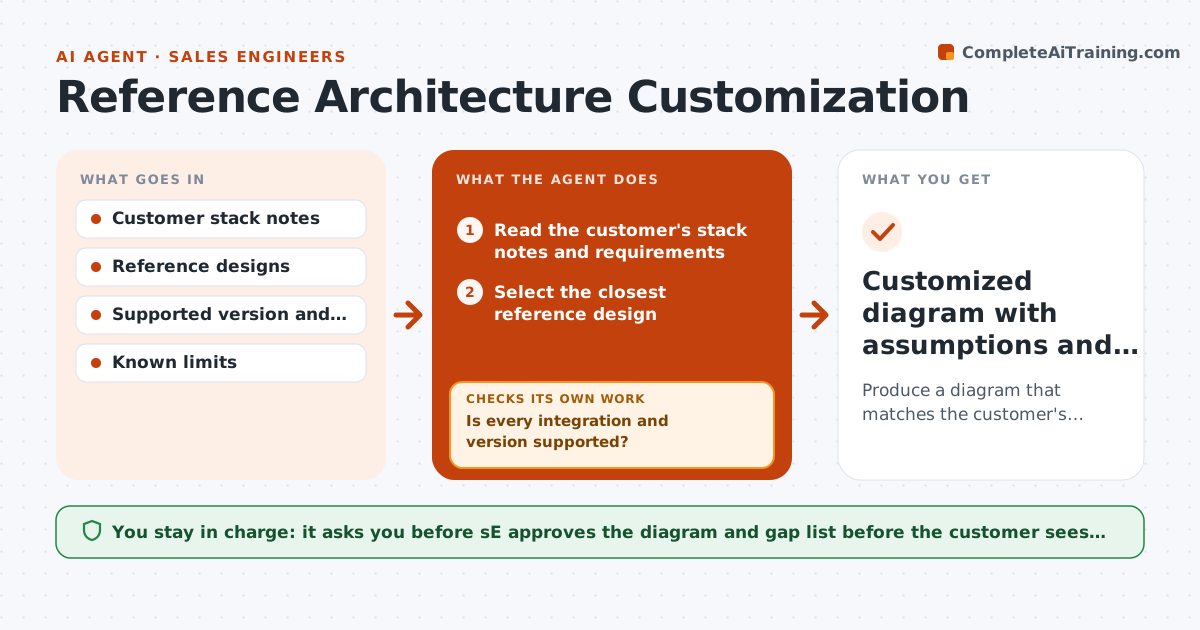
A sales engineer sends a generic diagram and the customer says we do not use that database or that identity provider. Credibility drops and the SE redraws it overnight. This agent tailors the design. It reads the customer's stack notes from discovery, picks the closest reference design, swaps components to match what the customer runs, and checks each integration against supported versions and known limits. It flags gaps, such as an unsupported version or a missing connector, and proposes options. After each gap is resolved it revises the diagram and rechecks the whole design. The SE approves the diagram before sharing. Edge case: the customer runs a legacy system with no connector. The agent proposes a file-based workaround and labels it as custom.
How it works
Follow the arrows from top to bottom. The orange dashed arrow is the loop: when a check fails, the agent goes back and tries again.
Read the steps as a list
- Discovery notes completed
- Read the customer's stack notes and requirements
- Select the closest reference design
- Replace components to match the customer's systems
- Check each integration against the supported version matrix
- Is every integration and version supported?If not: List gaps and propose options: upgrade, connector, workaround or exclusion. Back to step 4.
- Revise the diagram after each gap decision
- Does the revised design meet the customer's stated requirements?If not: Adjust components or flag the requirement as a risk. Back to step 3.
- SE approves the diagram before sharingThe agent waits here for your OK.
- Customized diagram with assumptions and gap list
How it decides
It picks the reference design with the most components matching the customer's stack. A component is acceptable only if the integration and version are supported.
- Prefer supported connectors over custom work
- Label custom workarounds clearly in the diagram
- Versions outside support need a note and an upgrade option
- Unstated components are marked as assumptions
Make it yours
Every agent is a starting point. You choose these settings for your own situation.
- Reference designs to use
- Diagram style and labels
- Support matrix source
- How to label workarounds
- Who reviews technical risks
What keeps you in control
It always asks you first
- SE approves the diagram and gap list before the customer sees it
Hard limits
- Never promises unsupported features
- Marks all assumptions
It stops when
- Done: diagram approved with assumptions listed
- Stop: a core requirement cannot be met, escalate to product
Set it up
We guide you through the set-up, step by step
Members get the full set-up guide for this agent. No technical skills needed: you copy, paste and upload.
- One set of instructions to paste into your AI, with the clicks for ChatGPT, Claude, Microsoft 365 Copilot, Gemini and Grok
- The agent then walks you through connecting your own data, one source at a time
- A downloadable copy with the flow chart, the rules and the full guide