AI agent for real estate brokers
Referral Fee and Co-Broke Agreement Tracker Agent
Make sure every referral fee owed or due is documented, matched and paid
What it does
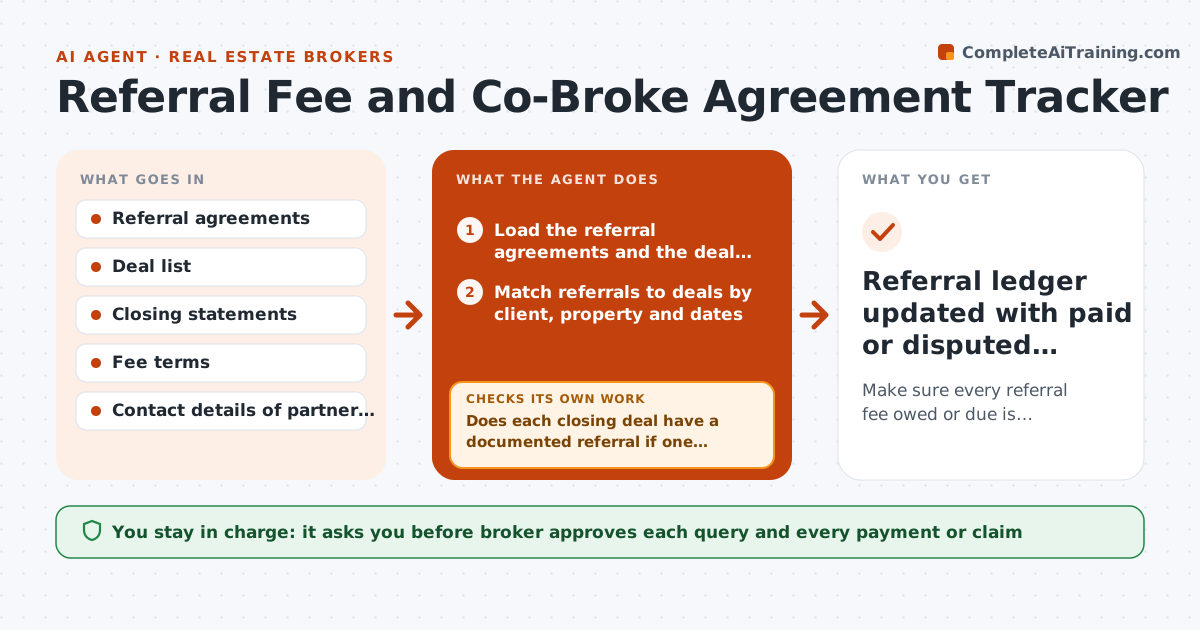
A broker refers a client to a colleague in another city, sends an email saying 25 percent, and a year later the closing statement shows no fee or a different one. This agent tracks every referral. It matches incoming and outgoing referrals to signed agreements, flags deals closing without a documented referral, and compares the fee terms with the closing statement when it arrives. If a mismatch appears, it drafts a query to the other broker with the agreement and the numbers. It tracks the answer and rechecks until payment is confirmed. The broker approves any payment or claim. Edge case: the deal closes under a different client name. The agent matches by property and dates and asks the broker to confirm.
How it works
Follow the arrows from top to bottom. The orange dashed arrow is the loop: when a check fails, the agent goes back and tries again.
Read the steps as a list
- Referral logged or deal nears closing
- Load the referral agreements and the deal list
- Match referrals to deals by client, property and dates
- Does each closing deal have a documented referral if one exists?If not: Flag undocumented referrals and ask the broker for the agreement. Back to step 3.
- Read the closing statement fee line
- Calculate the expected fee from the agreement
- Does the statement match the expected fee?If not: Draft a query to the other broker with the agreement and the numbers. Back to step 6.
- Broker approves the query and any claimThe agent waits here for your OK.
- Send the query and set a follow-up date
- Referral ledger updated with paid or disputed status
How it decides
It matches referrals to deals by client, property and dates. A fee is correct when the percentage times the base equals the closing statement amount.
- A fee mismatch above $50 is queried
- A referral without a signed agreement is flagged before closing
- Matches use property address plus closing date, not name only
- Unpaid fees 30 days after closing are escalated
Make it yours
Every agent is a starting point. You choose these settings for your own situation.
- Mismatch threshold (default $50)
- Days before escalation (default 30)
- Agreement template to check
- Partner broker contacts
- Reminder timing
What keeps you in control
It always asks you first
- Broker approves each query and every payment or claim
Hard limits
- Never pays or demands money itself
- Does not decide a fee dispute
It stops when
- Done: fee paid and recorded
- Stop: dispute over terms, hand to the broker or a lawyer
Set it up
We guide you through the set-up, step by step
Members get the full set-up guide for this agent. No technical skills needed: you copy, paste and upload.
- One set of instructions to paste into your AI, with the clicks for ChatGPT, Claude, Microsoft 365 Copilot, Gemini and Grok
- The agent then walks you through connecting your own data, one source at a time
- A downloadable copy with the flow chart, the rules and the full guide