AI agent for mortgage brokers
Refinance Opportunity Watch Agent
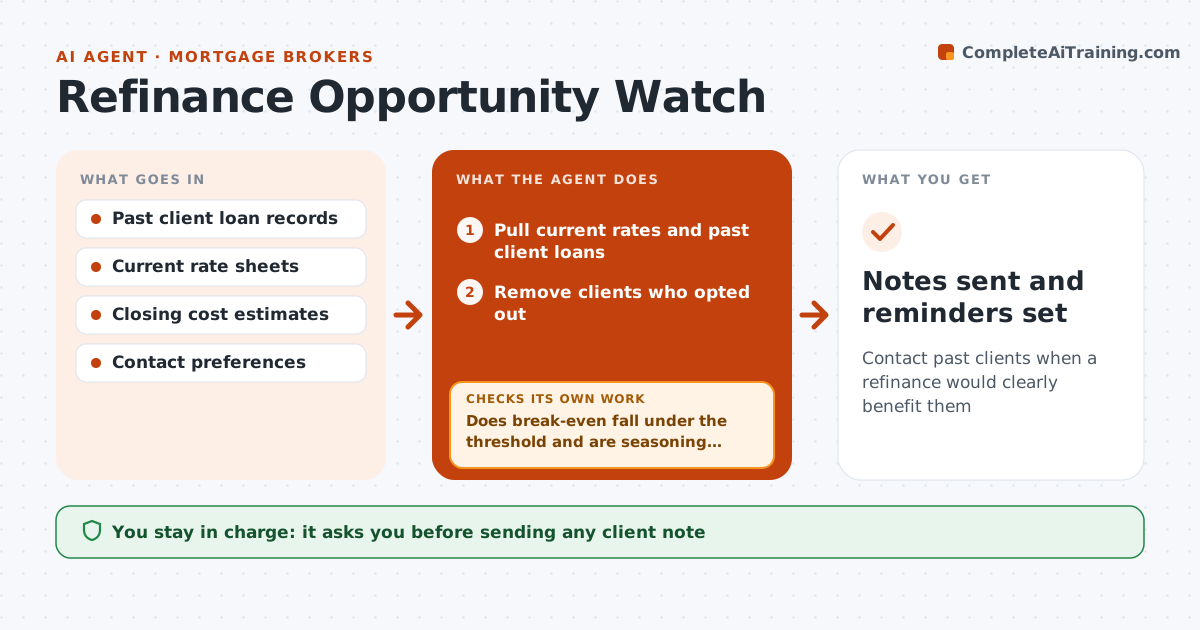
Contact past clients when a refinance would clearly benefit them
What it does
Past clients are a broker's best source of new loans, but nobody tracks when a refinance makes sense for each one. Each week this agent pulls current rates and every past client's loan rate, balance and remaining term. It calculates savings and the break-even on closing costs for each client. A client qualifies when break-even is under 30 months, the loan is at least 6 months old to meet seasoning rules, any prepayment terms allow it, and the client has not opted out. It drafts a short personal note with estimated savings for each qualifying client. The broker approves every note. After sending, it tracks replies and sets reminders. Edge case: clients who closed less than six months ago are skipped because most lenders require seasoning.
How it works
Follow the arrows from top to bottom. The orange dashed arrow is the loop: when a check fails, the agent goes back and tries again.
Read the steps as a list
- Weekly rate review
- Pull current rates and past client loans
- Remove clients who opted out
- Calculate savings and break-even per client
- Does break-even fall under the threshold and are seasoning rules met?If not: skip the client and recheck next week. Back to step 4.
- Draft a personal note with estimated savings
- Broker approves each noteThe agent waits here for your OK.
- Track replies and set reminders
- Notes sent and reminders set
How it decides
A client qualifies when break-even on closing costs is under the set number of months and seasoning rules are met.
- Break-even under 30 months qualifies
- Skip loans under 6 months old
- Skip clients who opted out
Make it yours
Every agent is a starting point. You choose these settings for your own situation.
- Break-even threshold (default 30 months)
- Seasoning rule
- Closing cost assumptions
- Review day
What keeps you in control
It always asks you first
- Sending any client note
Hard limits
- Savings are estimates and labeled so
- Never contacts opted-out clients
It stops when
- Done: notes sent
- Stop: no qualifying clients this week
Set it up
We guide you through the set-up, step by step
Members get the full set-up guide for this agent. No technical skills needed: you copy, paste and upload.
- One set of instructions to paste into your AI, with the clicks for ChatGPT, Claude, Microsoft 365 Copilot, Gemini and Grok
- The agent then walks you through connecting your own data, one source at a time
- A downloadable copy with the flow chart, the rules and the full guide