AI agent for compliance officers
Regulatory Filing Calendar Agent
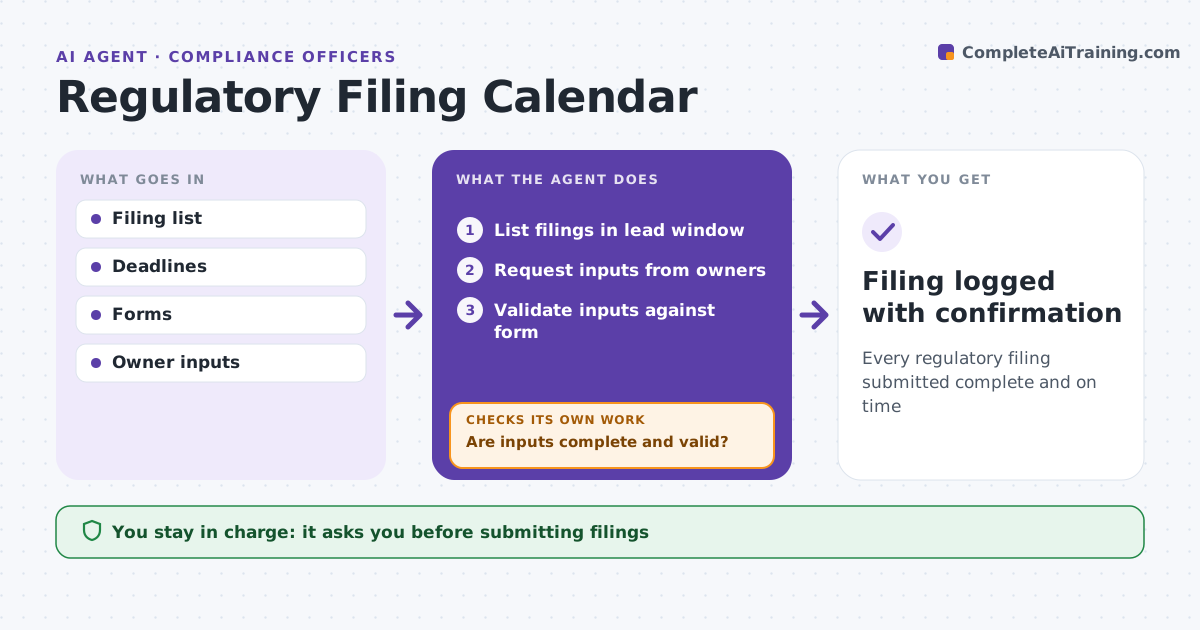
Every regulatory filing submitted complete and on time
What it does
Missing a regulatory filing deadline brings fines and scrutiny, yet inputs come from many owners who are often late. This agent keeps the filing calendar. It lists each filing with its deadline, owner and inputs. Each day it checks which filings are inside their lead window, 30 days for annual filings, and requests inputs from owners. It validates each input against the filing form, including totals and required fields. If anything is missing or fails, it chases the owner and checks again, escalating inputs more than five days late. It prepares the filing package for review. The compliance officer approves and submits, and the agent logs the confirmation. Edge case: a deadline falls on a holiday, so the agent applies the regulator's rule on the next business day.
How it works
Follow the arrows from top to bottom. The orange dashed arrow is the loop: when a check fails, the agent goes back and tries again.
Read the steps as a list
- Daily calendar check
- List filings in lead window
- Request inputs from owners
- Validate inputs against form
- Are inputs complete and valid?If not: chase the owner and recheck. Back to step 3.
- Compliance officer approves and submitsThe agent waits here for your OK.
- Filing logged with confirmation
How it decides
It starts requests at set lead times and requires validation before review.
- Lead time 30 days for annual filings
- Holiday deadline: apply regulator rule
- Input late by 5 days: escalate
Make it yours
Every agent is a starting point. You choose these settings for your own situation.
- Lead times
- Escalation rules
- Filing list
- Validation checks
What keeps you in control
It always asks you first
- Submitting filings
Hard limits
- Never submits filings
- Never changes inputs
It stops when
- Done: filed
- Stop: regulator portal down, document attempt
Set it up
We guide you through the set-up, step by step
Members get the full set-up guide for this agent. No technical skills needed: you copy, paste and upload.
- One set of instructions to paste into your AI, with the clicks for ChatGPT, Claude, Microsoft 365 Copilot, Gemini and Grok
- The agent then walks you through connecting your own data, one source at a time
- A downloadable copy with the flow chart, the rules and the full guide