AI agent for real estate investors
Rehab Progress and Budget Tracker Agent
A rehab that finishes on budget and on time, or an early warning with options when it will not
What it does
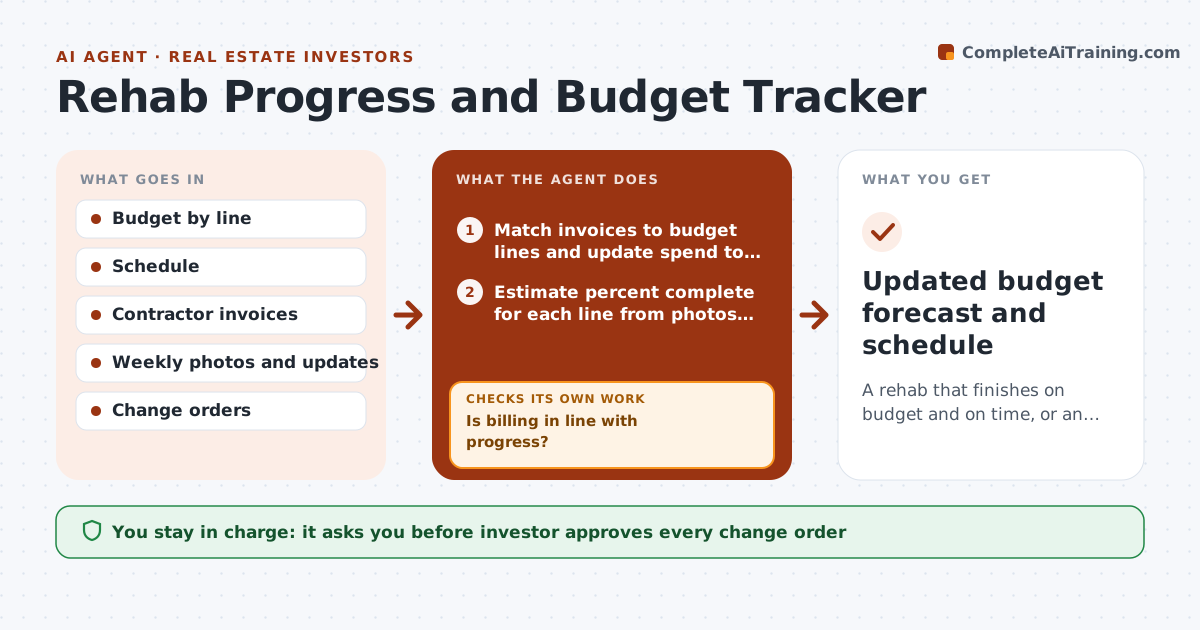
Rehab budgets tend to leak a little each week until the final bill is far over. This agent compares contractor invoices and weekly progress photos with the budget and schedule. It matches each invoice to a budget line, estimates percent complete from the photos and the contractor's updates, and flags lines billed ahead of progress. It forecasts the final cost for each line from the work left and current pricing, and checks that line forecasts add up to the total. When the forecast passes the budget or the finish date slips, it suggests options such as swapping a finish or phasing a task. The investor approves each change order. Edge case: demolition reveals rot, so the agent adds a line and recomputes the contingency.
How it works
Follow the arrows from top to bottom. The orange dashed arrow is the loop: when a check fails, the agent goes back and tries again.
Read the steps as a list
- Weekly review or invoice arrives
- Match invoices to budget lines and update spend to date
- Estimate percent complete for each line from photos and updates
- Is billing in line with progress?If not: flag the line and ask the contractor for proof of work. Back to step 3.
- Forecast final cost and finish date by line
- Do the line forecasts tie to the total and stay within budget and contingency?If not: recompute and suggest options to bring the cost back. Back to step 4.
- Draft a short status report with options and decisions needed
- Investor approves change orders and any scope changeThe agent waits here for your OK.
- Updated budget forecast and schedule
How it decides
A line is flagged when billed percent exceeds estimated progress by 10 points or the forecast passes the line budget. The total is flagged when the forecast uses over 90 percent of contingency.
- Flag a line when billing is 10 points ahead of progress
- Warn when forecast exceeds budget by 5 percent
- Warn when contingency use passes 90 percent
- Add a new line for any hidden condition found, never bury it in another line
Make it yours
Every agent is a starting point. You choose these settings for your own situation.
- Billing versus progress tolerance (default 10 points)
- Contingency warning level
- Report day of the week
- Budget line structure
What keeps you in control
It always asks you first
- Investor approves every change order
- Investor approves any payment above the invoice match
Hard limits
- Never pay or approve a change order
- Treat photo estimates as estimates, not proof
- Keep all forecasts tied to invoices
It stops when
- Done: project complete and final cost reconciled
- Stop: costs exceed the sell or hold limit and the investor must decide
Set it up
We guide you through the set-up, step by step
Members get the full set-up guide for this agent. No technical skills needed: you copy, paste and upload.
- One set of instructions to paste into your AI, with the clicks for ChatGPT, Claude, Microsoft 365 Copilot, Gemini and Grok
- The agent then walks you through connecting your own data, one source at a time
- A downloadable copy with the flow chart, the rules and the full guide