AI agent for ux writers
Release Copy Readiness Agent
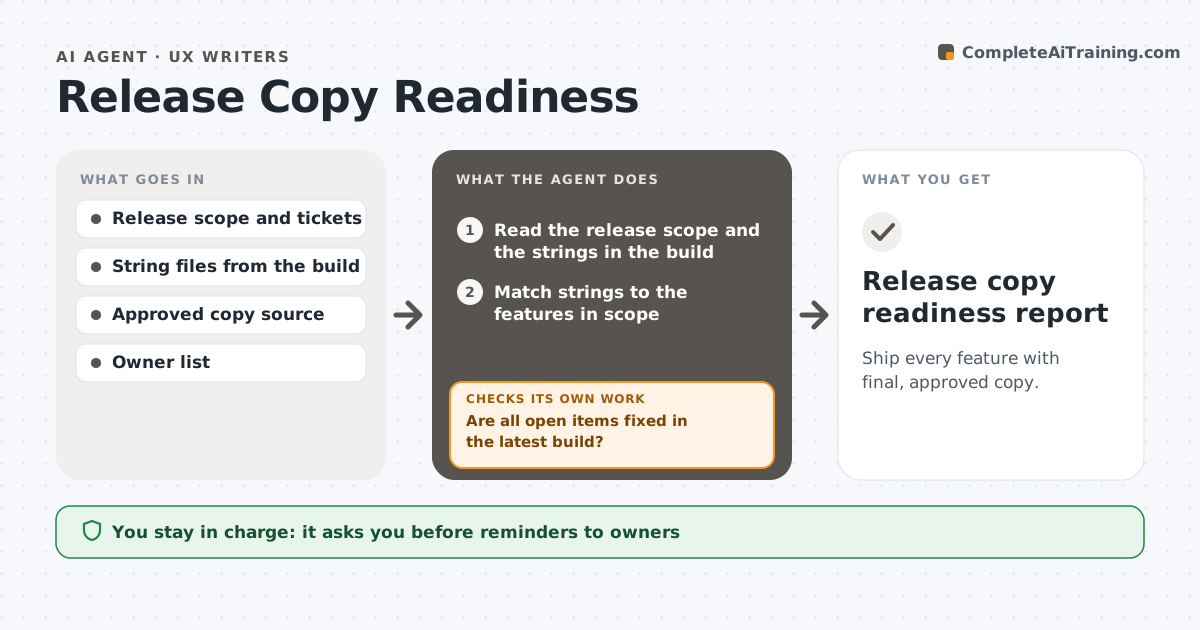
Ship every feature with final, approved copy.
What it does
A feature is nearly ready to ship and someone notices a button that says Lorem ipsum or an error message that reads Error 1. This agent compares the release scope, usually a list of tickets, with the strings in the current build. It finds missing strings, placeholder text, strings with no translation key, and strings that differ from the approved copy. It then lists each issue with the screen, owner and ticket and chases owners with approved reminders. It rechecks every day until release, and on release day runs a final check. It never edits strings or blocks the release. The writer approves the readiness report and messages. Edge case: a string marked as temporary on purpose is listed with its approved end date.
How it works
Follow the arrows from top to bottom. The orange dashed arrow is the loop: when a check fails, the agent goes back and tries again.
Read the steps as a list
- Daily check before release
- Read the release scope and the strings in the build
- Match strings to the features in scope
- Find missing strings, placeholders and mismatches with approved copy
- List open items with screen, owner and ticket
- Writer approves the reminders to ownersThe agent waits here for your OK.
- Send reminders and read new builds
- Are all open items fixed in the latest build?If not: update the list and escalate items still open with 2 days left. Back to step 3.
- Does the final pre-release check show zero placeholders?If not: flag a release risk to the writer with the remaining items. Back to step 3.
- Writer approves the readiness reportThe agent waits here for your OK.
- Release copy readiness report
How it decides
It marks a string ready when it matches the approved copy and has no placeholder pattern. Missing or mismatched strings are open items with an owner.
- Flag text containing lorem, TODO or test as a placeholder
- Treat a string with no key as missing
- Escalate open items with 2 days left
- Allow temporary strings only with an approved end date
Make it yours
Every agent is a starting point. You choose these settings for your own situation.
- Placeholder patterns
- Escalation days (default 2)
- Where approved copy lives
- Owner list
- Check frequency
What keeps you in control
It always asks you first
- Reminders to owners
- The final readiness report
Hard limits
- Never edit strings or block a release
- Report every open item to the writer
It stops when
- Done: all strings ready
- Stop: release is cancelled or delayed
Set it up
We guide you through the set-up, step by step
Members get the full set-up guide for this agent. No technical skills needed: you copy, paste and upload.
- One set of instructions to paste into your AI, with the clicks for ChatGPT, Claude, Microsoft 365 Copilot, Gemini and Grok
- The agent then walks you through connecting your own data, one source at a time
- A downloadable copy with the flow chart, the rules and the full guide