AI agent for medical records clerks
Release of Information Request Agent
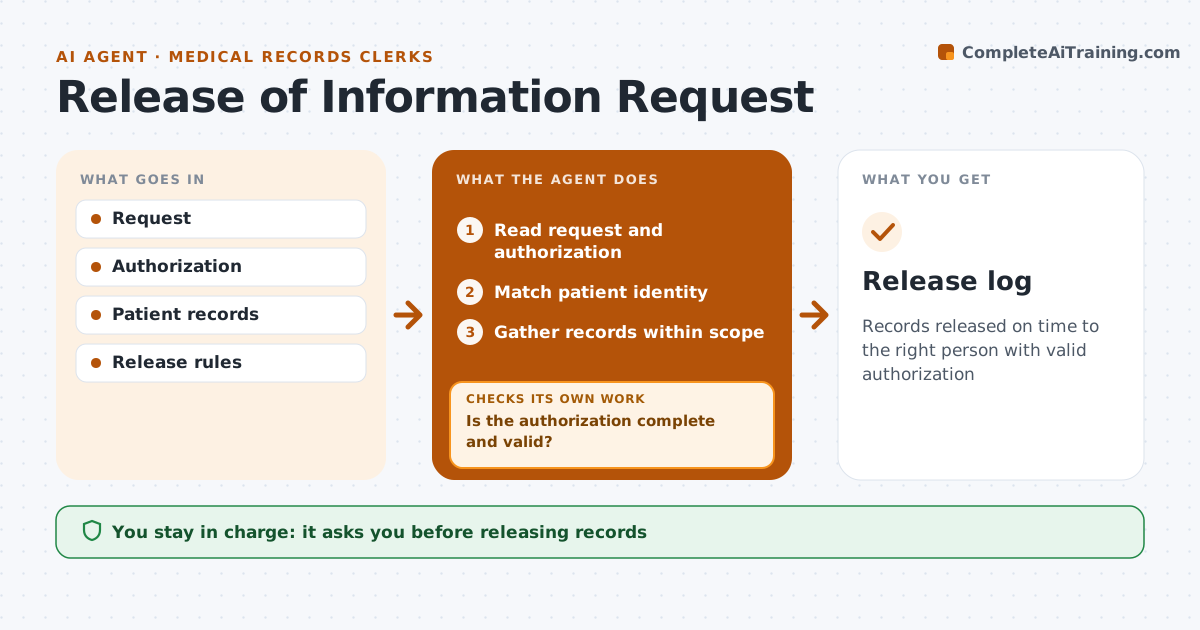
Records released on time to the right person with valid authorization
What it does
Patients, lawyers and insurers request medical records, and each request needs a valid authorization, an identity check and only the records asked for. This agent reads each request, checks the authorization for signature, date, scope and expiry, and matches the patient using at least two identifiers. If something is missing, it drafts a request for it and pauses the clock where the law allows. It then gathers the records within scope and flags sensitive items, such as substance use or mental health notes, that need separate consent. It checks the packet against the scope once more before release. It tracks the legal response deadline. The release clerk approves every release.
How it works
Follow the arrows from top to bottom. The orange dashed arrow is the loop: when a check fails, the agent goes back and tries again.
Read the steps as a list
- Request received
- Read request and authorization
- Is the authorization complete and valid?If not: draft a request for the missing items. Back to step 2.
- Match patient identity
- Gather records within scope
- Flag sensitive records needing extra consent
- Clerk approves releaseThe agent waits here for your OK.
- Release log
How it decides
It requires a valid authorization and identity match before gathering records.
- Only release what is asked
- Sensitive records need extra consent
- Track deadlines
Make it yours
Every agent is a starting point. You choose these settings for your own situation.
- Deadline
- Request types
- Consent rules
What keeps you in control
It always asks you first
- Releasing records
Hard limits
- Never sends records
It stops when
- Done: released
- Stop: identity doubt
Set it up
We guide you through the set-up, step by step
Members get the full set-up guide for this agent. No technical skills needed: you copy, paste and upload.
- One set of instructions to paste into your AI, with the clicks for ChatGPT, Claude, Microsoft 365 Copilot, Gemini and Grok
- The agent then walks you through connecting your own data, one source at a time
- A downloadable copy with the flow chart, the rules and the full guide