AI agent for salesforce administrators
Release Regression Test Agent
Find and fix release breakage in the preview environment before production updates
What it does
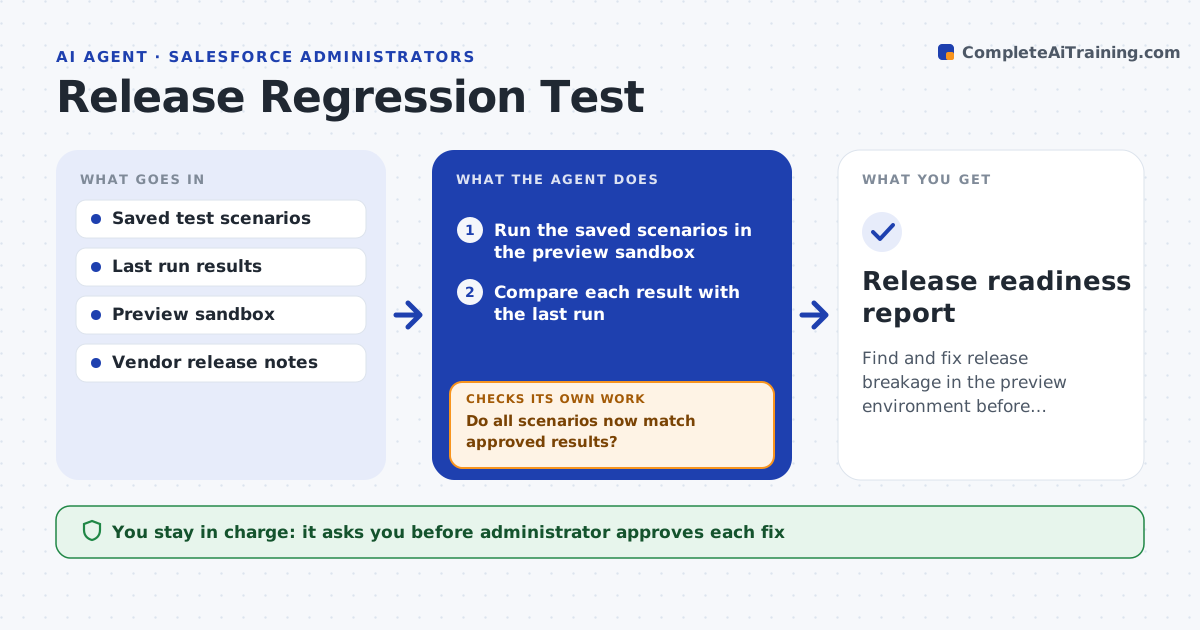
Three times a year, the vendor release changes behavior and something breaks: a report total, a flow, an integration. This agent runs when the preview sandbox updates. It runs the saved test scenarios, such as creating a record, running a payroll preview, firing a flow or calling the integration, and compares the results with the last run. It investigates each difference: a changed field format, a new required value or a renamed setting. It checks the vendor's release notes for the cause. It drafts a fix and reruns the scenario. The administrator approves the fixes before they go to production. Edge case: a difference is a deliberate vendor improvement in the number format, so the agent updates the expected value after approval.
How it works
Follow the arrows from top to bottom. The orange dashed arrow is the loop: when a check fails, the agent goes back and tries again.
Read the steps as a list
- Vendor release preview available
- Run the saved scenarios in the preview sandbox
- Compare each result with the last run
- Search release notes for each difference
- Classify differences as regression, intended change or test issue
- Draft fixes for regressions
- Administrator approves fixes and updated expected valuesThe agent waits here for your OK.
- Apply fixes in the sandbox and rerun all scenarios
- Do all scenarios now match approved results?If not: revise the fix for the failing scenario and rerun. Back to step 6.
- Release readiness report
How it decides
It treats any difference from the last run as a regression until the release notes or the administrator explain it as intended.
- Treat any difference without a release note as a regression
- Update an expected value only after approval
- Run all scenarios again after each fix
- Rank integration failures first
Make it yours
Every agent is a starting point. You choose these settings for your own situation.
- Scenarios and order
- Release schedule to watch
- How results are compared
- Integration systems included
- Who reviews the report
What keeps you in control
It always asks you first
- Administrator approves each fix
- Administrator approves updating expected results
Hard limits
- Run only in the preview sandbox, never in production
- Never accept a changed result without a reason
It stops when
- Done: all scenarios pass in the preview
- Stop: a regression has no workaround before the production update date
Set it up
We guide you through the set-up, step by step
Members get the full set-up guide for this agent. No technical skills needed: you copy, paste and upload.
- One set of instructions to paste into your AI, with the clicks for ChatGPT, Claude, Microsoft 365 Copilot, Gemini and Grok
- The agent then walks you through connecting your own data, one source at a time
- A downloadable copy with the flow chart, the rules and the full guide