AI agent for notaries
Remote Online Notarization Platform Audit Agent
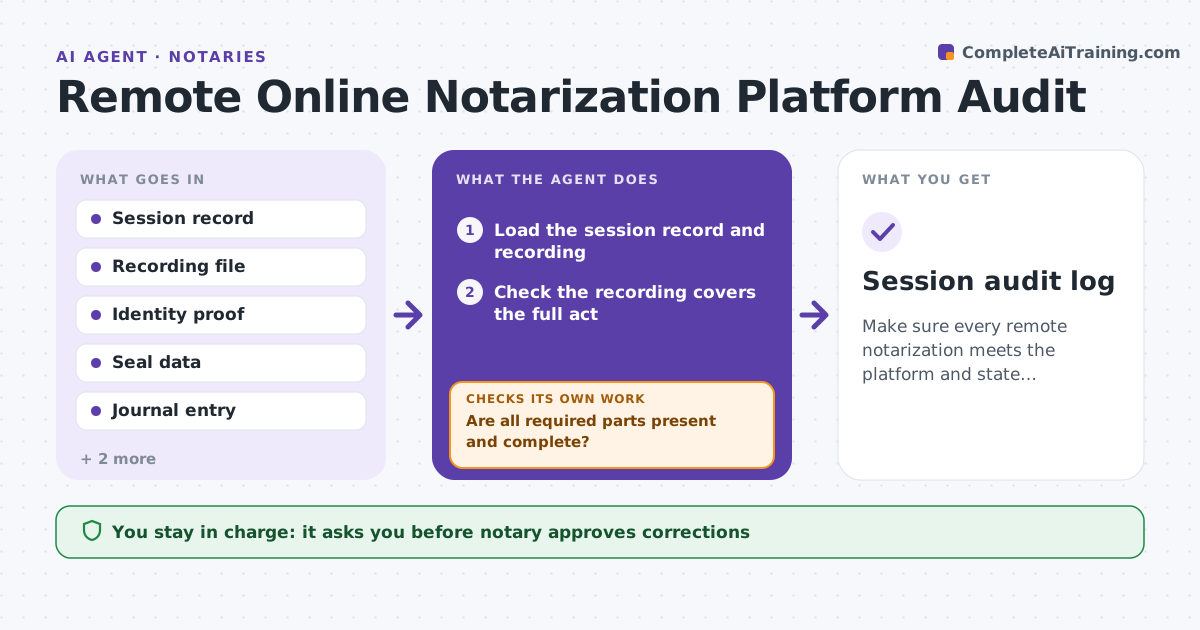
Make sure every remote notarization meets the platform and state requirements and fix gaps in time.
What it does
Remote online notarization has extra rules: the session must be recorded, identity proof must be done, the seal must be tamper-evident and the journal entry must be complete, and records must be kept for a set time. A gap can invalidate an act. The agent reviews each completed session for the recording, the identity proof, the electronic seal and the journal entry, and checks retention periods. It lists gaps and, for each one, proposes a fix or a documented exception. It re-checks after any correction. The notary approves corrections and any client notice. Edge case: a recording ends 40 seconds before the signing, so the agent flags the session for review.
How it works
Follow the arrows from top to bottom. The orange dashed arrow is the loop: when a check fails, the agent goes back and tries again.
Read the steps as a list
- Remote session closes
- Load the session record and recording
- Check the recording covers the full act
- Check the identity proof and credential analysis
- Check the electronic seal and journal entry
- Are all required parts present and complete?If not: List each gap and propose a fix or documented exception. Back to step 3.
- Notary approves corrections and any client noticeThe agent waits here for your OK.
- Apply approved corrections and update the journal
- Check retention dates for older sessions
- Are all sessions within their retention period and complete after the fixes?If not: Re-check the corrected sessions and flag any expiring records. Back to step 3.
- Session audit log
How it decides
A session passes when all required parts are present and intact. Each missing or damaged part gets a fix or a written exception. Retention dates are checked monthly.
- A recording that does not cover the full act is a gap
- A missing identity proof is a gap with no exception unless the state allows one
- A journal field missing is added only from source records
- Records near the end of retention are flagged 60 days before
Make it yours
Every agent is a starting point. You choose these settings for your own situation.
- State rules and retention period
- Fields required in a journal
- Warning period for retention (default 60 days)
- Platforms audited
What keeps you in control
It always asks you first
- Notary approves corrections
- Notary approves any notice to a client
Hard limits
- Never edits a recording or invents a journal entry
- Never sends a notice to a client without approval
It stops when
- Done: all sessions pass
- Stop: a session cannot be fixed, so the notary decides on the exception
Set it up
We guide you through the set-up, step by step
Members get the full set-up guide for this agent. No technical skills needed: you copy, paste and upload.
- One set of instructions to paste into your AI, with the clicks for ChatGPT, Claude, Microsoft 365 Copilot, Gemini and Grok
- The agent then walks you through connecting your own data, one source at a time
- A downloadable copy with the flow chart, the rules and the full guide