AI agent for home inspectors
Repair Cost Range Summary Agent
A clear repair cost range summary for major defects
What it does
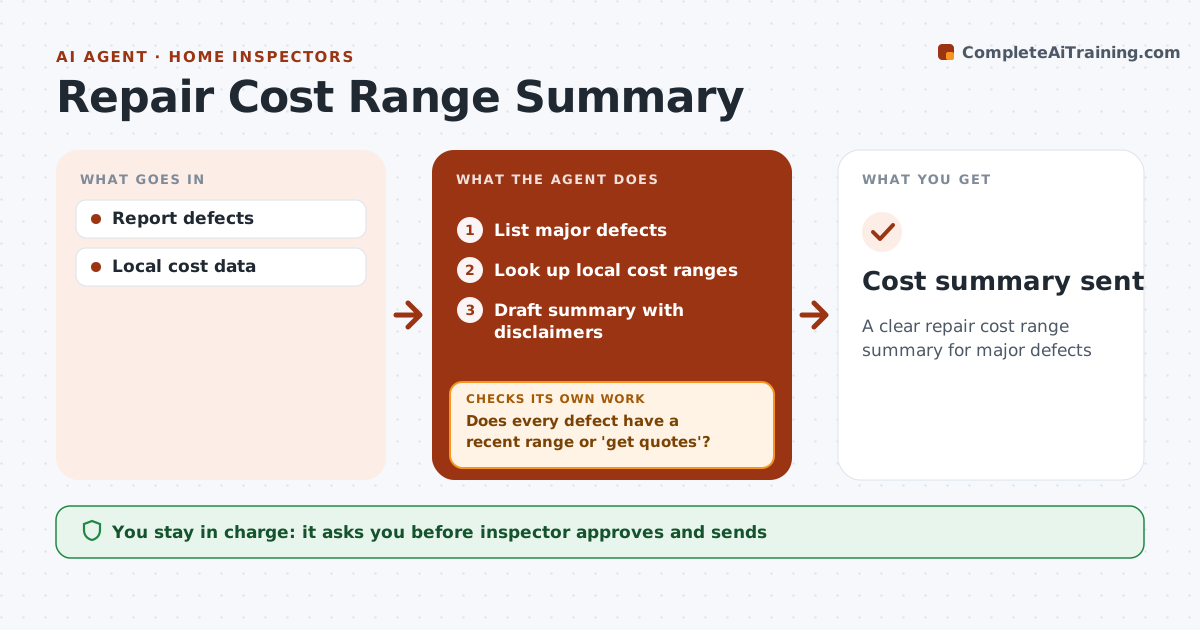
Buyers often want rough repair costs from the inspection report to help them negotiate, and inspectors must be careful not to overpromise. When a client asks, this agent lists the major defects from the report and looks up local cost ranges from recent contractor data the inspector keeps, using only data from the last 2 years. It checks that every defect has a recent range. Defects without good data, or that need a specialist, are marked 'get quotes' instead. It drafts a summary with low and high ranges and clear disclaimers, then checks that every disclaimer is present. The inspector approves and sends it. Edge case: hidden damage items, like what might be behind a wall, get no range at all.
How it works
Follow the arrows from top to bottom. The orange dashed arrow is the loop: when a check fails, the agent goes back and tries again.
Read the steps as a list
- Client requests costs
- List major defects
- Look up local cost ranges
- Does every defect have a recent range or 'get quotes'?If not: mark as get quotes. Back to step 3.
- Draft summary with disclaimers
- Does the summary include every required disclaimer and no hidden-damage ranges?If not: add the disclaimers and remove the ranges. Back to step 5.
- Inspector approvesThe agent waits here for your OK.
- Cost summary sent
How it decides
Ranges from local data within 2 years. Specialist items get 'get quotes'.
- Local data within 2 years
- Specialist items get quotes
- Disclaimers included
Make it yours
Every agent is a starting point. You choose these settings for your own situation.
- Cost sources
- Data age
- Disclaimers
- Defect threshold
What keeps you in control
It always asks you first
- Inspector approves and sends
Hard limits
- Never quotes as a contractor
- Never sends without approval
It stops when
- Done: summary sent
- Stop: no major defects
Set it up
We guide you through the set-up, step by step
Members get the full set-up guide for this agent. No technical skills needed: you copy, paste and upload.
- One set of instructions to paste into your AI, with the clicks for ChatGPT, Claude, Microsoft 365 Copilot, Gemini and Grok
- The agent then walks you through connecting your own data, one source at a time
- A downloadable copy with the flow chart, the rules and the full guide