AI agent for home inspectors
Repair Reinspection Verification Agent
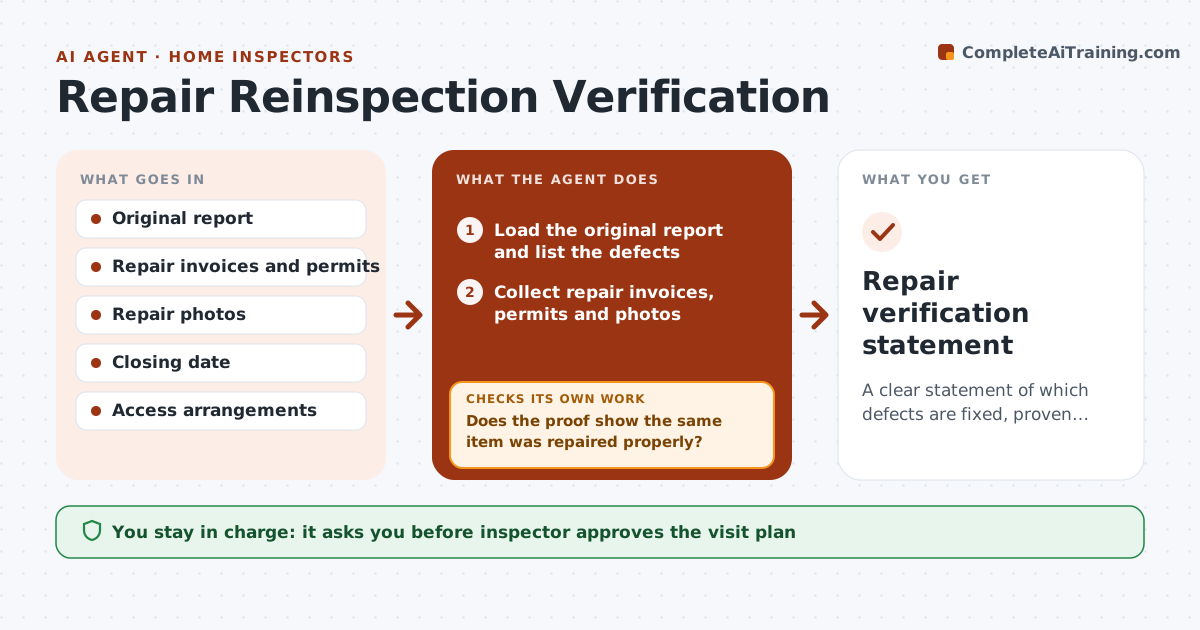
A clear statement of which defects are fixed, proven or still open before closing.
What it does
Five days before closing, a buyer asks you to confirm that 14 defects were repaired, and the proof is spread over emails and photos. This agent lists the defects in your original report, then collects invoices, permits and photos for each from the agent or seller. It compares each proof with the original finding to see whether it addresses the defect, and schedules a reinspection only for items not proven. After the visit, it updates each status. If a repair fails the check, it drafts a note to the buyer. You approve the final statement. Edge case: a repair by a licensed contractor with invoice and photos may be accepted without a visit, but you decide.
How it works
Follow the arrows from top to bottom. The orange dashed arrow is the loop: when a check fails, the agent goes back and tries again.
Read the steps as a list
- Reinspection requested
- Load the original report and list the defects
- Collect repair invoices, permits and photos
- Compare each proof with the original finding
- Does the proof show the same item was repaired properly?If not: Mark unproven and ask for better proof or add it to the visit. Back to step 3.
- Schedule the reinspection for unproven items before closing
- Inspector approves the visit planThe agent waits here for your OK.
- Update statuses from the visit notes
- Is every defect now fixed, accepted or reported open?If not: Request access for missing items or report them as unverified. Back to step 3.
- Inspector approves the final statementThe agent waits here for your OK.
- Repair verification statement
How it decides
It marks a defect proven when proof names the same item and repair, unproven when it does not, and sends only unproven items to a visit.
- Accept proof only when it names the same item and repair
- Visit only unproven items
- Warn if the visit cannot happen 2 days before closing
- Report any item not seen as unverified
Make it yours
Every agent is a starting point. You choose these settings for your own situation.
- Proof rules
- Visit window before closing
- Statement format
- Items that always need a visit
What keeps you in control
It always asks you first
- Inspector approves the visit plan
- Inspector approves the final statement
Hard limits
- Never state a repair is fine without proof or a visit
- Never send the statement without approval
It stops when
- Done: statement issued
- Stop: no access before closing
Set it up
We guide you through the set-up, step by step
Members get the full set-up guide for this agent. No technical skills needed: you copy, paste and upload.
- One set of instructions to paste into your AI, with the clicks for ChatGPT, Claude, Microsoft 365 Copilot, Gemini and Grok
- The agent then walks you through connecting your own data, one source at a time
- A downloadable copy with the flow chart, the rules and the full guide