AI agent for recruitment coordinators
Requisition Approval Tracker Agent
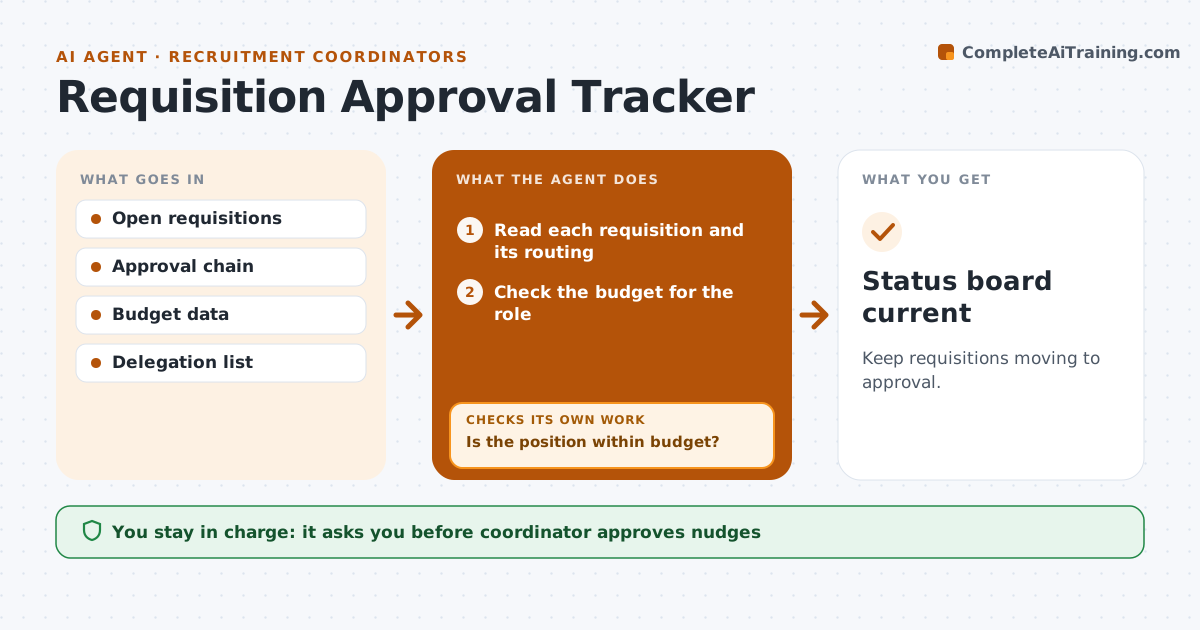
Keep requisitions moving to approval.
What it does
A job requisition can wait for weeks in an approver's inbox while the role stays open. This agent checks where each requisition is in its routing, shows how long it has waited and reminds the approver. It checks the budget line for the role. If an approval is stuck, it finds the next approver in the chain and checks again after a day. The coordinator approves nudges. It also reads the status of each step in the chain, so a requisition waiting on the wrong person is noticed. The coordinator sees one board with the days each requisition has waited and where it sits right now. Edge case: a requisition that exceeds the budget is held and sent back to the hiring manager.
How it works
Follow the arrows from top to bottom. The orange dashed arrow is the loop: when a check fails, the agent goes back and tries again.
Read the steps as a list
- Daily requisition check
- Read each requisition and its routing
- Check the budget for the role
- Is the position within budget?If not: Return it to the hiring manager with the budget gap. Back to step 2.
- Find where each requisition is waiting and for how long
- Coordinator approves the nudgesThe agent waits here for your OK.
- Send reminders to the approvers
- Has the approver acted within the set time?If not: Find the next approver or delegate. Back to step 3.
- Wait one day and check again
- Update the status
- Status board current
How it decides
It reminds at set intervals and moves to the next approver in the chain when one is absent.
- Remind after 2 days
- Use the delegate when the approver is out
- Hold requisitions above budget
- Report waits over 5 days to the coordinator
Make it yours
Every agent is a starting point. You choose these settings for your own situation.
- Reminder interval (default 2 days)
- Delegates by approver
- Budget check on or off
- Escalation point
What keeps you in control
It always asks you first
- Coordinator approves nudges
Hard limits
- Never approve a requisition itself
- Never nudge without approval
It stops when
- Done: requisitions are approved or returned
- Stop: a requisition is cancelled
Set it up
We guide you through the set-up, step by step
Members get the full set-up guide for this agent. No technical skills needed: you copy, paste and upload.
- One set of instructions to paste into your AI, with the clicks for ChatGPT, Claude, Microsoft 365 Copilot, Gemini and Grok
- The agent then walks you through connecting your own data, one source at a time
- A downloadable copy with the flow chart, the rules and the full guide