AI agent for librarians
Research Consultation Prep Agent
Productive consultations with useful follow-up
What it does
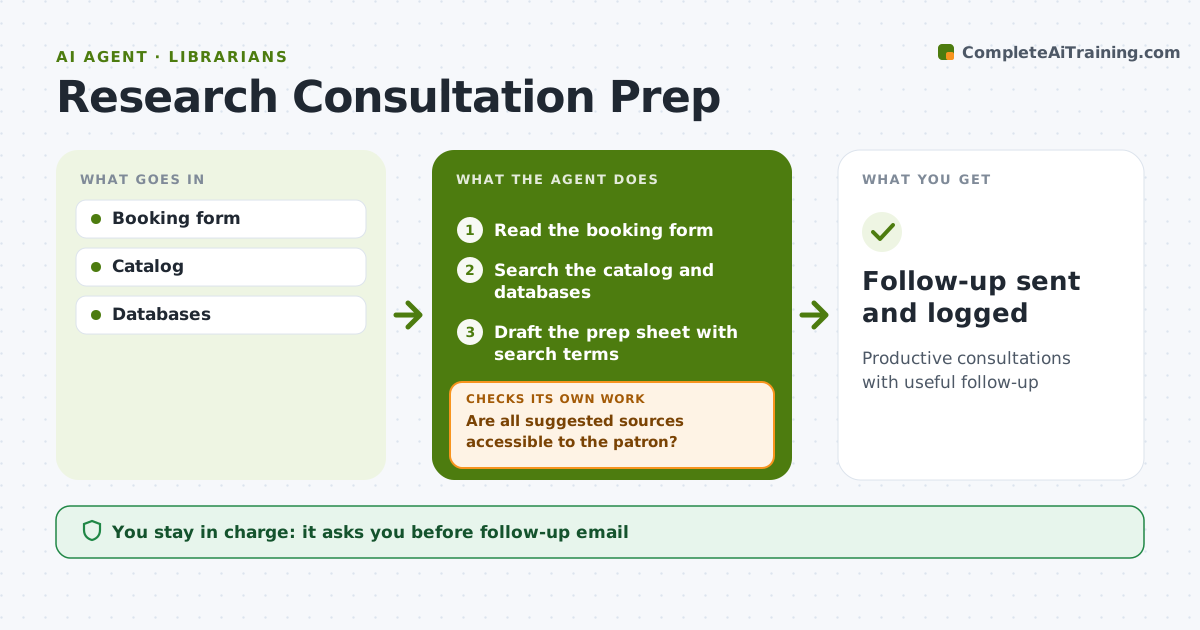
Patrons and students book research consultations with a topic in mind, and good prep makes the session far more useful. Before each one, this agent reads the booking form, searches the catalog and licensed databases for starter sources, and drafts a short prep sheet with search terms, key databases and a few strong sources. It checks that each suggested source is accessible to the patron. If one is not, it replaces it with a source the library licenses or an open access one. After the meeting, it drafts a follow-up email with the resources discussed, which the librarian sends. A week later it checks whether the patron wants more help. Edge case: when a topic is too broad, it suggests two or three narrower angles for the librarian to discuss.
How it works
Follow the arrows from top to bottom. The orange dashed arrow is the loop: when a check fails, the agent goes back and tries again.
Read the steps as a list
- Consultation booked
- Read the booking form
- Search the catalog and databases
- Draft the prep sheet with search terms
- Are all suggested sources accessible to the patron?If not: replace sources with ones the library licenses or open access. Back to step 3.
- Librarian holds consultation and approves follow-upThe agent waits here for your OK.
- Send the follow-up
- Follow-up sent and logged
How it decides
Sources are ranked by relevance and access. Only accessible sources are suggested.
- Accessible sources only
- Broad topics get narrower angles
- Follow-up within one day
Make it yours
Every agent is a starting point. You choose these settings for your own situation.
- Databases
- Prep sheet length
- Follow-up timing
- Subject guides
What keeps you in control
It always asks you first
- Follow-up email
Hard limits
- Patron questions kept confidential
It stops when
- Done: follow-up sent
- Stop: patron cancels
Set it up
We guide you through the set-up, step by step
Members get the full set-up guide for this agent. No technical skills needed: you copy, paste and upload.
- One set of instructions to paste into your AI, with the clicks for ChatGPT, Claude, Microsoft 365 Copilot, Gemini and Grok
- The agent then walks you through connecting your own data, one source at a time
- A downloadable copy with the flow chart, the rules and the full guide