AI agent for students
Research Source Agent
Credible sources and accurate citations
What it does
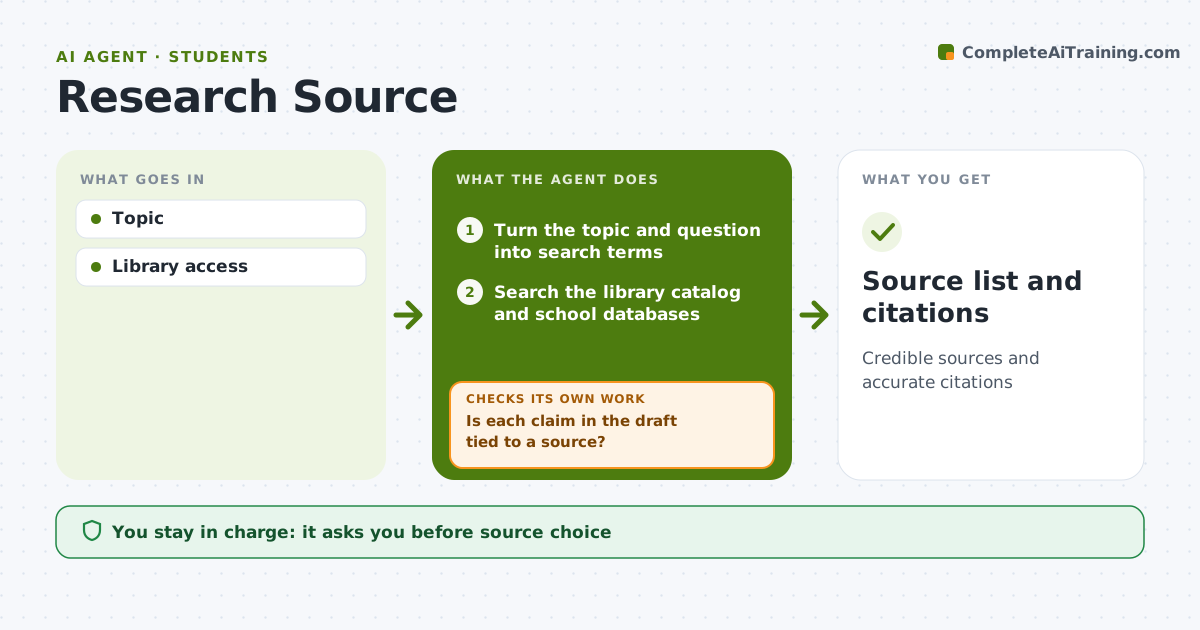
Research papers need credible sources and accurate citations, and many students rely on the first search results. This agent turns the student's topic and question into search terms, searches the library catalog and the databases their school pays for, and lists sources with short notes on credibility, date and relevance. It prefers peer-reviewed work and saves citation details as sources are chosen. Once a draft exists, it checks that each factual claim is tied to a source. Unsupported claims are flagged, and it searches for support; if none turns up, it tells the student so they can rewrite or drop the claim. The student picks every source and writes the paper. Edge case: paywalled articles are found through library access instead of being skipped, so good sources are not lost to a login page.
How it works
Follow the arrows from top to bottom. The orange dashed arrow is the loop: when a check fails, the agent goes back and tries again.
Read the steps as a list
- Paper assigned
- Turn the topic and question into search terms
- Search the library catalog and school databases
- List sources with notes on credibility, date and relevance
- Student picks sourcesThe agent waits here for your OK.
- Save citation details and read the draft when ready
- Is each claim in the draft tied to a source?If not: search for support for the unsupported claims or flag them for the student. Back to step 3.
- Source list and citations
How it decides
Credibility and relevance.
- Peer-reviewed preferred
- Claims need sources
- Library access first
Make it yours
Every agent is a starting point. You choose these settings for your own situation.
- Citation style
- Source types
- Databases
- Depth
What keeps you in control
It always asks you first
- Source choice
Hard limits
- Student writes the paper
It stops when
- Done: draft
- Stop: none
Set it up
We guide you through the set-up, step by step
Members get the full set-up guide for this agent. No technical skills needed: you copy, paste and upload.
- One set of instructions to paste into your AI, with the clicks for ChatGPT, Claude, Microsoft 365 Copilot, Gemini and Grok
- The agent then walks you through connecting your own data, one source at a time
- A downloadable copy with the flow chart, the rules and the full guide