AI agent for compliance officers
Restricted List and Trade Compliance Agent
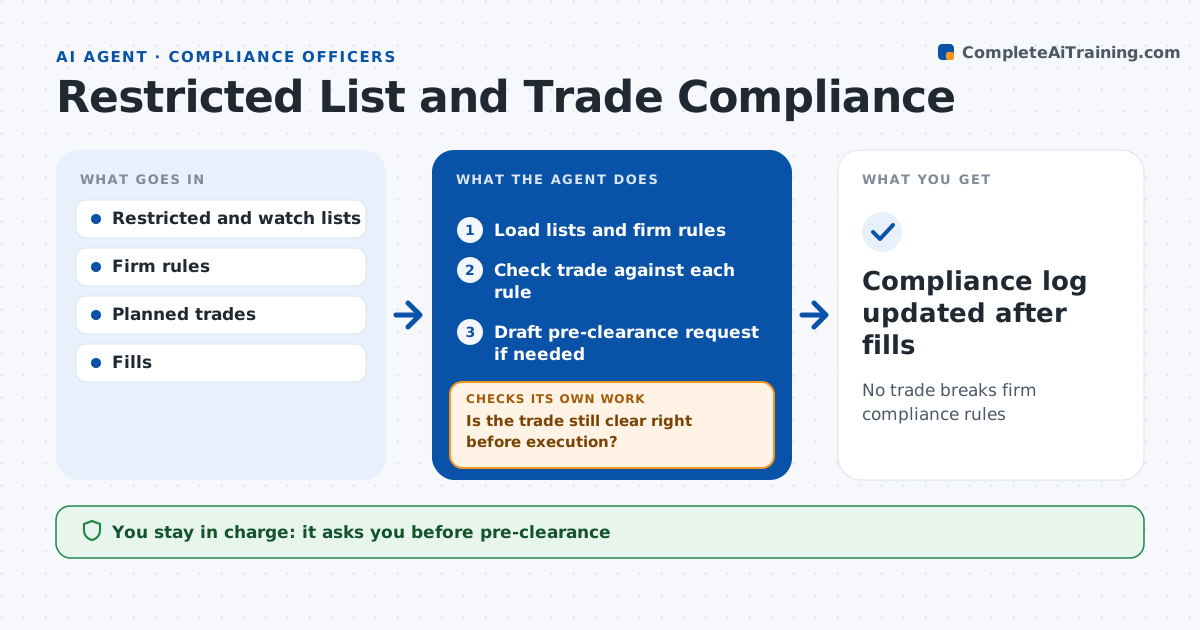
No trade breaks firm compliance rules
What it does
A trade in a restricted name can lead to fines and serious trouble for the trader and the firm. This agent checks planned trades against compliance rules before they are placed. It loads the restricted and watch lists, holding period rules, pre-clearance needs and position limits. For each planned trade it checks every rule and records the result. Restricted names and sales inside the minimum holding period are blocked. If pre-clearance is needed, it drafts the request with the details for compliance to approve. Just before execution it checks again, since lists change during the day, and asks for fresh pre-clearance if the approval expired. After trades, it compares fills to approved requests. Compliance approves pre-clearance and the trader places trades. Edge case: a stock is added to the restricted list at noon, after morning approval.
How it works
Follow the arrows from top to bottom. The orange dashed arrow is the loop: when a check fails, the agent goes back and tries again.
Read the steps as a list
- Trade planned
- Load lists and firm rules
- Check trade against each rule
- Draft pre-clearance request if needed
- Compliance approves pre-clearanceThe agent waits here for your OK.
- Is the trade still clear right before execution?If not: block the trade and tell the trader why. Back to step 2.
- Compliance log updated after fills
How it decides
It blocks any trade that matches a restricted name or breaks a rule.
- Name on restricted list: block
- Holding period under minimum: block sale
- Pre-clearance expired: request again
Make it yours
Every agent is a starting point. You choose these settings for your own situation.
- Rules in scope
- Pre-clearance validity
- Recheck timing
- Log format
What keeps you in control
It always asks you first
- Pre-clearance
Hard limits
- Never overrides compliance
- Never places orders
It stops when
- Done: trade cleared and logged
- Stop: rule data unavailable
Set it up
We guide you through the set-up, step by step
Members get the full set-up guide for this agent. No technical skills needed: you copy, paste and upload.
- One set of instructions to paste into your AI, with the clicks for ChatGPT, Claude, Microsoft 365 Copilot, Gemini and Grok
- The agent then walks you through connecting your own data, one source at a time
- A downloadable copy with the flow chart, the rules and the full guide