AI agent for packaging engineers
Retail Shelf Fit Check Agent
A pack design that fits every retailer shelf, case and display rule
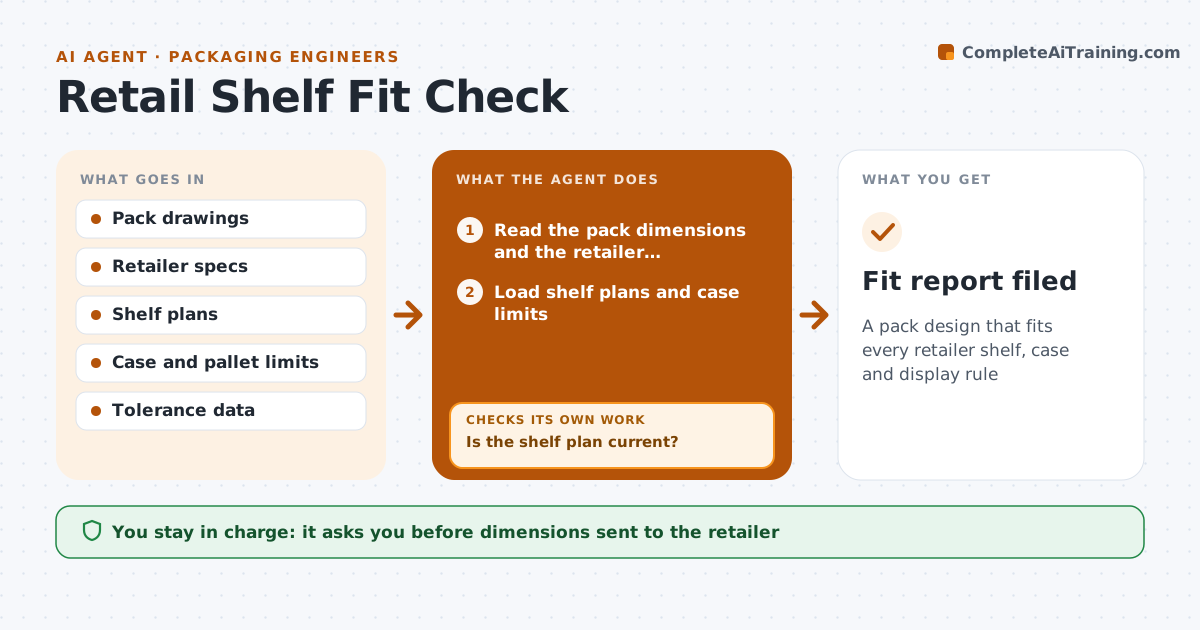
What it does
New pack sizes do not fit retailer shelves, shipping cases or display rules. This agent compares the pack dimensions with the retailer's requirements, shelf plan data and case limits. It flags conflicts, such as a height that blocks a shelf or a case that exceeds a pallet limit. It then tests small design changes against the same limits and picks the ones that fix the conflict at the least cost. Failing options are revised and rechecked. The engineer approves the final dimensions for the retailer. Edge case: a retailer's shelf height changed after a reset, so the agent asks for the latest shelf plan before testing.
How it works
Follow the arrows from top to bottom. The orange dashed arrow is the loop: when a check fails, the agent goes back and tries again.
Read the steps as a list
- A new pack size is proposed
- Read the pack dimensions and the retailer requirements
- Load shelf plans and case limits
- Is the shelf plan current?If not: request the latest plan and reload. Back to step 2.
- Compare each dimension with each limit
- List conflicts
- Test small design changes against the limits
- Does a changed design fit every limit with tolerance?If not: revise the changes and test again. Back to step 7.
- Prepare the final dimensions and the proof
- Engineer approves the dimensions for the retailerThe agent waits here for your OK.
- Fit report filed
How it decides
A design fits when every dimension is inside the limit with the tolerance. Options are ranked by how little they change the design and the cost.
- Keep a 3 mm tolerance on all limits
- Prefer changes that keep the same filling volume
- Test each retailer separately
- Reject a design that cuts pallet count by over 5 percent
Make it yours
Every agent is a starting point. You choose these settings for your own situation.
- Tolerance (default 3 mm)
- Retailers and specs
- Allowed pallet loss
- Design change limits
What keeps you in control
It always asks you first
- Dimensions sent to the retailer
Hard limits
- Never send dimensions to a retailer
- Never assume a shelf plan is current
It stops when
- Done: design fits and is approved
- Stop: retailer requirements are not available
Set it up
We guide you through the set-up, step by step
Members get the full set-up guide for this agent. No technical skills needed: you copy, paste and upload.
- One set of instructions to paste into your AI, with the clicks for ChatGPT, Claude, Microsoft 365 Copilot, Gemini and Grok
- The agent then walks you through connecting your own data, one source at a time
- A downloadable copy with the flow chart, the rules and the full guide