AI agent for quantity surveyors
Retainage Release Tracking Agent
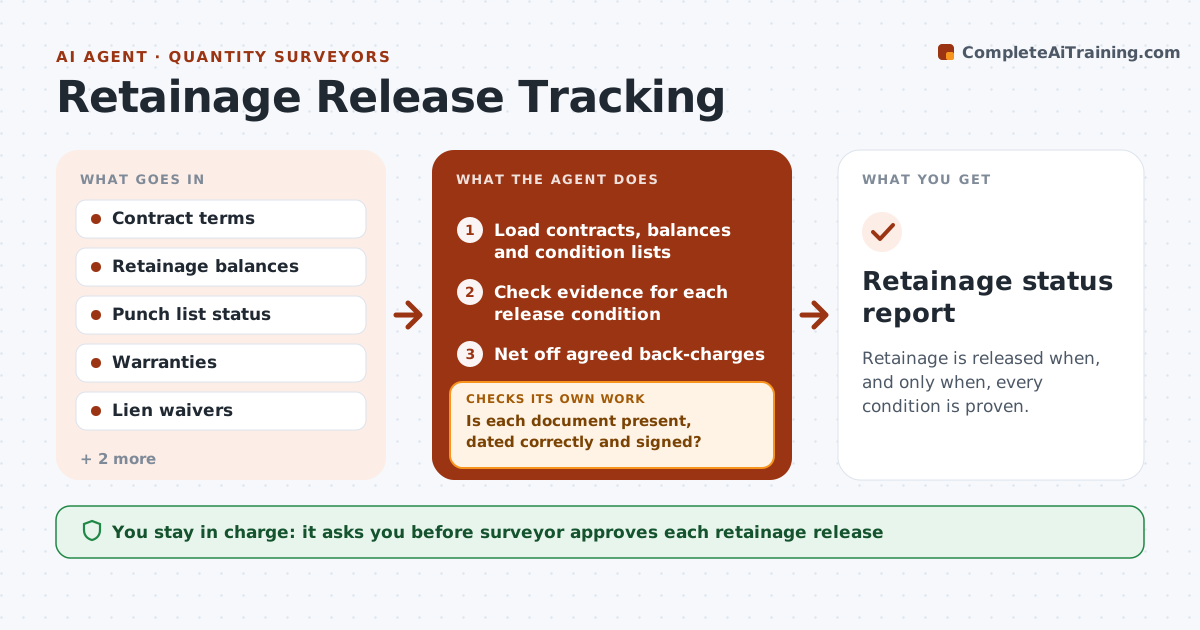
Retainage is released when, and only when, every condition is proven.
What it does
Across 20 contracts, retainage sits for months because nobody checks who has finished the punch list, or it is released before the warranty documents arrive. This agent tracks retainage by contract and lists each release condition, such as substantial completion, punch list closed, warranties received, lien waivers and as-built drawings. It checks the evidence for each condition and chases missing items. When all conditions are met, it flags the contract as ready and drafts the release request with the amount. If the evidence does not match, for example the waiver is dated before the last payment, it asks for a corrected document. You approve each release. Edge case: a disputed back-charge is netted off the amount, with the reason shown.
How it works
Follow the arrows from top to bottom. The orange dashed arrow is the loop: when a check fails, the agent goes back and tries again.
Read the steps as a list
- Weekly run or document received
- Load contracts, balances and condition lists
- Check evidence for each release condition
- Is each document present, dated correctly and signed?If not: Request the missing or corrected document from the contractor. Back to step 2.
- Net off agreed back-charges
- Flag contracts ready for release and compute the amount
- Draft the release request
- Does the amount equal the balance less approved deductions?If not: Correct the calculation and redraft. Back to step 5.
- Surveyor approves each releaseThe agent waits here for your OK.
- Retainage status report
How it decides
A contract is ready when every condition has a dated, valid document and no open back-charge remains unresolved.
- Ready only when every condition has valid evidence
- Net off only agreed back-charges
- Remind contractors 7 days before the contract release date
- Release amount equals balance less deductions
Make it yours
Every agent is a starting point. You choose these settings for your own situation.
- Release conditions per contract
- Reminder timing (default 7 days)
- Back-charge rule
- Report schedule
What keeps you in control
It always asks you first
- Surveyor approves each retainage release
- Surveyor approves back-charge deductions
Hard limits
- Never release or pay funds itself
- Never net off disputed amounts without approval
It stops when
- Done: eligible retainage released or scheduled
- Stop: contract terms unclear
Set it up
We guide you through the set-up, step by step
Members get the full set-up guide for this agent. No technical skills needed: you copy, paste and upload.
- One set of instructions to paste into your AI, with the clicks for ChatGPT, Claude, Microsoft 365 Copilot, Gemini and Grok
- The agent then walks you through connecting your own data, one source at a time
- A downloadable copy with the flow chart, the rules and the full guide