AI agent for contract administrators
Construction Pay-Application Evidence Agent
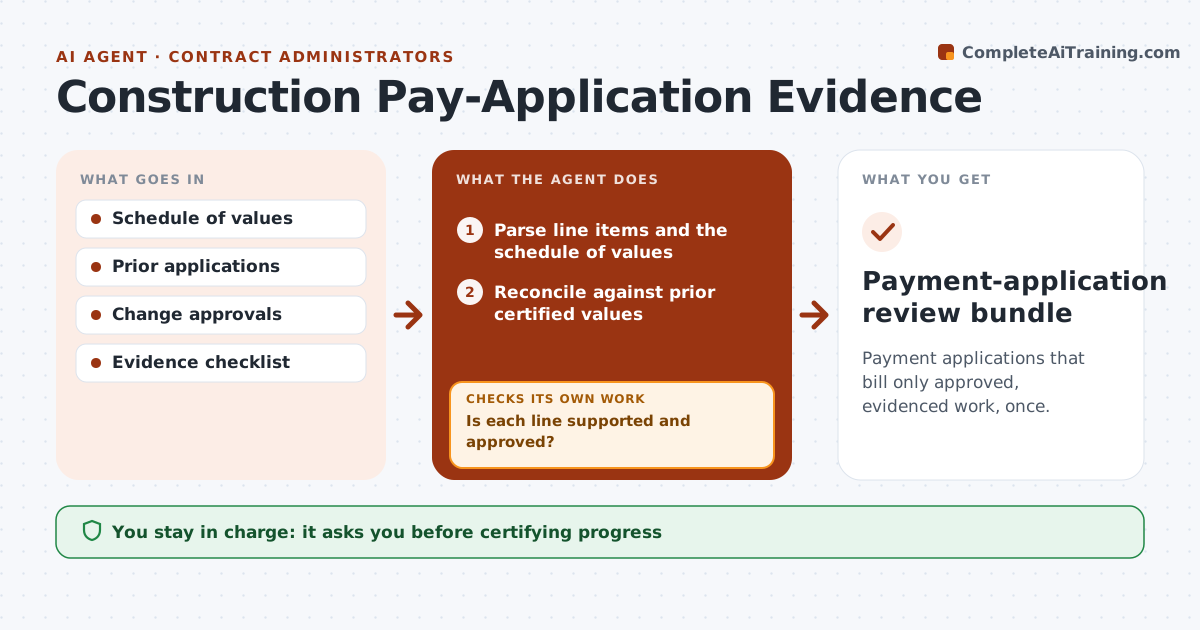
Payment applications that bill only approved, evidenced work, once.
What it does
Construction payment applications sometimes bill the same work twice or include change orders that were never approved. Checking line by line takes the contract administrator hours each month. This agent reads the pay application and reconciles every line against the schedule of values, prior certified amounts and the change register. It links supporting evidence to each line and investigates any discrepancy by amount. Lines that are not supported or not approved are excluded and listed as exceptions with the reason. It then recalculates totals, retention and amount due, and checks that its math ties out before assembling a reviewer workpaper. Certifying progress and approving payment stay with the contract administrator. Edge case: a line billed past 100 percent of its scheduled value is excluded even if evidence exists.
How it works
Follow the arrows from top to bottom. The orange dashed arrow is the loop: when a check fails, the agent goes back and tries again.
Read the steps as a list
- Pay application submitted
- Parse line items and the schedule of values
- Reconcile against prior certified values
- Is each line supported and approved?If not: exclude it and add it to exceptions with the reason. Back to step 3.
- Recalculate totals and retention
- Do the totals tie to the schedule and prior certificates?If not: find the line causing the difference and recalculate. Back to step 5.
- Assemble the reviewer workpaper
- Contract administrator certifiesThe agent waits here for your OK.
- Payment-application review bundle
How it decides
It investigates discrepancies by amount and excludes unapproved changes.
- Only approved change orders can be billed.
- Lines above 100% of scheduled value are excluded.
- Every included line links to evidence.
- The agent never certifies or approves payment.
Make it yours
Every agent is a starting point. You choose these settings for your own situation.
- Retention percentage (default 5%)
- Evidence required per line type (default: progress photos or delivery records)
- Tolerance for rounding differences (default $1)
- Change register and schedule of values sources
- Workpaper format for the reviewer
What keeps you in control
It always asks you first
- Certifying progress
- Approving payments
- Entitlement
Hard limits
- No certification.
It stops when
- Done: reconciled.
Set it up
We guide you through the set-up, step by step
Members get the full set-up guide for this agent. No technical skills needed: you copy, paste and upload.
- One set of instructions to paste into your AI, with the clicks for ChatGPT, Claude, Microsoft 365 Copilot, Gemini and Grok
- The agent then walks you through connecting your own data, one source at a time
- A downloadable copy with the flow chart, the rules and the full guide