AI agent for construction estimators
Subcontractor Scope Gap Review Agent
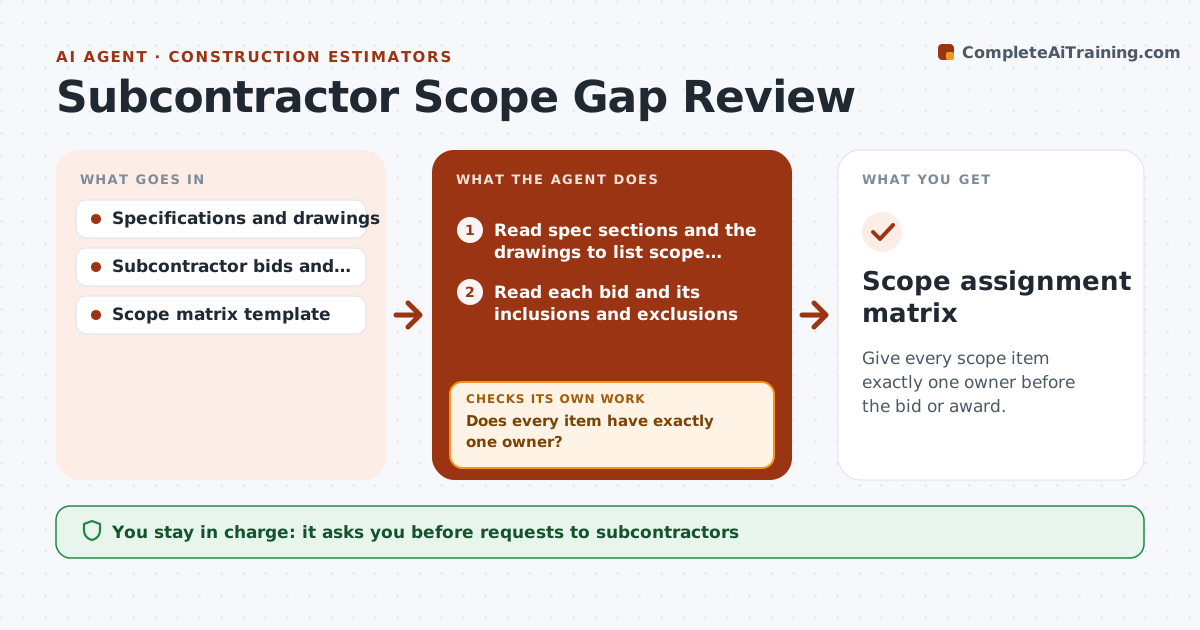
Give every scope item exactly one owner before the bid or award.
What it does
On a bid day, each trade assumes someone else covers the awkward item, like firestopping or temporary power. This agent maps each trade's scope against the specifications and drawings, line by line, and flags items that no one covers and items two trades both include. It sends clarification requests to the subcontractors involved, with the exact spec section. When replies arrive, it updates the map and rechecks for new gaps. It repeats until every item has one owner. You approve the final scope assignment. Edge case: both the electrician and the mechanical contractor included the same control wiring, and the agent proposes who owns it based on the spec.
How it works
Follow the arrows from top to bottom. The orange dashed arrow is the loop: when a check fails, the agent goes back and tries again.
Read the steps as a list
- Bids or quotes are received
- Read spec sections and the drawings to list scope items
- Read each bid and its inclusions and exclusions
- Map each item to the trades that cover it
- Does every item have exactly one owner?If not: List items with no owner or more than one. Back to step 4.
- Draft clarification requests with the spec section
- Estimator approves the requestsThe agent waits here for your OK.
- Send requests and update the scope map with replies
- Does every item now have one owner?If not: Send another request for the remaining items. Back to step 6.
- Estimator approves the final scope assignmentThe agent waits here for your OK.
- Scope assignment matrix
How it decides
It checks each spec section for an owner and each owner for double coverage. It resolves doubles by the spec or by a clarification request.
- Items named in a spec section belong to that trade by default
- Exclusions are treated as gaps
- Doubles are resolved to the lowest-cost qualified trade only with approval
- Temporary utilities and firestopping are always checked
Make it yours
Every agent is a starting point. You choose these settings for your own situation.
- Trades included
- Spec sections used
- Reply deadline (default 2 days)
- Default owner rules
- Items always checked
What keeps you in control
It always asks you first
- Requests to subcontractors
- Final scope assignment
Hard limits
- Never awards scope
- Never contacts subs without approval
- Keeps all replies
It stops when
- Done: every item has one owner
- Stop: an item has no willing owner; estimator carries a line for it
Set it up
We guide you through the set-up, step by step
Members get the full set-up guide for this agent. No technical skills needed: you copy, paste and upload.
- One set of instructions to paste into your AI, with the clicks for ChatGPT, Claude, Microsoft 365 Copilot, Gemini and Grok
- The agent then walks you through connecting your own data, one source at a time
- A downloadable copy with the flow chart, the rules and the full guide