AI agent for payroll administrators
Retirement Contribution Remittance Check Agent
Make sure every retirement deduction reaches the plan on time and in full.
What it does
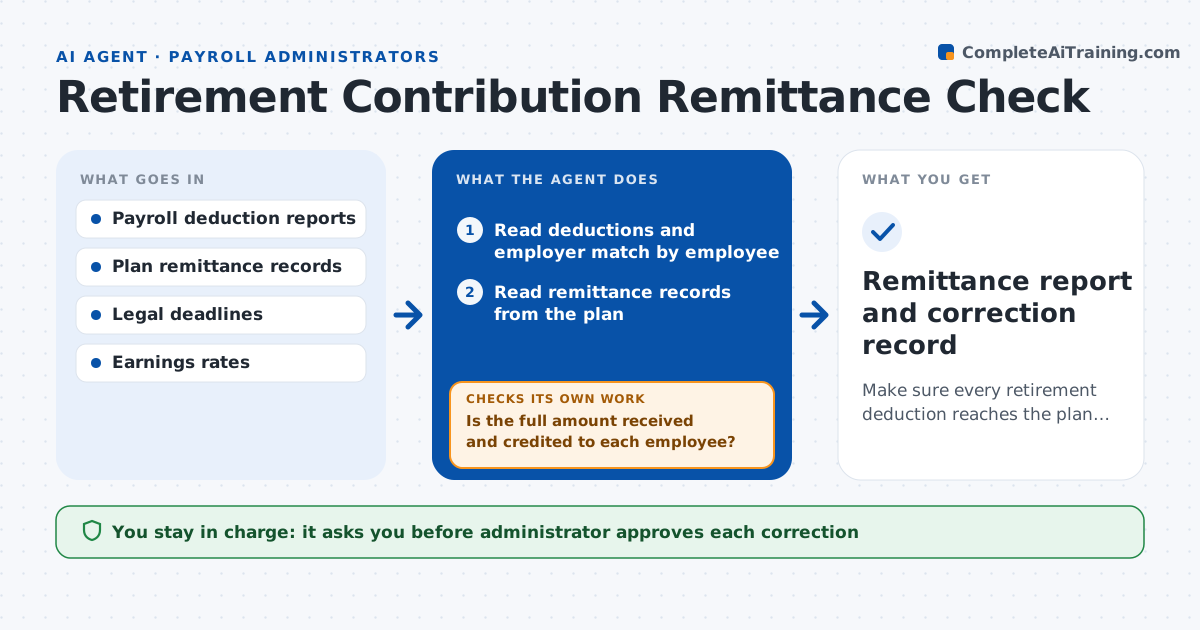
Retirement deductions come out of pay every cycle but must reach the plan by a legal deadline, and late payment can bring penalties and lost earnings for employees. This agent reads the deductions from each payroll run and compares them with the remittances sent to the plan, by employee and in total. It checks the dates against the legal deadline and flags any late or short amounts. For each problem it drafts a correction with the lost earnings calculation. After the payment is made, it rechecks the plan's records to confirm that the money was received and credited. The administrator approves each correction.
How it works
Follow the arrows from top to bottom. The orange dashed arrow is the loop: when a check fails, the agent goes back and tries again.
Read the steps as a list
- Payroll run completes
- Read deductions and employer match by employee
- Read remittance records from the plan
- Compare totals and individual amounts
- Check remittance dates against the legal deadline
- Calculate lost earnings for late or short amounts
- Draft a correction with the reason
- Administrator approves the correctionThe agent waits here for your OK.
- Recheck the plan record after the payment
- Is the full amount received and credited to each employee?If not: trace the missing amounts and redraft the correction. Back to step 4.
- Remittance report and correction record
How it decides
It flags a remittance as late after the legal deadline and as short when the amount differs from deductions, and calculates lost earnings for the gap.
- Flag a remittance sent more than 7 business days after payday
- Flag any individual difference above $1
- Calculate lost earnings at the plan's default fund rate
- Report late patterns by payroll cycle
Make it yours
Every agent is a starting point. You choose these settings for your own situation.
- Deadline in business days (default 7)
- Difference tolerance (default $1)
- Earnings rate source
- Review schedule
What keeps you in control
It always asks you first
- Administrator approves each correction
- Finance lead approves any penalty or filing
Hard limits
- Never sends payments to the plan
- Does not change employee deductions
It stops when
- Done: all amounts received and credited
- Stop: plan records are not available
Set it up
We guide you through the set-up, step by step
Members get the full set-up guide for this agent. No technical skills needed: you copy, paste and upload.
- One set of instructions to paste into your AI, with the clicks for ChatGPT, Claude, Microsoft 365 Copilot, Gemini and Grok
- The agent then walks you through connecting your own data, one source at a time
- A downloadable copy with the flow chart, the rules and the full guide