AI agent for financial advisors
Retirement Plan Projection Update Agent
An up-to-date retirement projection with options if off track
What it does
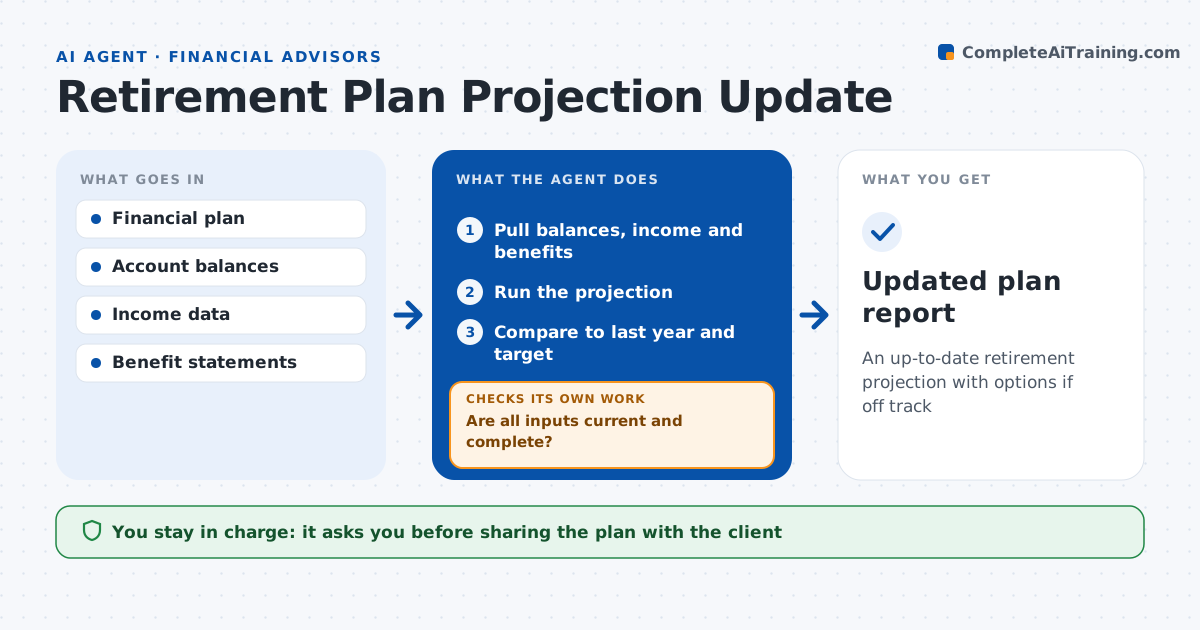
Retirement plans go stale fast, and clients make decisions on numbers from last year. Each year, or after a life event, this agent updates the client's projection. It pulls current balances, contributions, income, Social Security estimates and spending from the plan and accounts. Before running, it checks that every input is current and complete and refreshes anything older than 12 months. It reruns the projection and compares the probability of success and any shortfall to last year and to the client's target. If the result drops below target, it tests changes such as saving more, retiring later or spending less, and shows the effect of each. Spending changes over 10% are confirmed with the advisor. The advisor decides what to discuss with the client. Edge case: a spouse's pension was missing last year, so the agent finds it in documents and adds it.
How it works
Follow the arrows from top to bottom. The orange dashed arrow is the loop: when a check fails, the agent goes back and tries again.
Read the steps as a list
- Annual update or life event
- Pull balances, income and benefits
- Are all inputs current and complete?If not: request missing statements and refresh. Back to step 2.
- Run the projection
- Compare to last year and target
- Test options if below target
- Advisor decides what to shareThe agent waits here for your OK.
- Updated plan report
How it decides
It compares the new result to the target success level and tests changes in order of least disruption.
- Success below target level: test options
- Input older than 12 months: refresh
- Spending changed by over 10%: confirm with advisor
Make it yours
Every agent is a starting point. You choose these settings for your own situation.
- Target success level
- Options to test
- Report detail
- Update timing
What keeps you in control
It always asks you first
- Sharing the plan with the client
Hard limits
- Never presents results to clients
- Never promises outcomes
It stops when
- Done: report ready
- Stop: key inputs missing
Set it up
We guide you through the set-up, step by step
Members get the full set-up guide for this agent. No technical skills needed: you copy, paste and upload.
- One set of instructions to paste into your AI, with the clicks for ChatGPT, Claude, Microsoft 365 Copilot, Gemini and Grok
- The agent then walks you through connecting your own data, one source at a time
- A downloadable copy with the flow chart, the rules and the full guide