AI agent for benefits administrators
Retroactive Eligibility Correction Agent
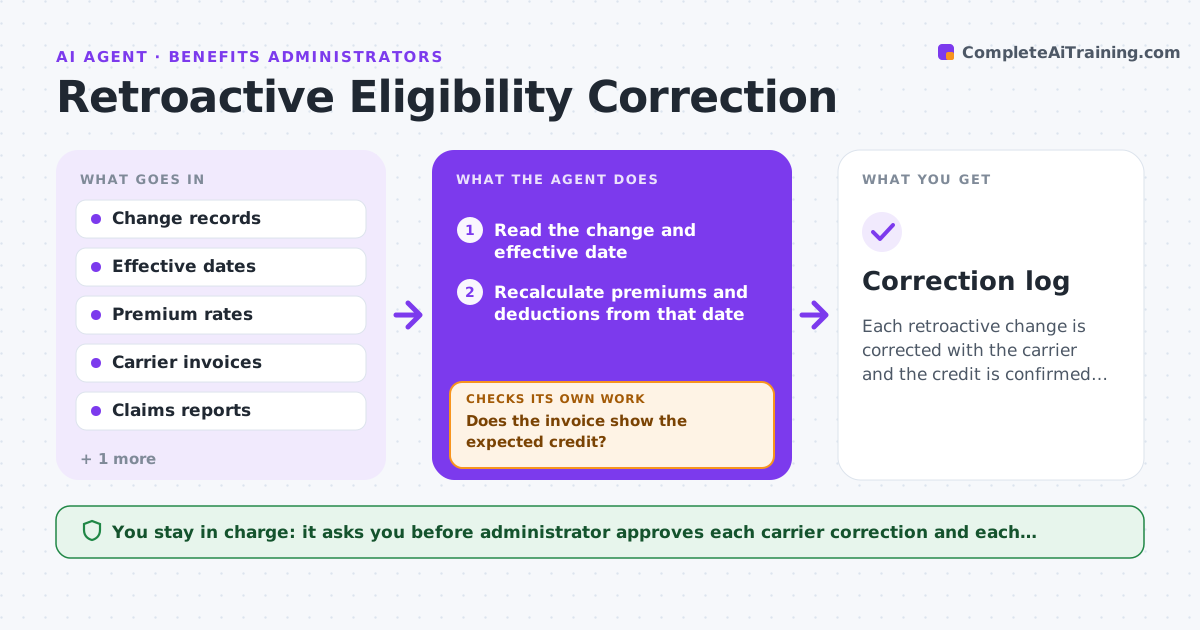
Each retroactive change is corrected with the carrier and the credit is confirmed on an invoice.
What it does
Late terminations cause coverage and premium errors that reach back several months. The agent finds changes with past effective dates, recalculates the premiums and the claims exposure, and drafts the carrier corrections. It checks the next invoice to see whether the credit appears and follows up if it does not. It also checks the employee's payroll deductions to correct what was taken and lists any claims the carrier might want back. It never contacts the carrier itself. The administrator approves each correction. Edge case: a termination entered three months late where claims were paid for the gap and the carrier may ask for them back.
How it works
Follow the arrows from top to bottom. The orange dashed arrow is the loop: when a check fails, the agent goes back and tries again.
Read the steps as a list
- Retroactive change entered
- Read the change and effective date
- Recalculate premiums and deductions from that date
- Check claims paid after the effective date
- Draft the carrier correction
- Administrator approves the correctionThe agent waits here for your OK.
- Send the correction and read the next invoice
- Does the invoice show the expected credit?If not: Draft a follow-up to the carrier with the amounts. Back to step 7.
- Correct employee deductions
- Do the premiums and deductions now agree with the file?If not: Recalculate and fix the records. Back to step 3.
- Correction log
How it decides
It recalculates premiums from the effective date and compares them with the invoice, treating a missing credit as an open item.
- Recalculate from the effective date
- Check claims paid in the gap
- Follow up when the credit is missing after one invoice
- Limit retro changes to the carrier's allowed window
Make it yours
Every agent is a starting point. You choose these settings for your own situation.
- Retro window allowed by the carrier
- Invoices covered
- Claims review rules
- Who is notified
What keeps you in control
It always asks you first
- Administrator approves each carrier correction and each deduction change
Hard limits
- Never contact the carrier without approval
- Do not change payroll itself
It stops when
- Done: credit confirmed and records match
- Stop: the carrier refuses the change and the administrator decides
Set it up
We guide you through the set-up, step by step
Members get the full set-up guide for this agent. No technical skills needed: you copy, paste and upload.
- One set of instructions to paste into your AI, with the clicks for ChatGPT, Claude, Microsoft 365 Copilot, Gemini and Grok
- The agent then walks you through connecting your own data, one source at a time
- A downloadable copy with the flow chart, the rules and the full guide