AI agent for physiotherapists
Return-to-Sport Criteria Agent
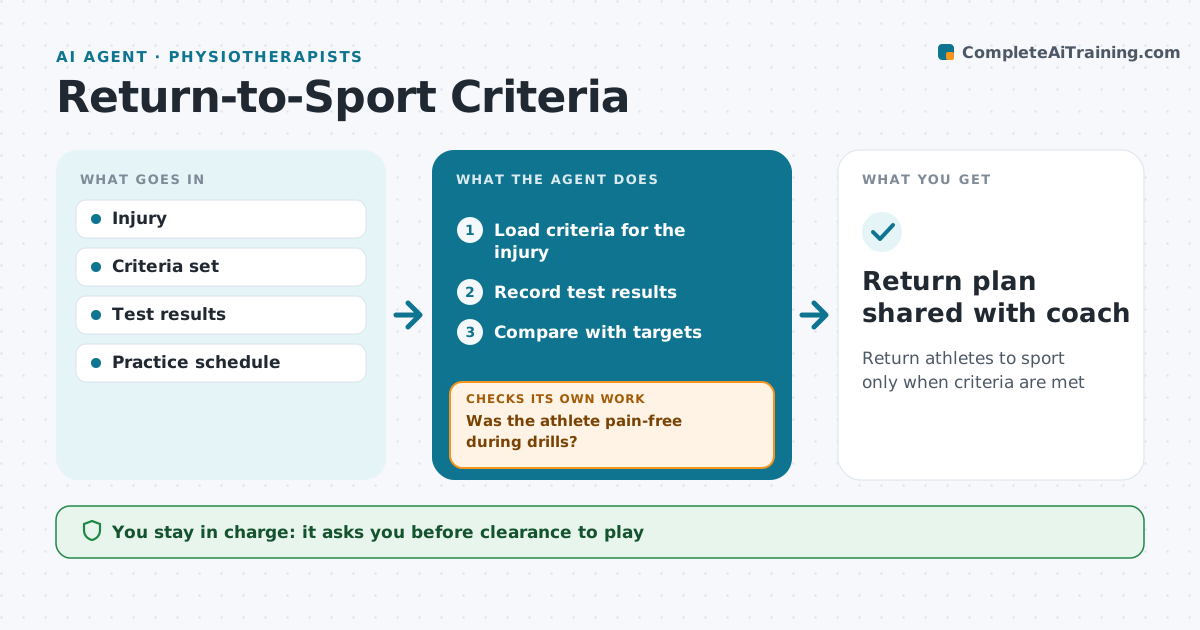
Return athletes to sport only when criteria are met
What it does
Return to sport after injury should follow criteria like strength ratios, hop tests and sport drills, not just time since injury. This agent loads the criteria for the athlete's injury and records test results as they are done. It first checks whether the athlete reported pain during any drill; pain pauses progress and flags the clinician. It then compares each result with its target, such as limb symmetry above 90% on strength and hop tests. It shows what is passed and what is left, and plans which tests to repeat next. Coaches get a simple status without medical detail. After each test session it checks again whether all criteria are met. Clearance to play is always the clinician's decision, shared with the coach only with the athlete's consent. Edge case: pain during a cutting drill pauses the plan, even if test numbers pass.
How it works
Follow the arrows from top to bottom. The orange dashed arrow is the loop: when a check fails, the agent goes back and tries again.
Read the steps as a list
- Athlete enters return-to-sport phase
- Load criteria for the injury
- Record test results
- Was the athlete pain-free during drills?If not: pause progress and flag the clinician. Back to step 3.
- Compare with targets
- Are all criteria met?If not: plan which tests to repeat and update the coach status. Back to step 3.
- Clinician decides on clearanceThe agent waits here for your OK.
- Return plan shared with coach
How it decides
Each criterion is pass or fail against its target. All must pass before the clinician reviews clearance.
- Limb symmetry above 90% on strength and hop tests
- Pain during drills pauses progress
- Coach sees status only, not medical detail
Make it yours
Every agent is a starting point. You choose these settings for your own situation.
- Criteria sets per injury
- Coach update detail
- Test schedule
- Consent settings
What keeps you in control
It always asks you first
- Clearance to play
- Sharing info with the coach
Hard limits
- The agent never clears an athlete
- Health info shared only with consent
It stops when
- Done: cleared
- Stop: setback, return to rehab phase
Set it up
We guide you through the set-up, step by step
Members get the full set-up guide for this agent. No technical skills needed: you copy, paste and upload.
- One set of instructions to paste into your AI, with the clicks for ChatGPT, Claude, Microsoft 365 Copilot, Gemini and Grok
- The agent then walks you through connecting your own data, one source at a time
- A downloadable copy with the flow chart, the rules and the full guide