AI agent for health and safety specialists
Return-to-Work Modified Duty Agent
An injured employee returns to a safe, documented plan within one day of release, adjusted at every medical update
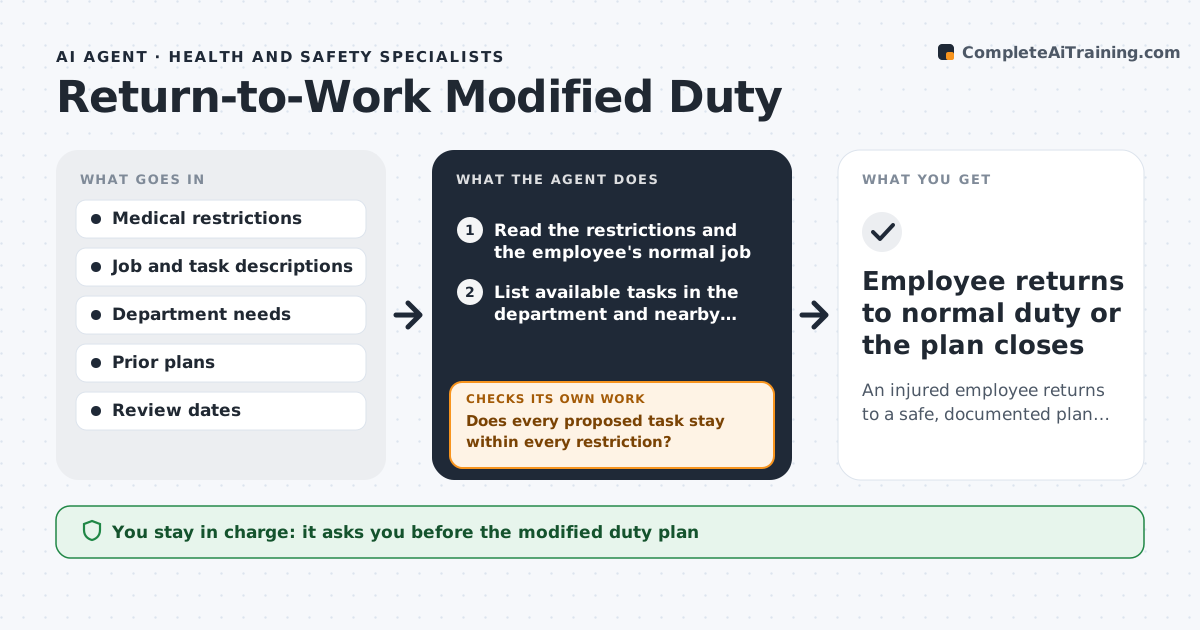
What it does
After a work injury, the doctor releases the employee with restrictions, such as no lifting over 10 pounds or no climbing. Finding suitable tasks takes time, so the employee sits at home and costs rise. This agent reads the medical restrictions and matches them to tasks available in the department and nearby ones. It checks each task for safety against the restrictions, such as the lifting weight and posture required, and drafts a modified duty plan with tasks, hours and a review date. It then follows the medical updates. When new restrictions arrive, it rechecks the plan and adjusts the tasks. The employee's supervisor and HR approve the plan. Edge case: no suitable work exists in the department, and the agent searches other departments before proposing leave.
How it works
Follow the arrows from top to bottom. The orange dashed arrow is the loop: when a check fails, the agent goes back and tries again.
Read the steps as a list
- A medical release with restrictions arrives
- Read the restrictions and the employee's normal job
- List available tasks in the department and nearby departments
- Match tasks to the restrictions on weight, posture and hours
- Does every proposed task stay within every restriction?If not: remove the task, or ask the supervisor if it can be changed, and rematch. Back to step 3.
- Draft a modified duty plan with tasks, hours and a review date
- HR and the supervisor approve the planThe agent waits here for your OK.
- Watch for medical updates and review dates
- Do the new restrictions still fit the plan?If not: rematch tasks to the new restrictions and revise the plan. Back to step 3.
- Employee returns to normal duty or the plan closes
How it decides
It matches tasks whose physical demands are within the restrictions and picks those with real business value, and it rejects any task that exceeds a limit.
- Compare task demands to each restriction line by line
- Search other departments when no task fits
- Review the plan at each medical visit
- Reject any task above a stated weight limit
Make it yours
Every agent is a starting point. You choose these settings for your own situation.
- Departments searched
- Review frequency (default each medical visit)
- Task library
- Hours per day
What keeps you in control
It always asks you first
- The modified duty plan
- Any change to the plan
Hard limits
- Never changes medical restrictions
- Does not share medical details beyond need
- Does not place the employee without approval
It stops when
- Done: employee returns to full duty
- Stop: no suitable task exists after searching all departments
Set it up
We guide you through the set-up, step by step
Members get the full set-up guide for this agent. No technical skills needed: you copy, paste and upload.
- One set of instructions to paste into your AI, with the clicks for ChatGPT, Claude, Microsoft 365 Copilot, Gemini and Grok
- The agent then walks you through connecting your own data, one source at a time
- A downloadable copy with the flow chart, the rules and the full guide