AI agent for tax advisors
Return Year-Over-Year Variance Review Agent
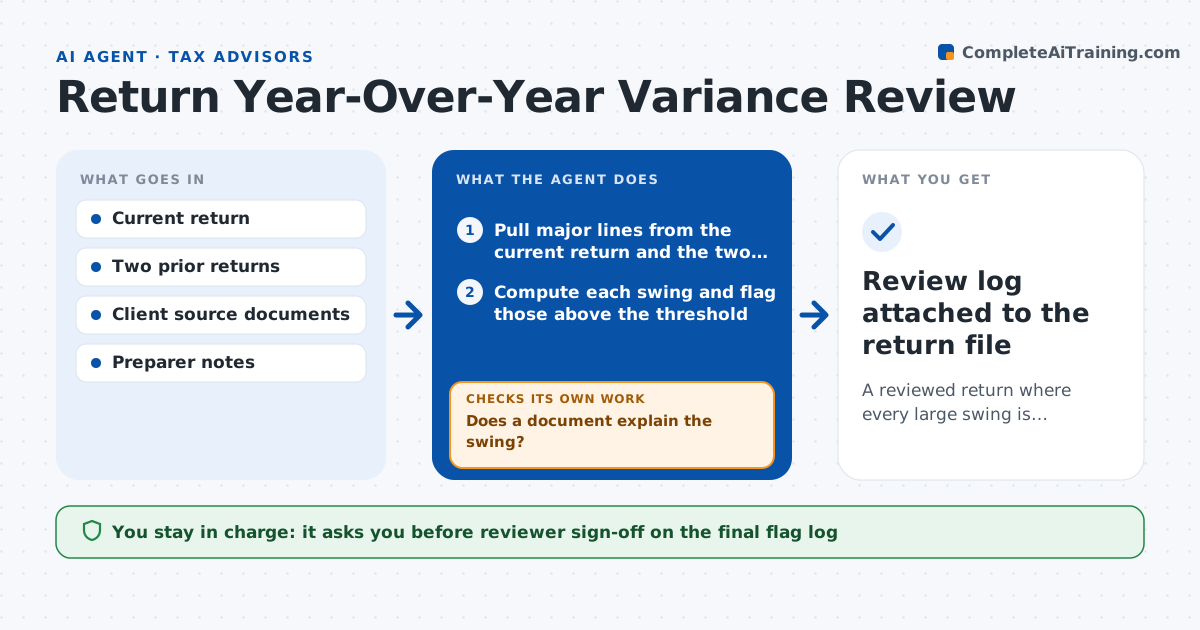
A reviewed return where every large swing is explained by a document or a preparer answer
What it does
A reviewer sees one return at a time and cannot easily spot that rental income dropped by half or that a deduction tripled. After a return is prepared, this agent compares every major line to the prior two years and to the client's source documents. It flags swings above your threshold. For each flag it searches the file for a reason, such as a property sale, a new job or a new dependent. If it finds a documented reason, it notes it and moves on. If not, it sends a question to the preparer. When the preparer answers, the agent rechecks that the answer matches the source document and clears or reopens the flag. The reviewer signs off only when every flag is cleared. Edge case: a line that is flat but should have changed, such as no depreciation on a newly bought building, is also flagged.
How it works
Follow the arrows from top to bottom. The orange dashed arrow is the loop: when a check fails, the agent goes back and tries again.
Read the steps as a list
- Preparer marks the return ready for review
- Pull major lines from the current return and the two prior years
- Compute each swing and flag those above the threshold
- Search the client file for a reason behind each flag
- Does a document explain the swing?If not: search source documents and notes again, then draft a question to the preparer. Back to step 4.
- Send open questions to the preparer and wait for answers
- Does each answer match the source document?If not: reopen the flag and ask for the supporting document. Back to step 6.
- Also flag flat lines that should have changed
- Reviewer reads the flag log and signs offThe agent waits here for your OK.
- Review log attached to the return file
How it decides
A line is flagged when it moves more than the threshold in dollars and percent, or is flat when a trigger event suggests change. A flag clears only when a document or answer supports the new number.
- Flag a line that changes by more than 20% and $1,000
- Flag a zero or unchanged line when a sale, purchase or new dependent is on file
- Treat an answer without a document as open until the reviewer accepts it
- Never clear a flag on a line that feeds a credit or limit without a second look
Make it yours
Every agent is a starting point. You choose these settings for your own situation.
- Swing threshold in dollars and percent (default 20% and $1,000)
- Which lines to compare (default all major lines)
- Number of prior years to compare (default 2)
- Who receives open questions
What keeps you in control
It always asks you first
- Reviewer sign-off on the final flag log
Hard limits
- Does not edit the return
- Does not tell the client about errors before the reviewer decides
It stops when
- Done: every flag is cleared with evidence or accepted by the reviewer
- Stop: prior-year returns are not available
Set it up
We guide you through the set-up, step by step
Members get the full set-up guide for this agent. No technical skills needed: you copy, paste and upload.
- One set of instructions to paste into your AI, with the clicks for ChatGPT, Claude, Microsoft 365 Copilot, Gemini and Grok
- The agent then walks you through connecting your own data, one source at a time
- A downloadable copy with the flow chart, the rules and the full guide