AI agent for translators
Reviewer Edit Reconciliation Agent
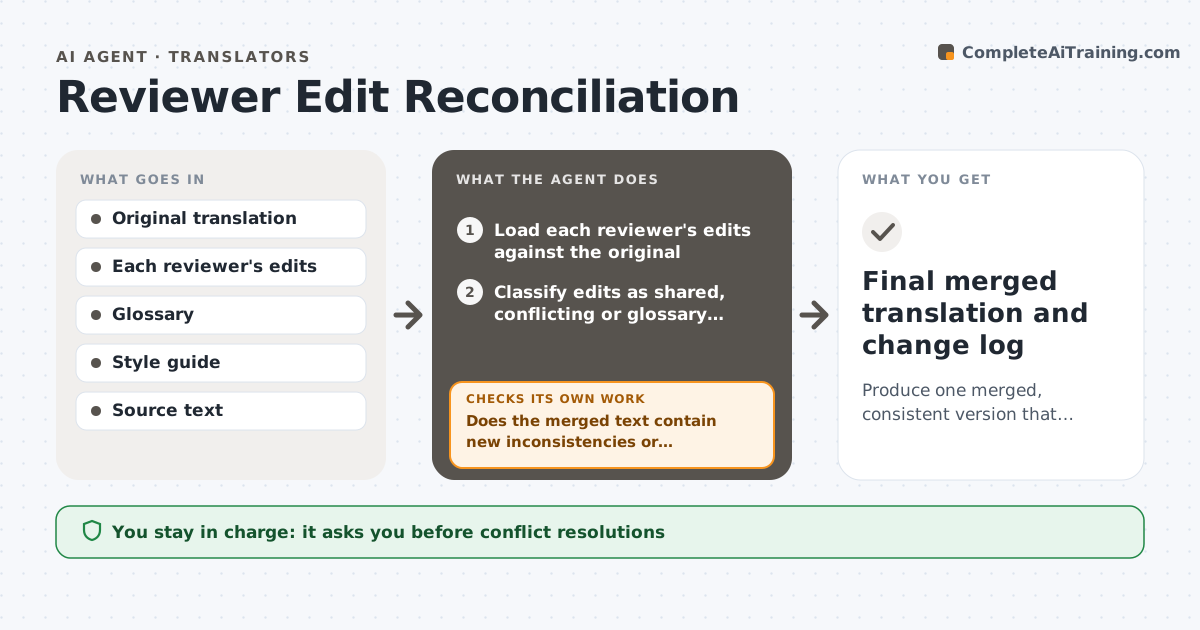
Produce one merged, consistent version that resolves all reviewer conflicts.
What it does
When two reviewers edit the same translation, their changes can overlap or contradict each other, and one may break the client's glossary. This agent compares the reviewers' edits segment by segment against the original translation. It sorts them into agreed edits, conflicting edits and edits that break the glossary or style guide. For conflicts, it proposes a resolution with the reasoning, such as the term the client has approved or the version that matches the source meaning most closely. It builds a merged version for the translator to review, and rechecks the merged text for new inconsistencies introduced by the combination. It never accepts changes alone. The translator approves the final version. Edge case: an edit that fixes a real mistranslation is marked as essential even if it conflicts with a style choice.
How it works
Follow the arrows from top to bottom. The orange dashed arrow is the loop: when a check fails, the agent goes back and tries again.
Read the steps as a list
- Reviewer edits returned
- Load each reviewer's edits against the original
- Classify edits as shared, conflicting or glossary breaking
- Check each edit against the source meaning
- Propose a resolution for each conflict with reasons
- Translator decides unresolved conflictsThe agent waits here for your OK.
- Build the merged version
- Does the merged text contain new inconsistencies or glossary breaks?If not: revisit the edits that caused them and propose another merge. Back to step 4.
- Does every essential fix remain in the merged version?If not: restore the missing fixes and rebuild. Back to step 7.
- Translator approves the final versionThe agent waits here for your OK.
- Final merged translation and change log
How it decides
It accepts edits both reviewers share, and for conflicts it favors the version that matches the source meaning and the glossary. Anything unresolved goes to the translator.
- Accept shared edits automatically for review
- Prefer the glossary term over a reviewer preference
- Treat an edit that corrects meaning as essential
- Send unresolved conflicts to the translator
Make it yours
Every agent is a starting point. You choose these settings for your own situation.
- Glossary and style guide
- Reviewer priority
- Essential fix rules
- Output format
- Change log detail
What keeps you in control
It always asks you first
- Conflict resolutions
- The final version
Hard limits
- Never accept edits without the translator's review
- Keep every reviewer's original edit on record
It stops when
- Done: final version approved
- Stop: reviewers disagree on meaning and need the client
Set it up
We guide you through the set-up, step by step
Members get the full set-up guide for this agent. No technical skills needed: you copy, paste and upload.
- One set of instructions to paste into your AI, with the clicks for ChatGPT, Claude, Microsoft 365 Copilot, Gemini and Grok
- The agent then walks you through connecting your own data, one source at a time
- A downloadable copy with the flow chart, the rules and the full guide