AI agent for freelancers
Proposal Pricing Package Builder Agent
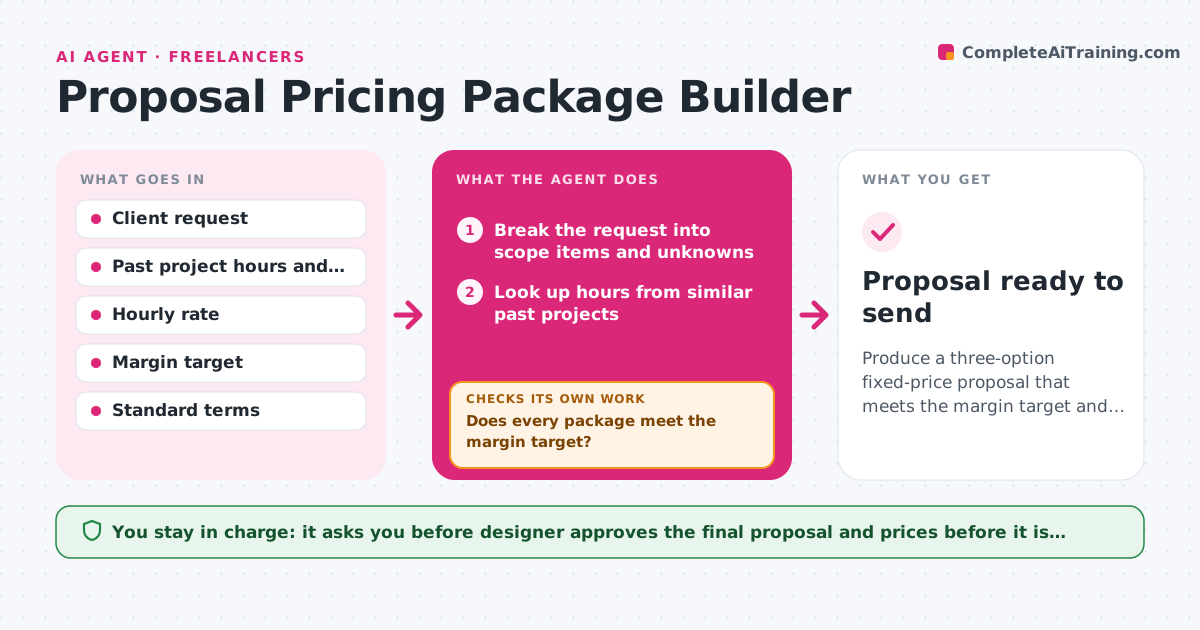
Produce a three-option fixed-price proposal that meets the margin target and states the scope clearly.
What it does
A new client sends a short request and you have to quote by tomorrow. You guess the hours, and three weeks later the project is double the size. This agent reads the request and breaks it into scope items, such as pages, screens, slides and revision rounds. It looks up hours from your past projects of the same kind and builds three package options: lean, standard and full. For each one it works out cost, price and margin. If a package falls under your margin target, it trims scope or raises the price and recalculates until the target is met. It then lists risks, such as unclear content or many stakeholders. It checks that every scope item appears in exactly one package line. You always approve the proposal before it is sent. Edge case: the client wants unlimited revisions, so the agent caps them at two rounds and prices extra rounds separately.
How it works
Follow the arrows from top to bottom. The orange dashed arrow is the loop: when a check fails, the agent goes back and tries again.
Read the steps as a list
- Client request arrives
- Break the request into scope items and unknowns
- Look up hours from similar past projects
- Build lean, standard and full package options
- Calculate cost, price and margin for each option
- Does every package meet the margin target?If not: cut scope items or add a priced extra, then rebuild the package. Back to step 4.
- List risks and set revision limits
- Is every scope item covered once and clearly worded?If not: mark missing or duplicate items and return to the scope list. Back to step 2.
- Designer reviews and approves the proposalThe agent waits here for your OK.
- Proposal ready to send
How it decides
It picks hours from the closest past projects, then compares each package margin with the target. Below target, it removes scope before it raises price.
- Use the average hours of the three closest past projects, plus 15% if the client has more than two stakeholders
- Below 30% margin, remove scope before raising price
- Cap revisions at two rounds and price extra rounds per round
- Flag any item with no past project as an estimate risk
Make it yours
Every agent is a starting point. You choose these settings for your own situation.
- Margin target (default 30%)
- Hourly rate and day rate
- Number of revision rounds included (default 2)
- Package names and count (default three)
- Past projects folder to learn from
What keeps you in control
It always asks you first
- Designer approves the final proposal and prices before it is sent
Hard limits
- Never send a proposal or price to a client
- Never drop a risk from the list to make a price look better
It stops when
- Done: three options meet the margin target and every scope item is covered
- Stop: more than half the scope items have no past comparison, so ask the designer for hours
Set it up
We guide you through the set-up, step by step
Members get the full set-up guide for this agent. No technical skills needed: you copy, paste and upload.
- One set of instructions to paste into your AI, with the clicks for ChatGPT, Claude, Microsoft 365 Copilot, Gemini and Grok
- The agent then walks you through connecting your own data, one source at a time
- A downloadable copy with the flow chart, the rules and the full guide