AI agent for tax advisors
Roth Conversion Window Agent
Identify the best conversion amount for a low-income year and update it as the year closes
What it does
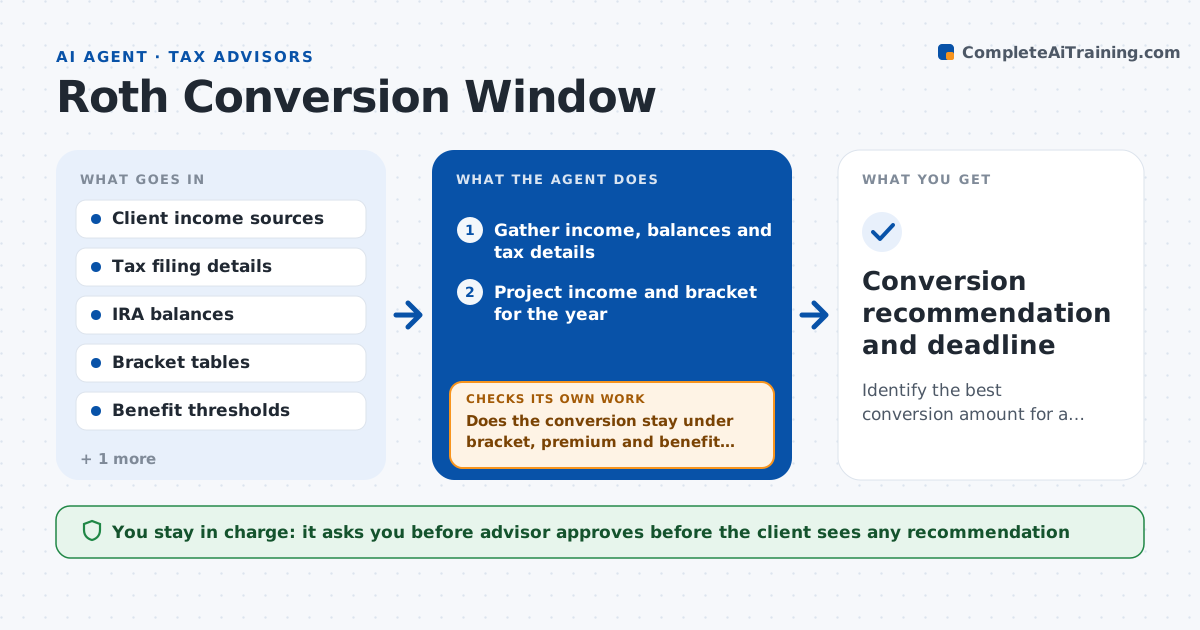
A client retires in March and has a low-income year, a good time to convert some IRA money to a Roth, but nobody models it before December. This agent projects the client's income and tax brackets for the year from pay, pension, Social Security and investments. It models conversion amounts, such as filling the current bracket, and checks the effect on tax, Medicare premiums, benefit taxation and credits. It compares each conversion level with doing nothing. It reruns the projection after year-end data like final pay and dividends arrive, then adjusts the recommended amount. It flags the deadline for the conversion. The advisor approves before anything is proposed to the client. Edge case: a conversion that pushes the client over an income-related premium line is trimmed to stay under it.
How it works
Follow the arrows from top to bottom. The orange dashed arrow is the loop: when a check fails, the agent goes back and tries again.
Read the steps as a list
- Planning review or income change
- Gather income, balances and tax details
- Project income and bracket for the year
- Model conversion amounts and tax effects
- Does the conversion stay under bracket, premium and benefit thresholds?If not: Trim the amount and model it again. Back to step 4.
- Compare with no conversion and draft the recommendation
- Advisor approves before anything goes to the clientThe agent waits here for your OK.
- Rerun the projection with year-end data
- Is the recommended amount still within thresholds?If not: Adjust the amount and update the recommendation. Back to step 4.
- Conversion recommendation and deadline
How it decides
It selects the largest conversion that stays within the target bracket and below premium and benefit thresholds, with an acceptable tax cost.
- Stay within the target bracket chosen with the client
- Stay under Medicare premium thresholds
- Count effects on benefit taxation and credits
- Rerun before year end with updated income
Make it yours
Every agent is a starting point. You choose these settings for your own situation.
- Target bracket (default the client's current bracket)
- Thresholds checked (default Medicare, benefit taxation)
- Review dates (default spring, fall, December)
- Tax tables used (default the current year)
What keeps you in control
It always asks you first
- Advisor approves before the client sees any recommendation
Hard limits
- Never execute a conversion
- Never present advice without advisor approval
- State assumptions in every output
It stops when
- Done: Conversion decided and completed by the advisor and client
- Stop: Client declines or income changes the case, so hand to the advisor
Set it up
We guide you through the set-up, step by step
Members get the full set-up guide for this agent. No technical skills needed: you copy, paste and upload.
- One set of instructions to paste into your AI, with the clicks for ChatGPT, Claude, Microsoft 365 Copilot, Gemini and Grok
- The agent then walks you through connecting your own data, one source at a time
- A downloadable copy with the flow chart, the rules and the full guide