AI agent for compensation analysts
Salary Benchmark Refresh Agent
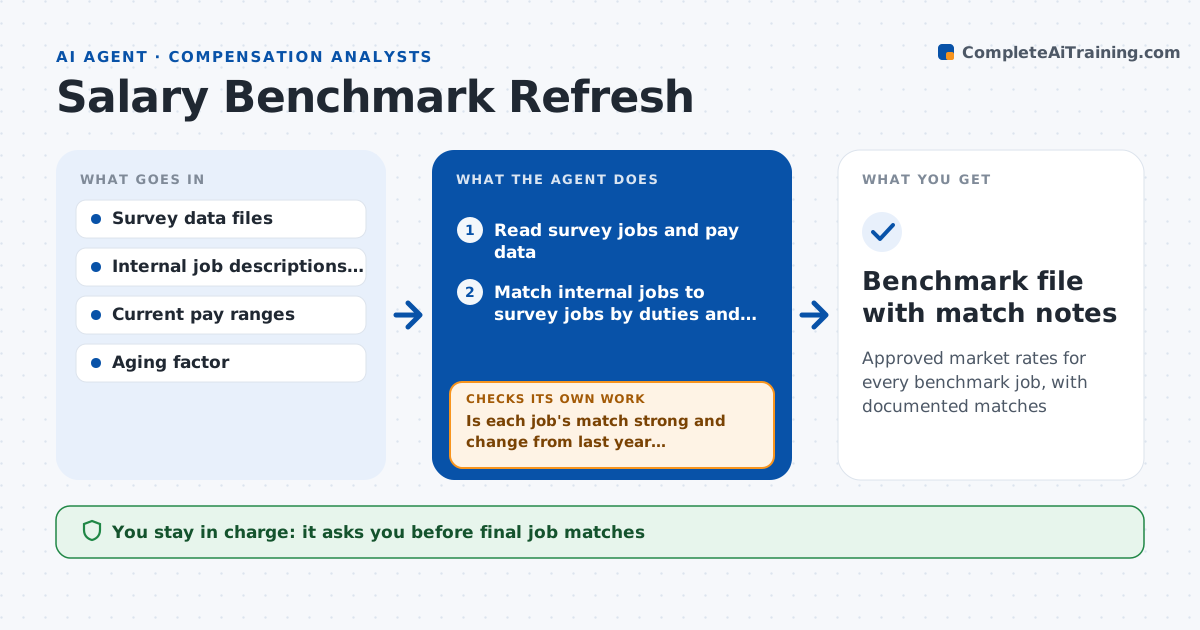
Approved market rates for every benchmark job, with documented matches
What it does
Pay ranges built on poor survey matches lead to offers that are too low to hire or too high to afford. Once a year, or when new survey data arrives, this agent refreshes market pay for every benchmark job. It reads survey files and matches each internal job to survey jobs by duties and level, not just title. It ages the data to a common date, blends sources using set weights and compares the result to current ranges. It then checks match quality. If a job has fewer than two matches or the market rate jumps more than 12% from last year, it re-examines the match and suggests alternatives. The analyst approves matches and the final market rates. Edge case: a survey job description covers both team leads and managers, so the agent marks it as a partial match and lowers its weight.
How it works
Follow the arrows from top to bottom. The orange dashed arrow is the loop: when a check fails, the agent goes back and tries again.
Read the steps as a list
- New survey data loaded
- Read survey jobs and pay data
- Match internal jobs to survey jobs by duties and level
- Age and blend data into market rates
- Is each job's match strong and change from last year reasonable?If not: re-examine the match and test alternative survey jobs. Back to step 3.
- Analyst approves matches and market ratesThe agent waits here for your OK.
- Benchmark file with match notes
How it decides
It matches on duties and level, ages data to one date, and weights sources by match quality and sample size.
- Fewer than 2 survey matches: flag as weak
- Market rate change over 12% in a year: recheck the match
- Partial match: reduce its weight by half
Make it yours
Every agent is a starting point. You choose these settings for your own situation.
- Survey sources and weights
- Aging rate per year
- Change threshold that triggers review
- Market percentile to target
What keeps you in control
It always asks you first
- Final job matches
- Market rates used for ranges
Hard limits
- Never shares survey data outside allowed users
- Never changes employee pay
It stops when
- Done: all benchmark jobs priced
- Stop: survey data for a key family missing
Set it up
We guide you through the set-up, step by step
Members get the full set-up guide for this agent. No technical skills needed: you copy, paste and upload.
- One set of instructions to paste into your AI, with the clicks for ChatGPT, Claude, Microsoft 365 Copilot, Gemini and Grok
- The agent then walks you through connecting your own data, one source at a time
- A downloadable copy with the flow chart, the rules and the full guide