AI agent for product marketing managers
Sales Collateral Staleness Audit Agent
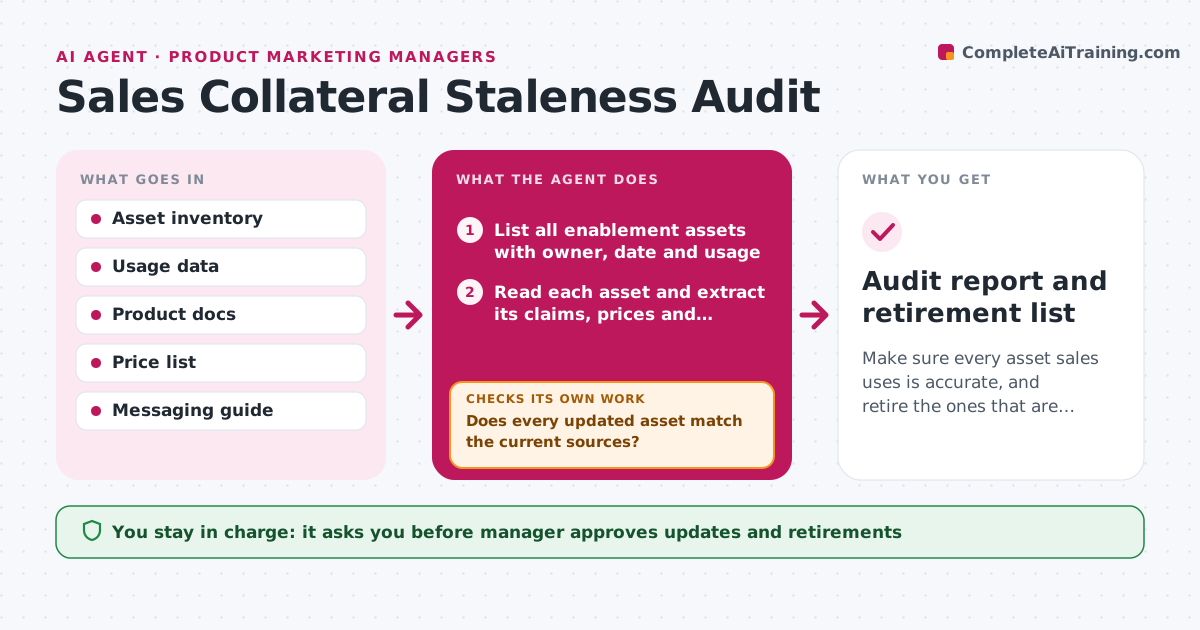
Make sure every asset sales uses is accurate, and retire the ones that are not.
What it does
Sales reps keep using a deck from last year that lists a discontinued plan and an old price. The agent lists every enablement asset in the sales tool and shared drive, with owner, date and usage. It reads each one and checks product names, features, pricing, customer counts, legal claims and positioning against the current product documents, price list and messaging guide. It notes what is wrong, how serious it is and how often reps use the asset. It then ranks assets for update, retirement or no action, giving priority to heavily used assets with wrong prices. It drafts corrections for the owner. After the edits, it checks the new version again. Edge case: a customer-specific deck that needs different claims. The manager approves updates and retirements.
How it works
Follow the arrows from top to bottom. The orange dashed arrow is the loop: when a check fails, the agent goes back and tries again.
Read the steps as a list
- Audit starts
- List all enablement assets with owner, date and usage
- Read each asset and extract its claims, prices and names
- Check the claims against current product docs, prices and messaging
- Rate each error by seriousness
- Rank assets for update, retire or keep, weighted by usage
- Draft corrections for each updated asset
- Manager approves updates and retirementsThe agent waits here for your OK.
- Reload the updated assets and check them again
- Does every updated asset match the current sources?If not: revise the corrections for the remaining differences. Back to step 6.
- Audit report and retirement list
How it decides
An asset is stale when any claim conflicts with current sources. Priority is serious errors multiplied by usage.
- Treat wrong prices or discontinued products as serious
- Prioritize assets used more than 10 times a month
- Retire assets not used in 6 months with no owner
- Leave customer-specific assets to their owners
Make it yours
Every agent is a starting point. You choose these settings for your own situation.
- Asset locations
- Usage threshold (default 10 a month)
- Retirement age (default 6 months)
- Sources of truth
- Audit schedule
What keeps you in control
It always asks you first
- Manager approves updates and retirements
- Manager approves changes to claims
Hard limits
- Never publish or delete assets itself
- Cite the source for each correction
It stops when
- Done: all priority assets verified
- Stop: current pricing or messaging is not confirmed, ask the manager first
Set it up
We guide you through the set-up, step by step
Members get the full set-up guide for this agent. No technical skills needed: you copy, paste and upload.
- One set of instructions to paste into your AI, with the clicks for ChatGPT, Claude, Microsoft 365 Copilot, Gemini and Grok
- The agent then walks you through connecting your own data, one source at a time
- A downloadable copy with the flow chart, the rules and the full guide