AI agent for payroll administrators
Equity Grant and Vesting Reconciliation Agent
Make grant, vesting and withholding records agree across all three systems.
What it does
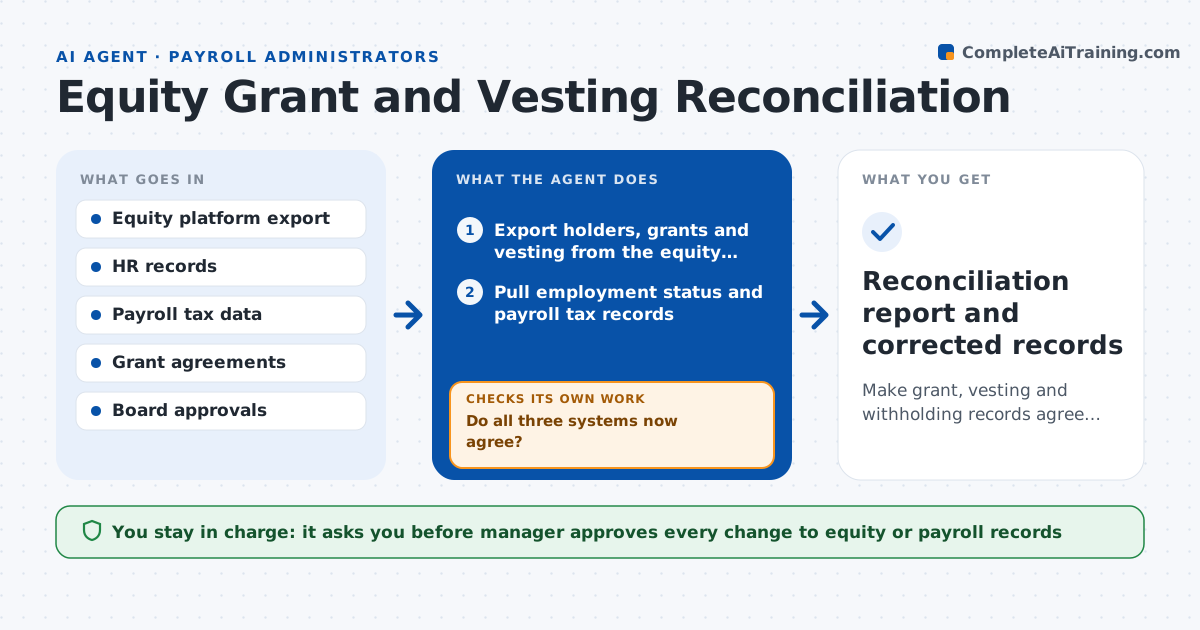
Equity records live in three places, the equity platform, HR and payroll, and they rarely agree on grants, vesting dates or tax withholding. This agent compares grant, vesting and payroll tax records for every holder. It finds differences such as a missing grant, a wrong vesting date, a leaver still vesting or withholding on the wrong value. It traces each difference to a source, drafts the correction in the right system and rechecks after the manager approves it. If the same kind of error appears many times, it points to the likely root cause, such as a bad import. Edge case: early exercise and acceleration events get special handling. The manager approves every change to records.
How it works
Follow the arrows from top to bottom. The orange dashed arrow is the loop: when a check fails, the agent goes back and tries again.
Read the steps as a list
- Vesting date or quarterly review
- Export holders, grants and vesting from the equity platform
- Pull employment status and payroll tax records
- Compare grants, vesting dates and amounts across the systems
- Trace each difference to a source document
- Draft the correction for the right system
- Manager approves changes to recordsThe agent waits here for your OK.
- Recheck the records after corrections are made
- Do all three systems now agree?If not: retrace the remaining differences and look for a common cause. Back to step 4.
- Reconciliation report and corrected records
How it decides
It treats the signed grant agreement and board approval as the source of truth and measures other systems against it.
- Use the signed grant agreement as the source of truth
- Flag a leaver who shows vesting after the termination date
- Flag withholding that differs from the vested value by more than 1 percent
- Group repeated errors to find the common cause
Make it yours
Every agent is a starting point. You choose these settings for your own situation.
- Systems included
- Withholding tolerance (default 1 percent)
- Review schedule
- Source of truth documents
What keeps you in control
It always asks you first
- Manager approves every change to equity or payroll records
- Founder or board approves any change to grant terms
Hard limits
- Never changes grants or records itself
- Treats any grant without documents as unverified
It stops when
- Done: systems agree or remaining differences are approved
- Stop: grant agreement cannot be found for a holder
Set it up
We guide you through the set-up, step by step
Members get the full set-up guide for this agent. No technical skills needed: you copy, paste and upload.
- One set of instructions to paste into your AI, with the clicks for ChatGPT, Claude, Microsoft 365 Copilot, Gemini and Grok
- The agent then walks you through connecting your own data, one source at a time
- A downloadable copy with the flow chart, the rules and the full guide