AI agent for vice president of sales
Sales Hiring Pipeline and Ramp Forecast Agent
Know the quota gap caused by hiring and ramp delays each month and close it
What it does
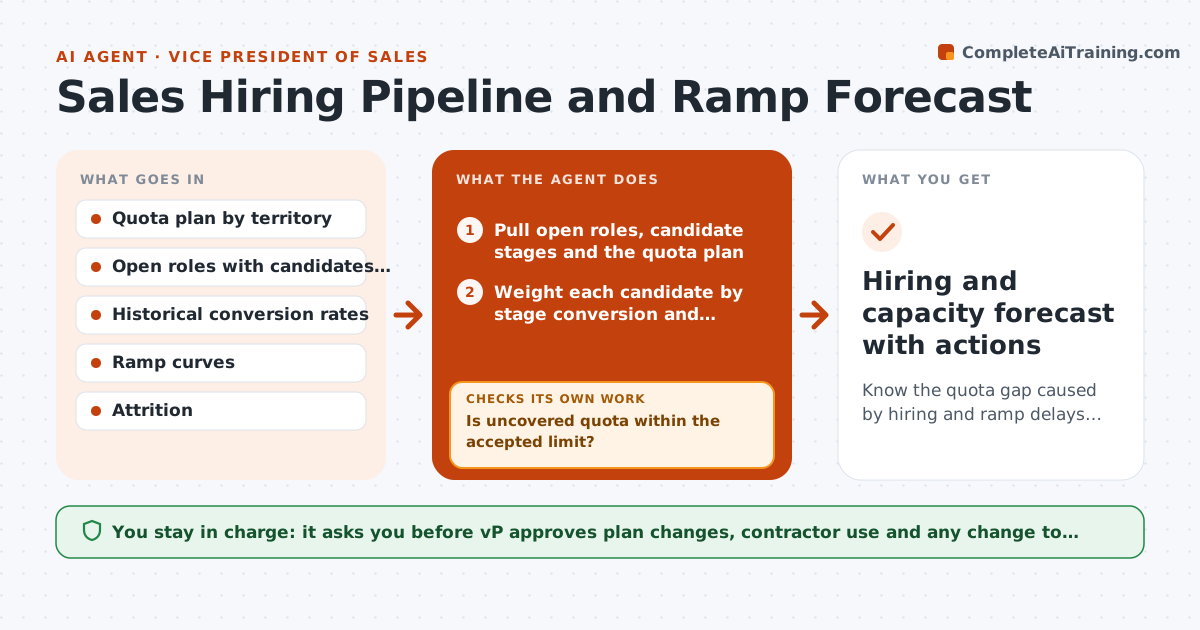
A VP of sales plans to add eight reps by the third quarter, but offers slip, one candidate declines and new hires take five months to ramp. The quota for the territory sits uncovered and the number is missed. This agent keeps the plan honest. It compares open roles, candidate stages and ramp time with the quota plan, estimates the uncovered quota by month, and proposes fixes such as moving territory coverage, using contractors or shifting a start date. It reruns the forecast after each hire or loss. The VP approves any plan change. Edge case: a candidate is at the offer stage but unlikely to accept. The agent applies a lower probability and shows both views.
How it works
Follow the arrows from top to bottom. The orange dashed arrow is the loop: when a check fails, the agent goes back and tries again.
Read the steps as a list
- Weekly hiring review
- Pull open roles, candidate stages and the quota plan
- Weight each candidate by stage conversion and expected start date
- Apply the ramp curve to expected hires and existing reps
- Calculate uncovered quota by month and territory
- Is uncovered quota within the accepted limit?If not: Propose fixes: shift coverage, contractors or earlier start dates. Back to step 3.
- Rerun the forecast with each proposed fix
- Does the best fix bring the gap within the limit?If not: Offer further options and a cost for each, including a quota change. Back to step 6.
- VP approves plan changesThe agent waits here for your OK.
- Hiring and capacity forecast with actions
How it decides
It weights each candidate by stage conversion rate and applies the ramp curve to expected start dates. Uncovered quota is plan quota minus expected productive capacity.
- Offer stage counts at 70 percent unless data says otherwise
- Ramp curve: 0 percent month 1, 25 percent month 2, 50 percent month 3, 100 percent month 6
- Uncovered quota over 10 percent in a quarter needs a fix
- Attrition applies the historical rate
Make it yours
Every agent is a starting point. You choose these settings for your own situation.
- Stage conversion rates
- Ramp curve by role
- Accepted uncovered quota (default 10 percent)
- Territories included
- Forecast update frequency
What keeps you in control
It always asks you first
- VP approves plan changes, contractor use and any change to quota
Hard limits
- Never contacts candidates
- Does not make hiring decisions
It stops when
- Done: forecast within the accepted gap
- Stop: hiring freeze or budget change, ask the VP for new limits
Set it up
We guide you through the set-up, step by step
Members get the full set-up guide for this agent. No technical skills needed: you copy, paste and upload.
- One set of instructions to paste into your AI, with the clicks for ChatGPT, Claude, Microsoft 365 Copilot, Gemini and Grok
- The agent then walks you through connecting your own data, one source at a time
- A downloadable copy with the flow chart, the rules and the full guide