AI agent for sales managers
Sales Script Test Agent
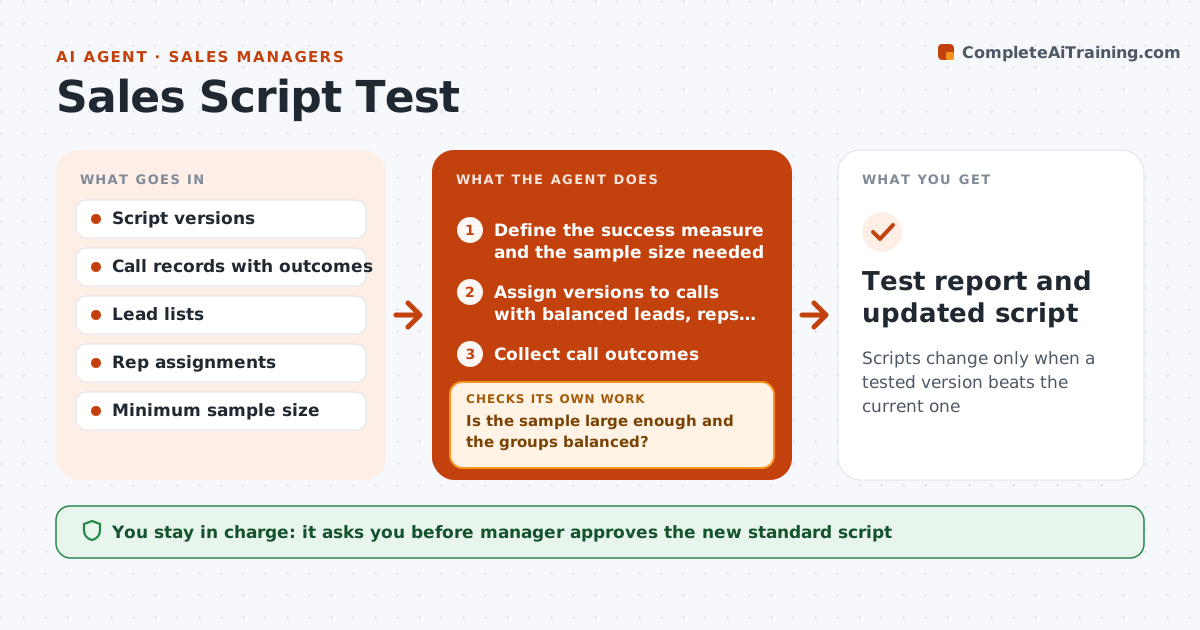
Scripts change only when a tested version beats the current one
What it does
A script change is often made because one rep liked it, not because it worked. This agent runs a fair test. It assigns script versions across calls, making sure each version gets similar leads, tracks outcomes such as connects, meetings and wins, and checks whether the sample is large enough. It calculates the difference and the confidence that it is real. If results are unclear, it keeps testing or adjusts the assignment. When a clear winner appears, it recommends the new standard. The manager approves. Edge case: one version was used mostly in the morning when pick-up rates are higher, so the agent rebalances times.
How it works
Follow the arrows from top to bottom. The orange dashed arrow is the loop: when a check fails, the agent goes back and tries again.
Read the steps as a list
- New script version proposed
- Define the success measure and the sample size needed
- Assign versions to calls with balanced leads, reps and times
- Collect call outcomes
- Is the sample large enough and the groups balanced?If not: keep testing or rebalance assignments. Back to step 3.
- Compute the difference and how sure it is
- Is there a clear winner above the margin?If not: extend the test or end it as no difference. Back to step 3.
- Prepare a recommendation with results and cautions
- Manager approves the new standardThe agent waits here for your OK.
- Test report and updated script
How it decides
A version wins when it beats the baseline by a set margin in a large enough sample with balanced lead types and call times.
- Require at least 200 calls per version
- Balance by lead type, rep and time of day
- Declare a winner at a 15 percent relative improvement
- End as no difference after the maximum calls
Make it yours
Every agent is a starting point. You choose these settings for your own situation.
- Sample size (default 200)
- Success measure
- Margin to win
- Maximum calls
What keeps you in control
It always asks you first
- Manager approves the new standard script
- Manager approves the test plan
Hard limits
- Do not run tests without approval
- Do not use call data outside the team
- Show the data behind the result
It stops when
- Done: winner adopted or no difference recorded
- Stop: manager ends the test
Set it up
We guide you through the set-up, step by step
Members get the full set-up guide for this agent. No technical skills needed: you copy, paste and upload.
- One set of instructions to paste into your AI, with the clicks for ChatGPT, Claude, Microsoft 365 Copilot, Gemini and Grok
- The agent then walks you through connecting your own data, one source at a time
- A downloadable copy with the flow chart, the rules and the full guide