AI agent for salesforce administrators
Sandbox Deployment Validation Agent
Get a deployment package that passes validation against production before anyone deploys
What it does
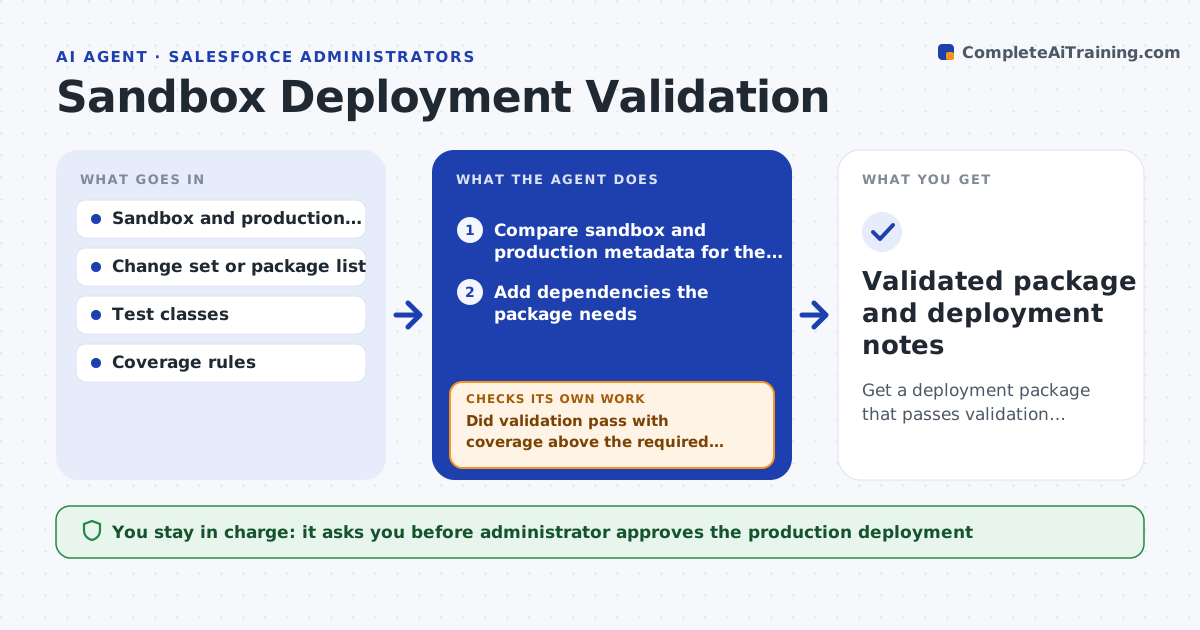
A deployment that worked in the sandbox fails in production because a field, a flow or a test class is missing, or code coverage falls under the limit. This agent compares sandbox and production metadata and builds the list of components in the change, including everything those components depend on. It runs a validation-only deployment against production, which changes nothing, and reads the errors: missing dependencies, failing tests, coverage gaps, profile and permission differences. It fixes the package by adding missing components, adjusting test data or drafting test classes, and validates again. It repeats until validation passes. The administrator approves the real production deployment. Edge case: a test passes in the sandbox only because of sandbox data, so the agent rewrites it to create its own data.
How it works
Follow the arrows from top to bottom. The orange dashed arrow is the loop: when a check fails, the agent goes back and tries again.
Read the steps as a list
- Package ready for production
- Compare sandbox and production metadata for the components
- Add dependencies the package needs
- Run a validation-only deployment against production
- Classify each error as dependency, test, coverage or permission
- Did validation pass with coverage above the required level?If not: fix the package for each error, such as missing components or tests, and validate again. Back to step 3.
- Do the tests pass without relying on sandbox-only data?If not: rewrite the tests to create their own data and validate again. Back to step 3.
- Write the deployment notes and manual steps
- Administrator approves the production deploymentThe agent waits here for your OK.
- Validated package and deployment notes
How it decides
It reads each validation error, classifies it as dependency, test, coverage or permission, and applies the smallest package fix for that class.
- Require at least 85% coverage on the deployed code
- Add every component the metadata comparison shows as missing in production
- Rewrite tests that depend on sandbox-only records
- Stop after 5 validation rounds and ask for help
Make it yours
Every agent is a starting point. You choose these settings for your own situation.
- Coverage threshold (default 85%)
- Number of validation rounds (default 5)
- Components allowed to be added automatically
- Org aliases
- Notes template
What keeps you in control
It always asks you first
- Administrator approves the production deployment
- Release manager approves the timing
Hard limits
- Validation only, never deploy to production
- Never alter production data
It stops when
- Done: validation passes and notes are written
- Stop: five rounds fail or a manual configuration step is missing
Set it up
We guide you through the set-up, step by step
Members get the full set-up guide for this agent. No technical skills needed: you copy, paste and upload.
- One set of instructions to paste into your AI, with the clicks for ChatGPT, Claude, Microsoft 365 Copilot, Gemini and Grok
- The agent then walks you through connecting your own data, one source at a time
- A downloadable copy with the flow chart, the rules and the full guide