AI agent for process development scientists
Scale-Up Technology Transfer Agent
A transfer package that works at the target scale on the first batch
What it does
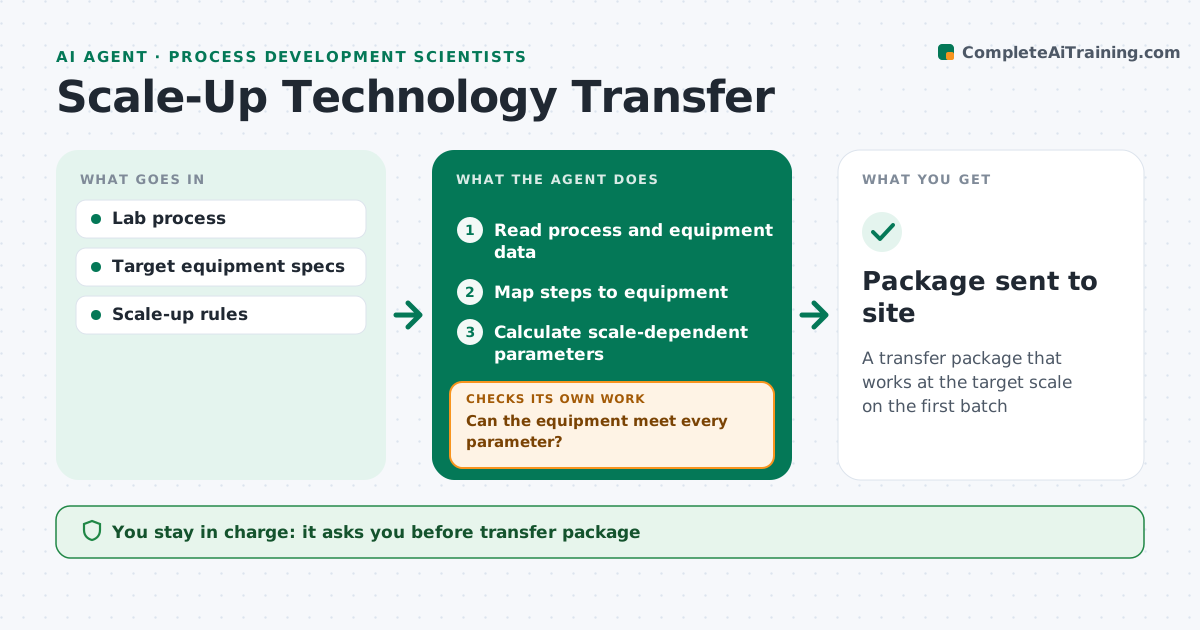
Moving a process from the lab to a larger plant means translating every parameter to new equipment, and missed gaps show up as failed batches. This agent reads the lab process description and the target site's equipment list. It maps each step to equipment and checks scale-dependent parameters such as mixing, heat transfer and addition times. Where the equipment cannot meet a range, it flags the gap with options, such as a slower addition or a different vessel. It builds the transfer document and a risk list. It then checks that every comment from the receiving site is resolved before the first batch. If comments are open, it chases owners. You approve the transfer package. Edge case: a heating rate the plant jacket cannot reach is flagged with options rather than assumed.
How it works
Follow the arrows from top to bottom. The orange dashed arrow is the loop: when a check fails, the agent goes back and tries again.
Read the steps as a list
- Transfer planned
- Read process and equipment data
- Map steps to equipment
- Calculate scale-dependent parameters
- Can the equipment meet every parameter?If not: flag gaps with options. Back to step 3.
- Build transfer document and risk list
- Scientist approves the packageThe agent waits here for your OK.
- Package sent to site
How it decides
It compares required parameter ranges with equipment capability and flags any gap.
- Flag equipment gaps
- Use scale-up rules for mixing and heat transfer
- Require site comment resolution
Make it yours
Every agent is a starting point. You choose these settings for your own situation.
- Scale-up rules
- Equipment list
- Template
- Risk scoring
What keeps you in control
It always asks you first
- Transfer package
Hard limits
- Never changes validated processes
It stops when
- Done: package sent
- Stop: equipment data missing
Set it up
We guide you through the set-up, step by step
Members get the full set-up guide for this agent. No technical skills needed: you copy, paste and upload.
- One set of instructions to paste into your AI, with the clicks for ChatGPT, Claude, Microsoft 365 Copilot, Gemini and Grok
- The agent then walks you through connecting your own data, one source at a time
- A downloadable copy with the flow chart, the rules and the full guide