AI agent for electrical engineers
Schematic Design Review Agent
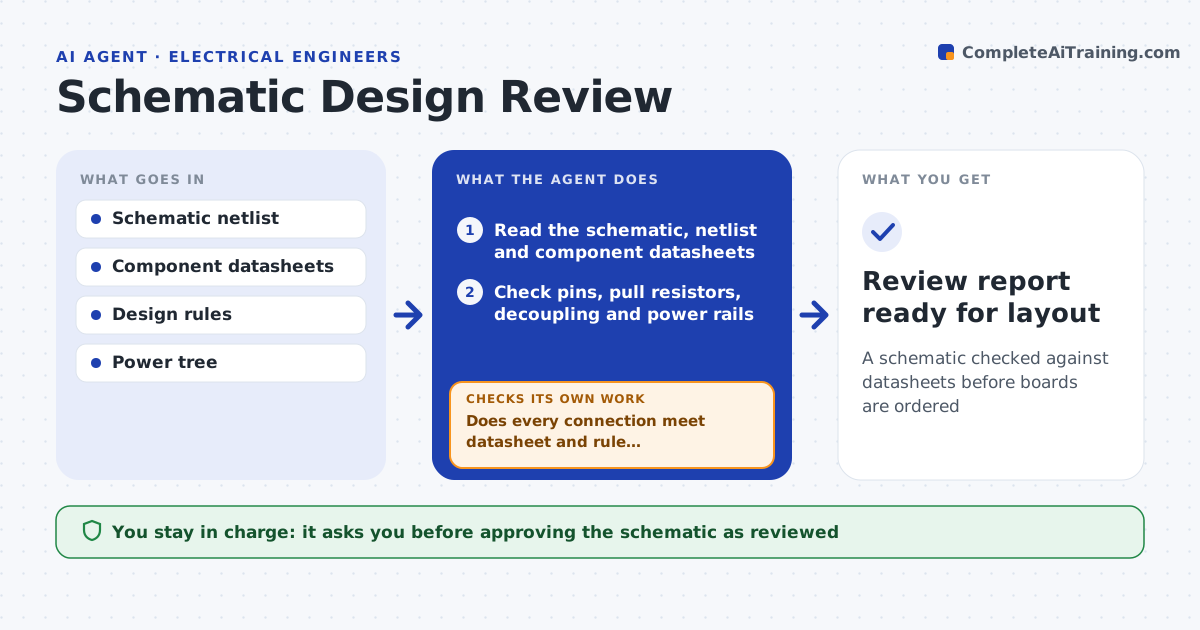
A schematic checked against datasheets before boards are ordered
What it does
A schematic error found after boards are made costs a full board spin. This agent reads the schematic and every part's datasheet and checks the common issues: missing decoupling capacitors, floating or wrongly tied pins, missing pull-up or pull-down resistors, power rails that do not match part voltages, and reset or clock lines left undriven. It cross-checks each connection against the datasheet requirements and lists each finding with the net, the part and the page reference. Where a finding depends on design intent, it asks the designer instead of assuming. After fixes it rereads the whole schematic, because a fix can create a new issue. You approve the schematic as reviewed. Edge case: an empty placeholder footprint is noted as intentional once the designer confirms it.
How it works
Follow the arrows from top to bottom. The orange dashed arrow is the loop: when a check fails, the agent goes back and tries again.
Read the steps as a list
- Schematic ready for review
- Read the schematic, netlist and component datasheets
- Check pins, pull resistors, decoupling and power rails
- Cross-check each connection against datasheet requirements
- Does every connection meet datasheet and rule requirements?If not: list each finding with the net and page reference, and ask the designer where intent is unclear. Back to step 3.
- Reread the revised schematic after fixes
- Did the fixes clear every finding without adding new ones?If not: list the new or remaining findings and wait for another revision. Back to step 6.
- Summarize findings and resolutions by severity
- Engineer approves the reviewed schematicThe agent waits here for your OK.
- Review report ready for layout
How it decides
It flags any connection that conflicts with a datasheet requirement or a design rule, and asks when intent is unclear rather than guessing.
- Flag any pin tied against its datasheet requirement
- Ask the designer when a choice looks intentional
- Rank findings by how costly they are to miss
Make it yours
Every agent is a starting point. You choose these settings for your own situation.
- Design rules to enforce
- Severity ranking
- Checks to always include
- Parts to scrutinize most
What keeps you in control
It always asks you first
- Approving the schematic as reviewed
Hard limits
- Does not change the schematic itself
- Flags, does not silently assume intent
It stops when
- Done: all findings resolved or accepted
- Stop: datasheets for key parts are missing
Set it up
We guide you through the set-up, step by step
Members get the full set-up guide for this agent. No technical skills needed: you copy, paste and upload.
- One set of instructions to paste into your AI, with the clicks for ChatGPT, Claude, Microsoft 365 Copilot, Gemini and Grok
- The agent then walks you through connecting your own data, one source at a time
- A downloadable copy with the flow chart, the rules and the full guide