AI agent for sustainability analysts
Scope 1 and 2 Emissions Inventory Agent
Produce a complete, checked Scope 1 and 2 inventory for the period
What it does
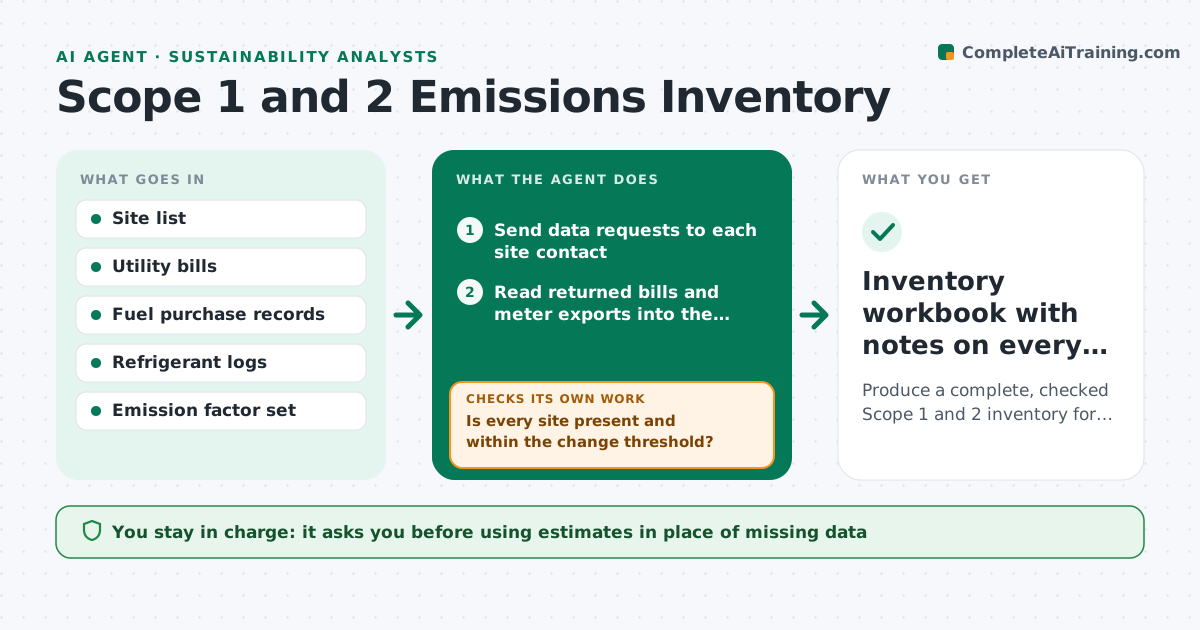
A carbon inventory needs fuel, refrigerant and electricity data from every site, converted with the right emission factors, and chasing sites takes weeks. This agent sends data requests to site contacts, reads the bills and meter exports they return, and converts each activity into tonnes of CO2e using the factor set the analyst chose. It calculates both market-based and location-based electricity figures. It then checks every site against last year and against similar sites. A site whose use changes more than the set threshold, or that sent nothing, gets a specific question or reminder and is checked again when data arrives. Estimates are used only where the analyst allows, and are labeled as estimates. The analyst approves the final inventory. Edge case: a site that changed meters mid-year is flagged so the two readings are not double counted.
How it works
Follow the arrows from top to bottom. The orange dashed arrow is the loop: when a check fails, the agent goes back and tries again.
Read the steps as a list
- Reporting period closes
- Send data requests to each site contact
- Read returned bills and meter exports into the activity sheet
- Convert activities to CO2e with the chosen factors
- Is every site present and within the change threshold?If not: send a specific question or reminder to the site and wait for data. Back to step 3.
- Fill approved gaps with labeled estimates
- Analyst approves the inventoryThe agent waits here for your OK.
- Inventory workbook with notes on every estimate
How it decides
It compares each site's activity data to its own history and to peer sites. Changes above the threshold need an explanation before the number is accepted.
- Change above 20% versus last year needs a site explanation
- Market-based and location-based electricity figures are both calculated
- Missing data after two reminders is estimated only if the analyst allows
Make it yours
Every agent is a starting point. You choose these settings for your own situation.
- Emission factor source and year
- Change threshold that triggers a question (default 20%)
- Number of reminders before estimating (default 2)
- Which sites are in scope
What keeps you in control
It always asks you first
- Using estimates in place of missing data
- Publishing or sharing the inventory
Hard limits
- Never change a factor set without approval
- Every estimate is labeled in the output
It stops when
- Done: every site has accepted data or an approved estimate
- Stop: factor set does not cover a fuel type, ask the analyst
Set it up
We guide you through the set-up, step by step
Members get the full set-up guide for this agent. No technical skills needed: you copy, paste and upload.
- One set of instructions to paste into your AI, with the clicks for ChatGPT, Claude, Microsoft 365 Copilot, Gemini and Grok
- The agent then walks you through connecting your own data, one source at a time
- A downloadable copy with the flow chart, the rules and the full guide