AI agent for scriptwriters
Script Submission Tracker Agent
Every submission meets the target's rules and is tracked to a reply
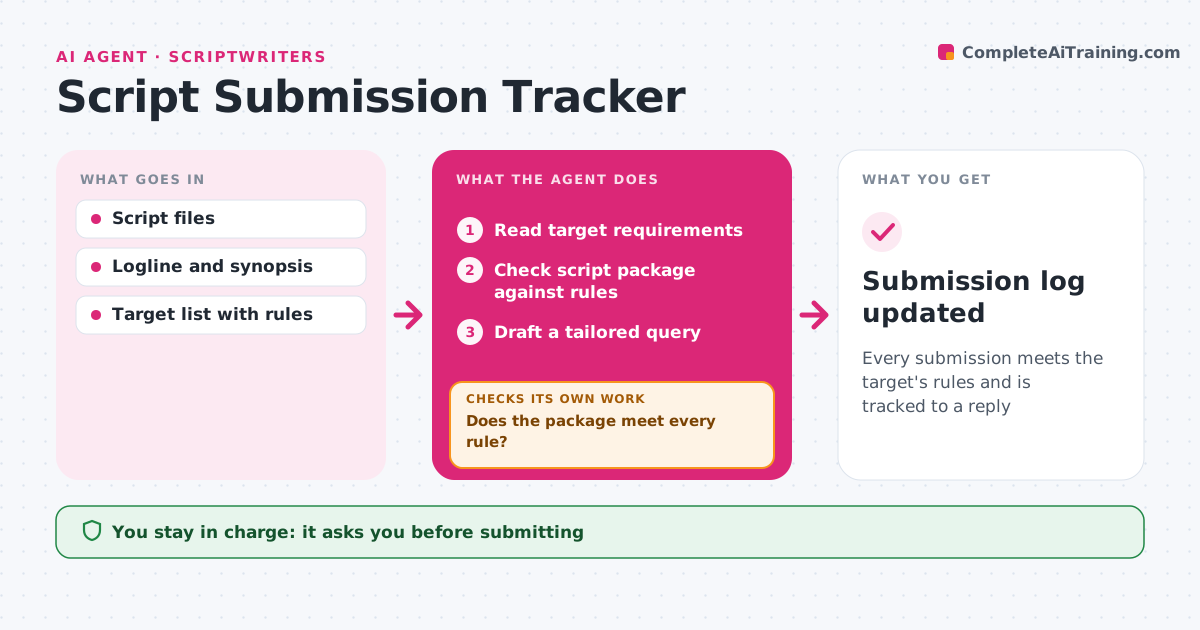
What it does
Sending scripts out involves many rules: page limits, formats, logline length, fees and deadlines, and one missed rule can get a script tossed unread. When a new target is added, this agent reads its requirements and checks the script package against them: formatting, page count, title page and logline length. It skips targets that do not take the genre. If anything fails, it lists the exact fix and checks again after the writer updates the package. It drafts a query email tailored to each target. The writer approves every submission and any entry fee before it goes out. The agent then tracks replies and follows up after the target's stated reply time, logging everything. Edge case: when a contest says it does not accept previously optioned scripts, the agent flags this for the writer to confirm instead of deciding eligibility itself.
How it works
Follow the arrows from top to bottom. The orange dashed arrow is the loop: when a check fails, the agent goes back and tries again.
Read the steps as a list
- New target added
- Read target requirements
- Check script package against rules
- Does the package meet every rule?If not: list fixes for the writer and recheck. Back to step 3.
- Draft a tailored query
- Writer approves submission and feeThe agent waits here for your OK.
- Track replies and follow-up dates
- Submission log updated
How it decides
It submits only when every rule passes, and orders targets by deadline and fit with the genre.
- Skip targets that do not take the genre
- Flag eligibility rules the writer must confirm
- Follow up after the target's stated reply time
Make it yours
Every agent is a starting point. You choose these settings for your own situation.
- Target list
- Follow-up timing
- Query tone
- Budget for fees
What keeps you in control
It always asks you first
- Submitting
- Paying entry fees
Hard limits
- Never pays fees without approval
- Never sends without approval
It stops when
- Done: submission sent and logged
- Stop: rules unclear; ask writer
Set it up
We guide you through the set-up, step by step
Members get the full set-up guide for this agent. No technical skills needed: you copy, paste and upload.
- One set of instructions to paste into your AI, with the clicks for ChatGPT, Claude, Microsoft 365 Copilot, Gemini and Grok
- The agent then walks you through connecting your own data, one source at a time
- A downloadable copy with the flow chart, the rules and the full guide